
Snoraire · Internal product research · 21 November 2026
Competitive review
SnoreLab is the closest direct benchmark. Its trends and factor tags help people review changes across nights. Whether that encourages a second recording remains a beta question. Snoraire already has the underlying night history, notes and a limited personal baseline. The clearest missing product experience is an explicit comparison after two usable nights. Prototype that first, and use the employee beta to decide whether it belongs in January. SnoreLab trends and factors · Snoraire beta baseline code · January priorities below
Before expanding scope, verify that both signed builds can produce a usable report after a locked-screen night. Confirm that the Singapore and Malaysia callback paths lead to a response from the care team. The Android Pixel smoke and a controlled CRM delivery are useful early checks. iPhone and overnight acceptance and care follow-up still need evidence. Release checklist · Portal launch evidence · Public support and escalation · EAS-61
Feature-by-feature comparison
- Available
- Limited or related
- Unavailable
- Research only
- Unverified
Hover or tap any camera-marked cell for its screenshot. Browse competitor screenshots.
Scroll sideways to see more apps.
How to read the statuses
Available means present in the Snoraire beta source or documented by the competitor for the platform and tier shown in the notes. Limited or related means the documented capability covers part of the feature, or Snoraire’s signed-build acceptance is still open. Unavailable marks a gap in Snoraire or a limit confirmed by the competitor for the workflow described. Research only means the capability is outside the consumer flow. Unverified means the reviewed sources did not establish the competitor feature. Accuracy and reliability require separate testing.
The 21 November source audit reviewed all 52 previously unverified cells. A 22 November pass resolved eight more cells, seven of them from Android emulator checks. 20 cells still show a question mark. A result scoped to the tested Android flow covers only the free or guest Android build checked. Open a row to see the source and scope. Vendor documented means the claim comes from a public listing, release note or help page. See the Android captures.
Setup and overnight recording
| Capability | Snoraire beta | Snore |
Snore |
Snore Control | Sleep Cycle | Shut |
|---|---|---|---|---|---|---|
| Phone-only overnight snore recording | In beta Start from Home. Signed Android short start/stop observed. | Phone microphone | Phone microphone | Phone microphone | Microphone snore detection, Premium | Phone snore recorder |
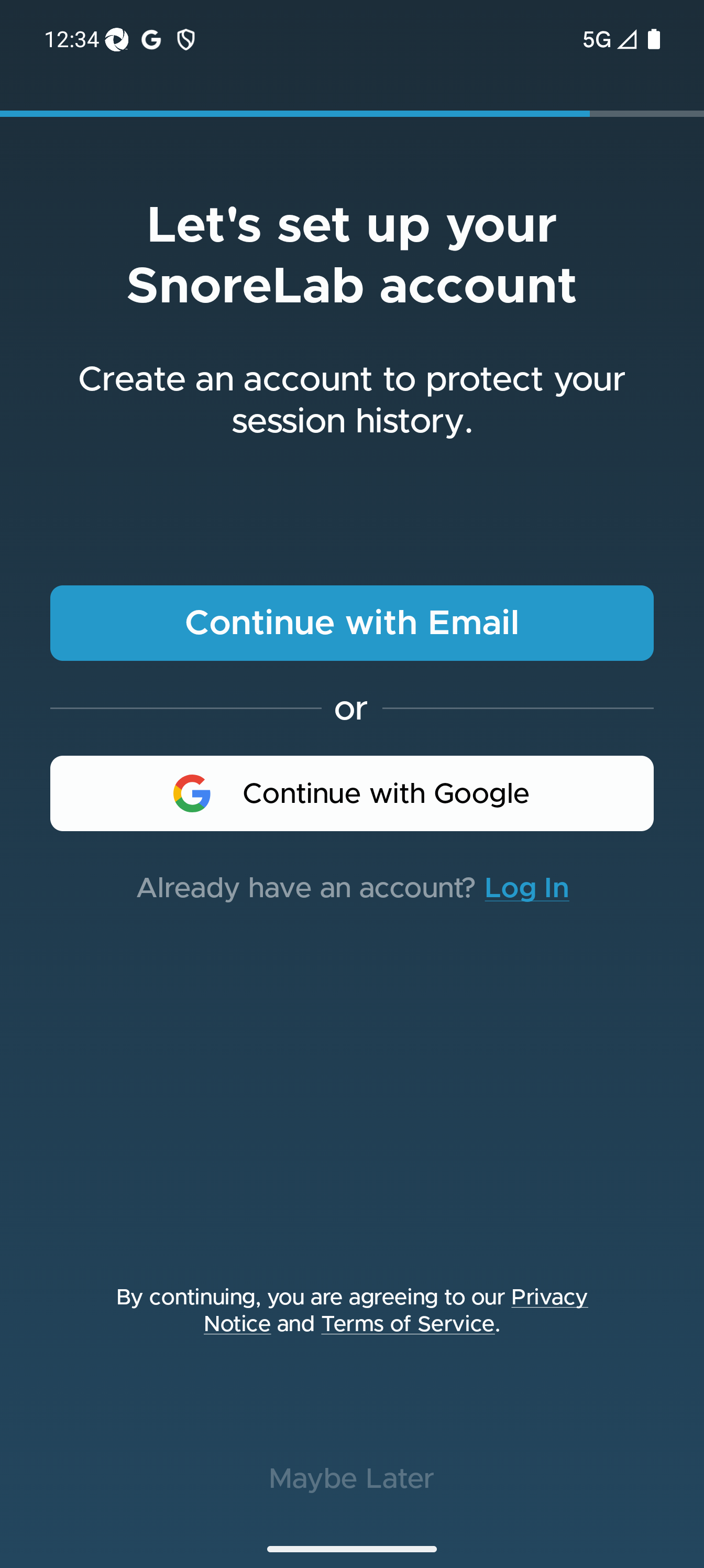
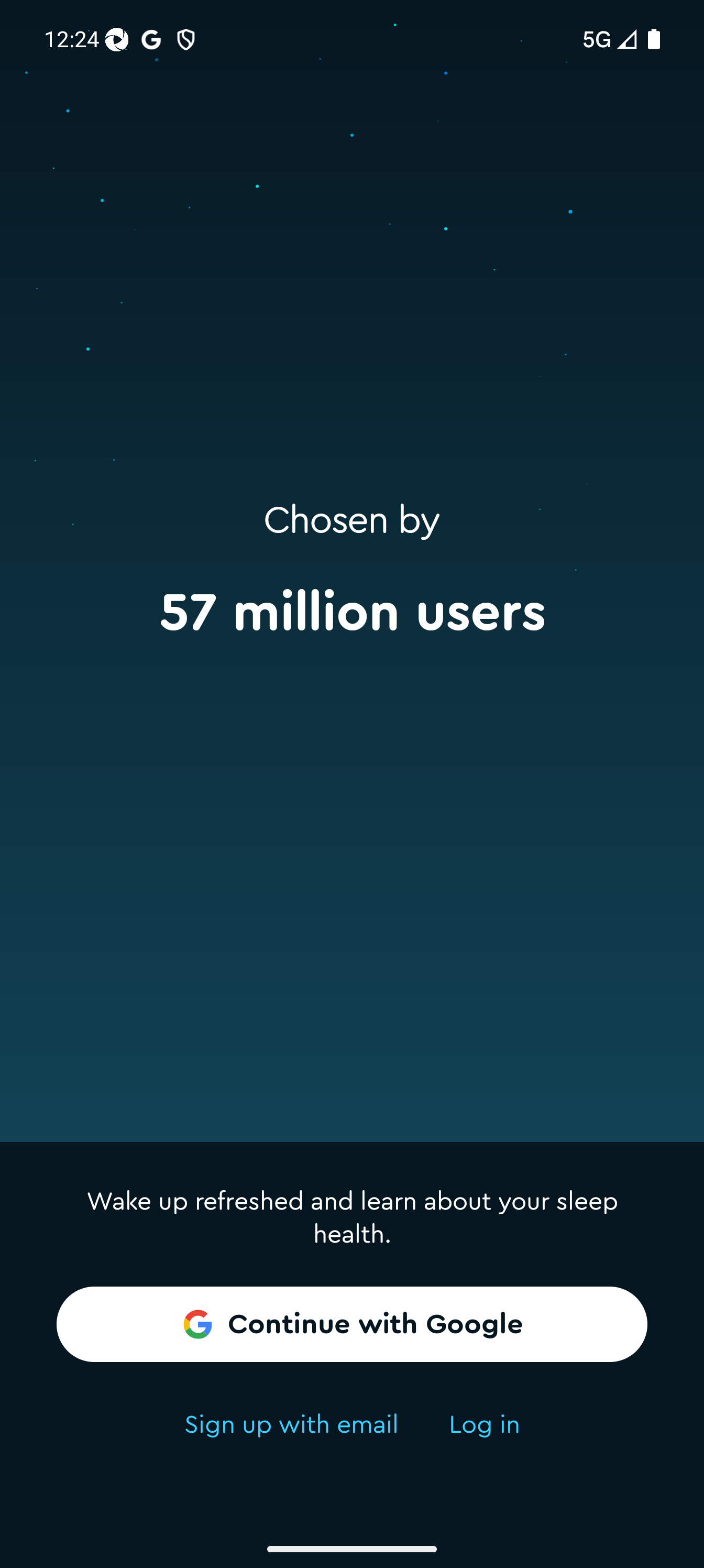
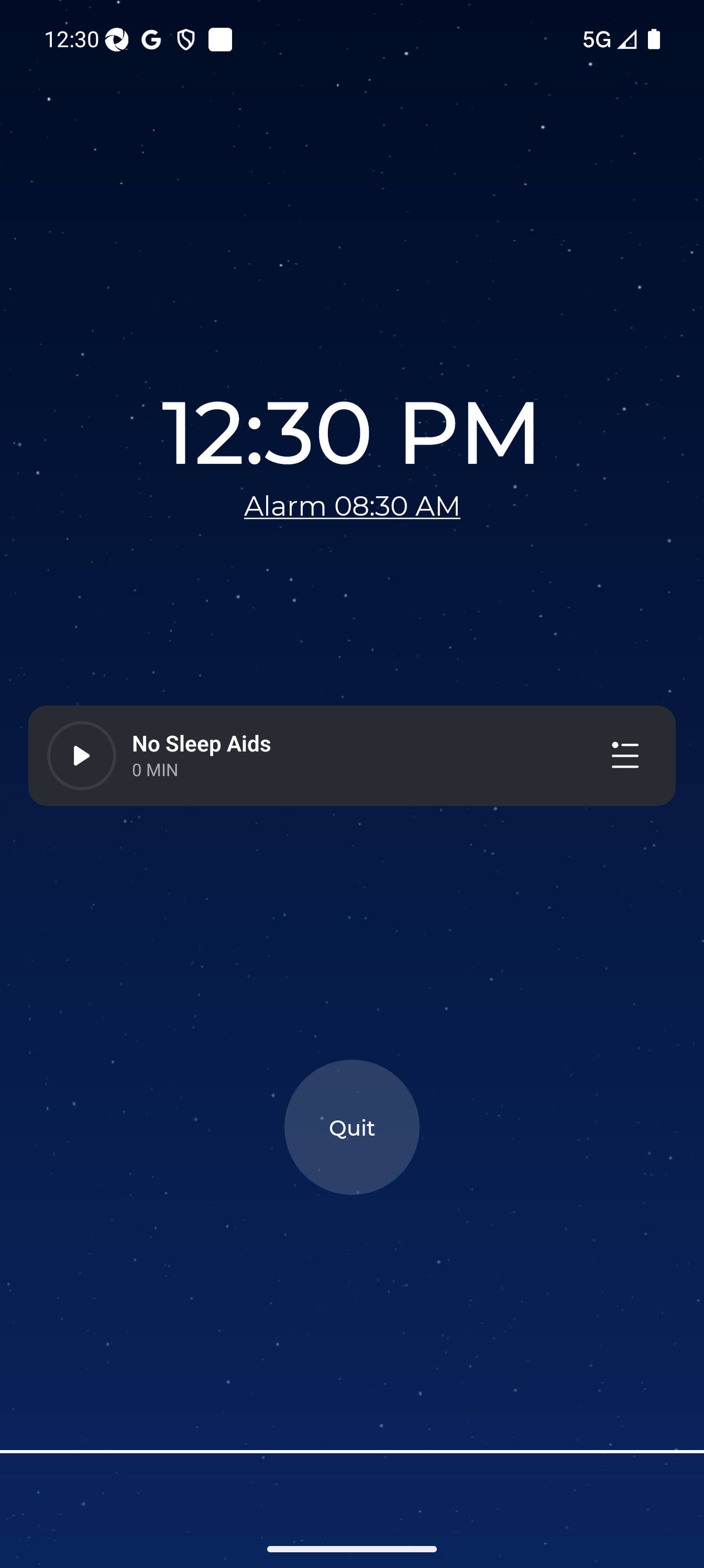
| Start without registration | Gap Email verification and profile setup precede first use. | A fresh Android install offered Maybe Later at the account prompt and advanced to a separate privacy and terms screen. Recording was not tested. SnoreLab on Google Play | No account on iOS | The listing and privacy policy leave the first-run flow unspecified. A clean install must reach the recording screen without signing in. Snore Control source 1 · Snore Control source 2 | On the tested Android first-run route, Continue opened Google sign-in, email sign-up and Log in. No guest option was visible. iOS and other storefronts remain unverified. Sleep Cycle source · Sleep Cycle on Google Play | A fresh Android install reached active tracking as a guest without a ShutEye account or trial. ShutEye source · ShutEye on Google Play |
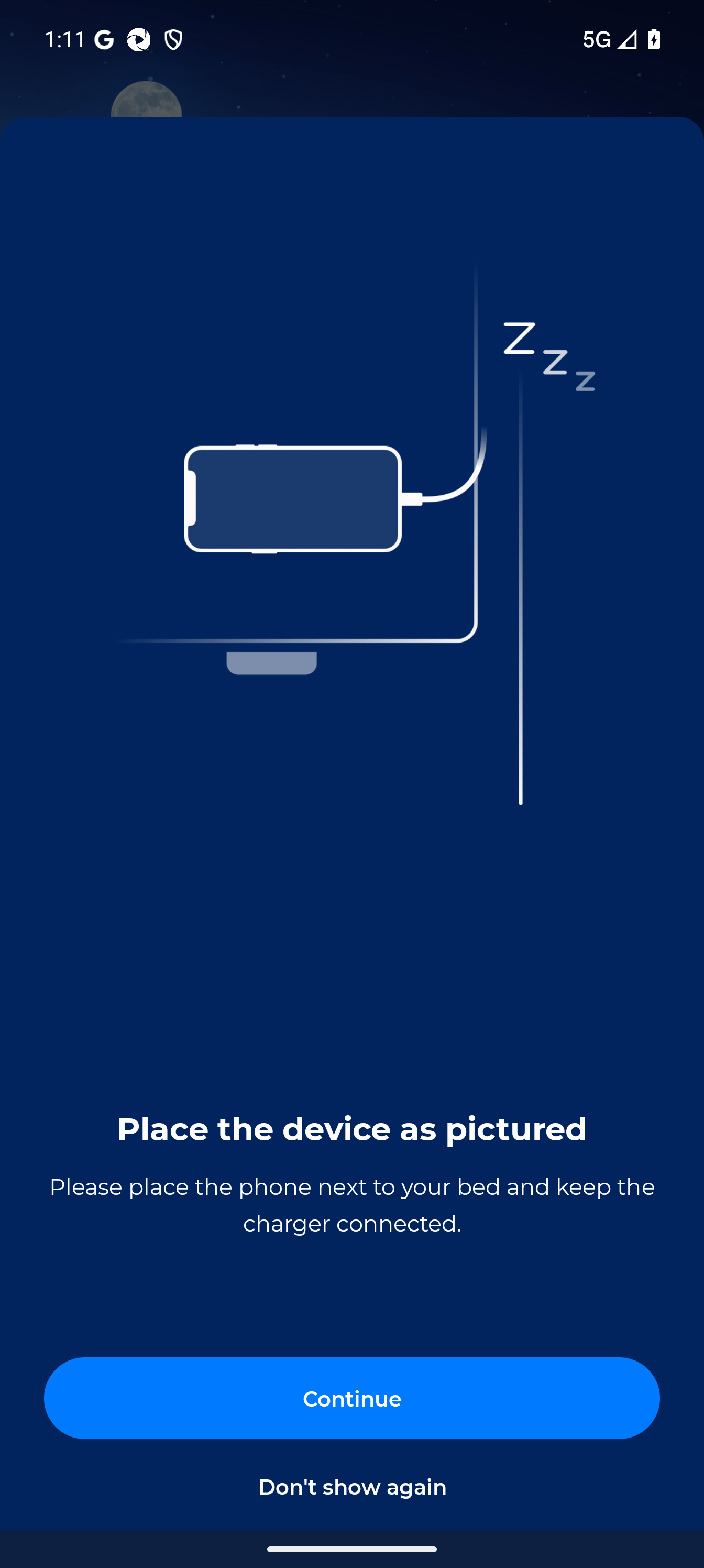
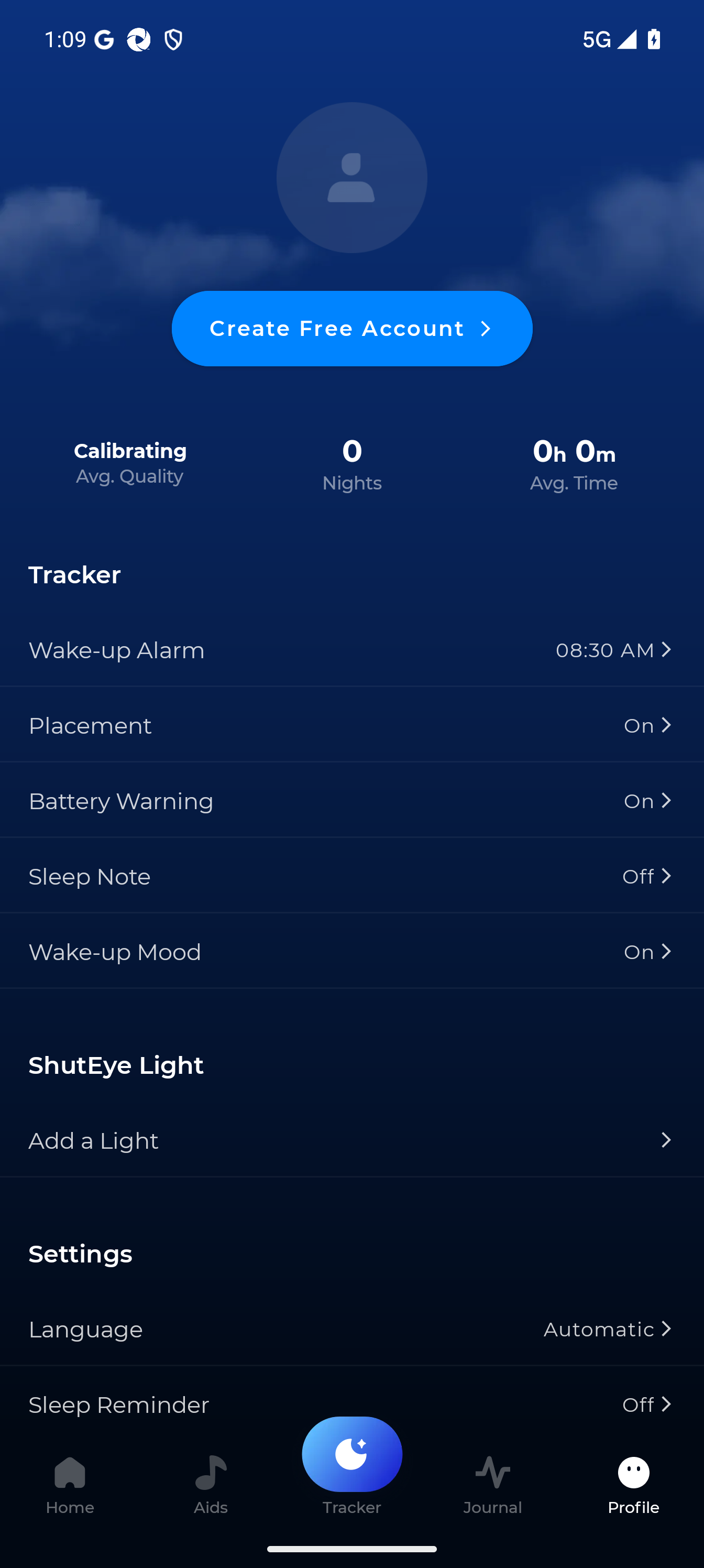
| Pre-bed guidance and readiness | Partial Mic recovery, storage gate and platform-specific prompts. Signed overnight acceptance open. | Phone placement and charging instructions | Placement and charging instructions | Placement and charging instructions | Placement guidance | The Android guest tracker shows a phone placement and charging prompt. Guest tracker settings also expose a battery warning. ShutEye source · ShutEye on Google Play |
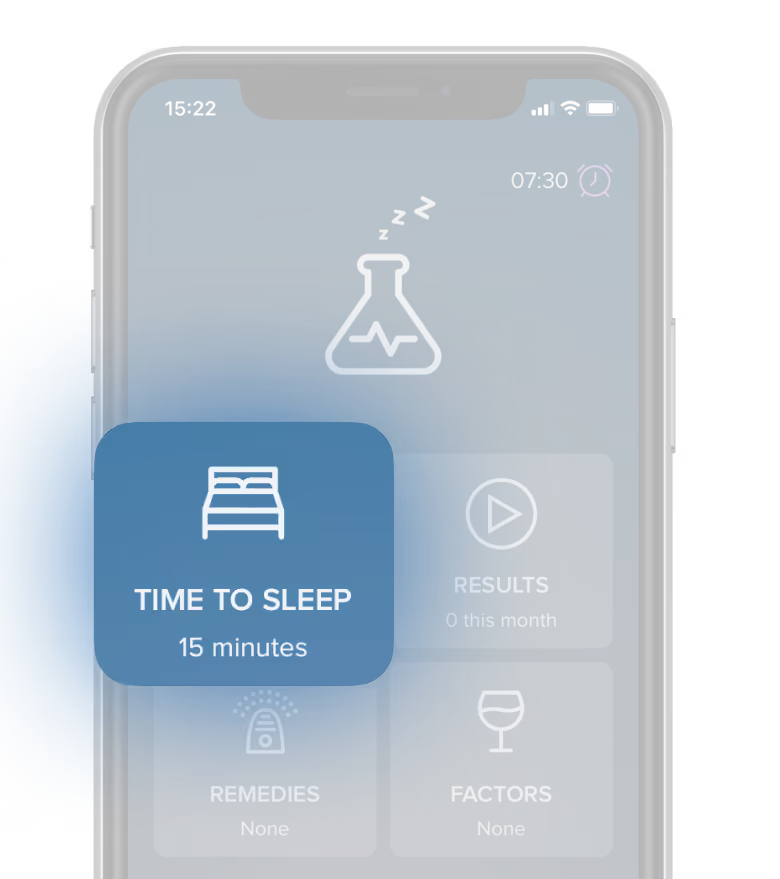
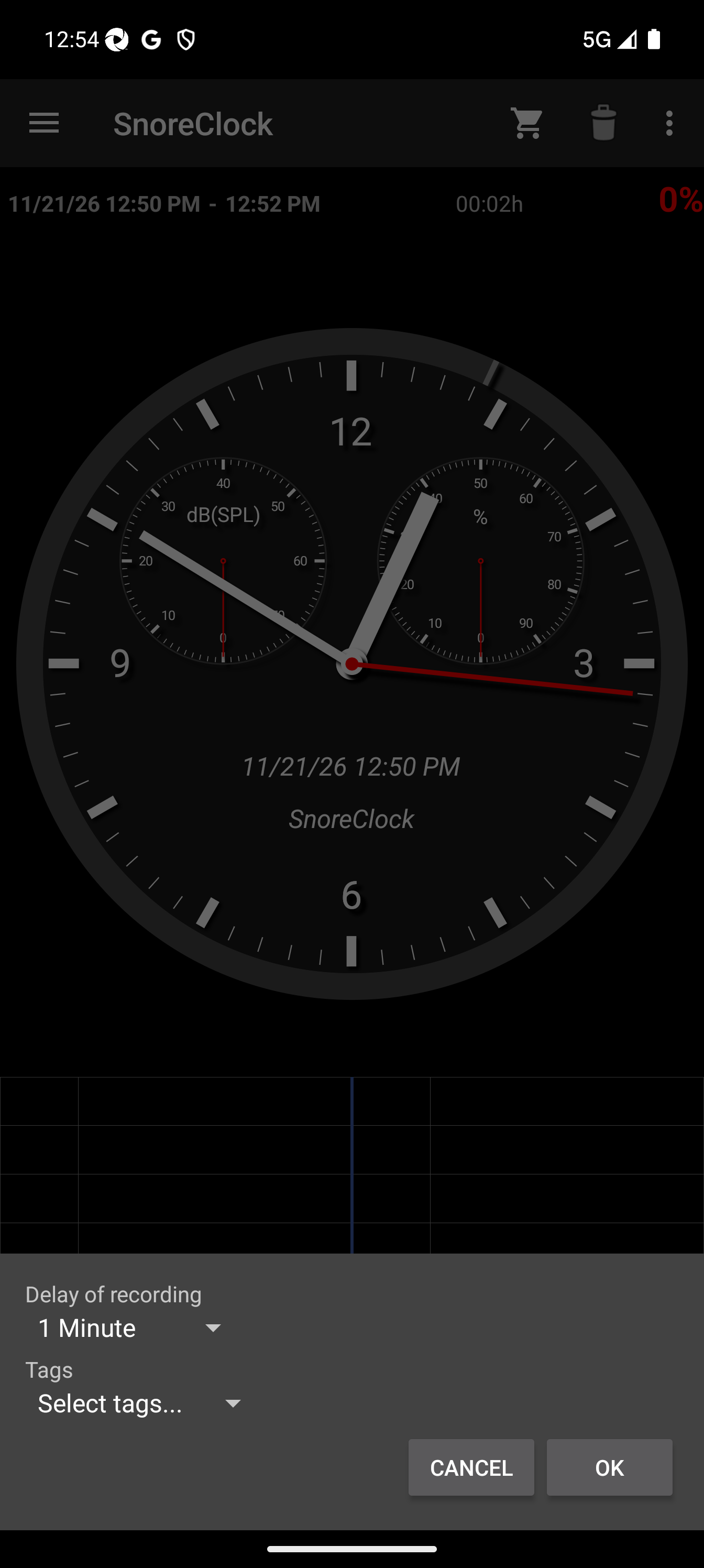
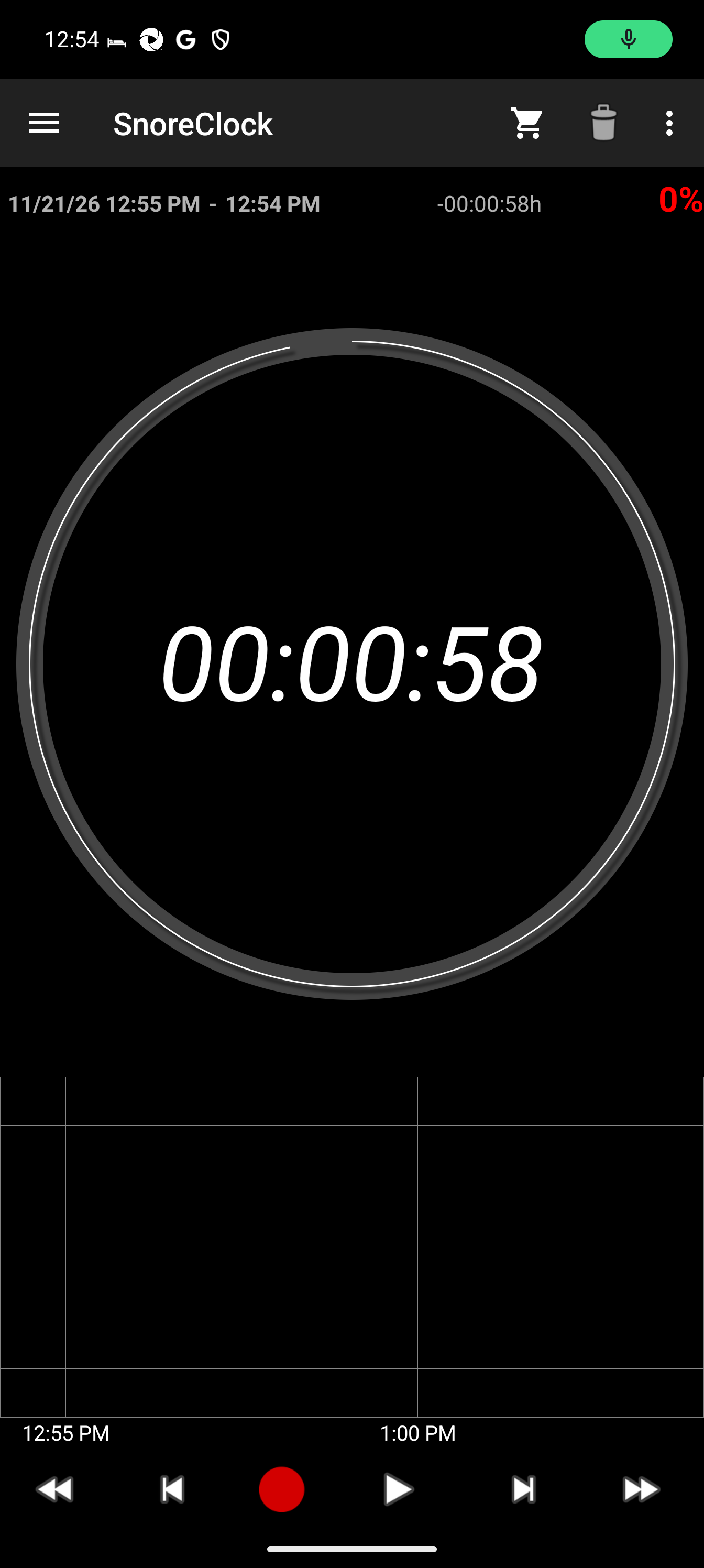
| Delayed recording start | Gap | Time to Sleep delay | The iPhone and iPad guide documents a delay. Android 6.0.1.1570 counts down before the displayed session start. Android already reported active microphone input during that countdown. Whether the app retains any audio from the countdown remains unverified. SnoreClock source · Device log · SnoreClock on Google Play | Activation delay | The iOS guide describes immediate tracking via Control Center, Lock Screen and Siri. Apple Watch tracking can start when it detects sleep. A configurable delay before the phone microphone starts remains unverified. iOS start shortcuts · Sleep Cycle source | In Android 2.0.4 guest mode, recording was active within five seconds of tapping Done on the sleep note, with no countdown. Tracker settings list no start delay. iOS and Premium remain unverified. ShutEye source · ShutEye on Google Play · ShutEye Android check |
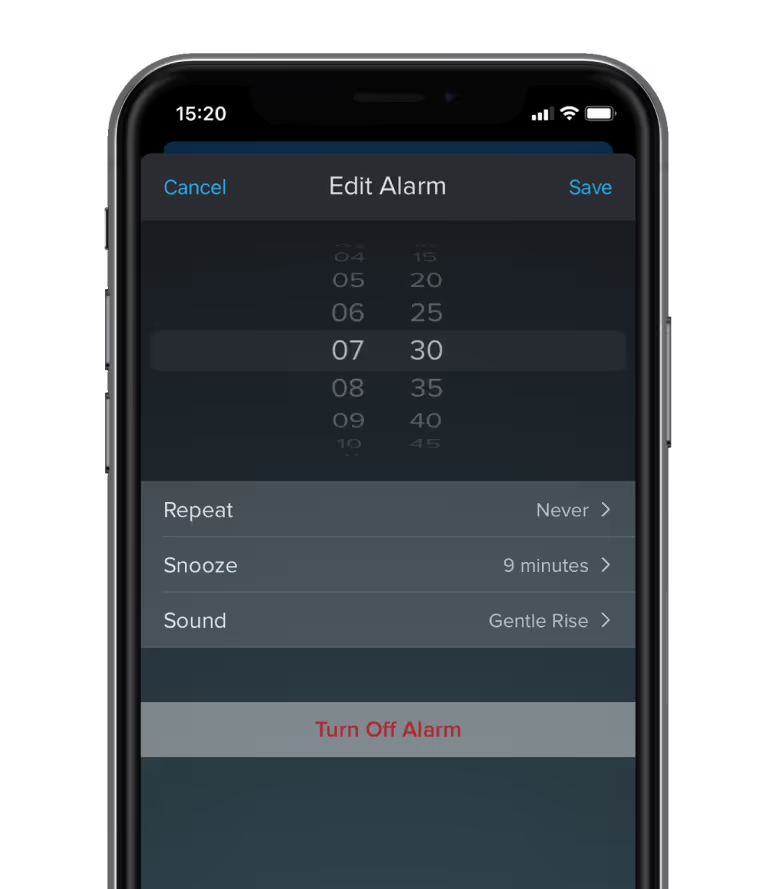
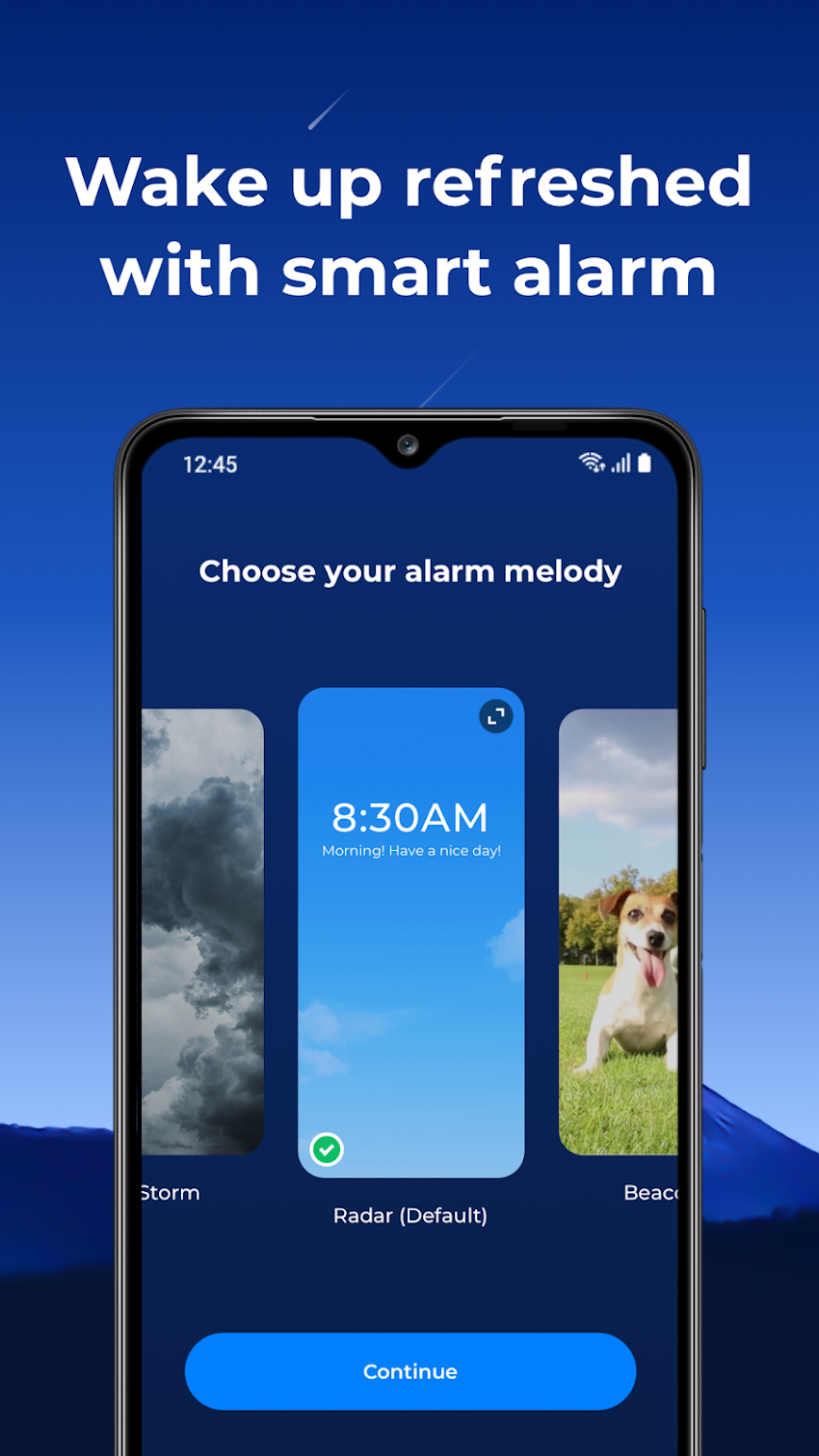
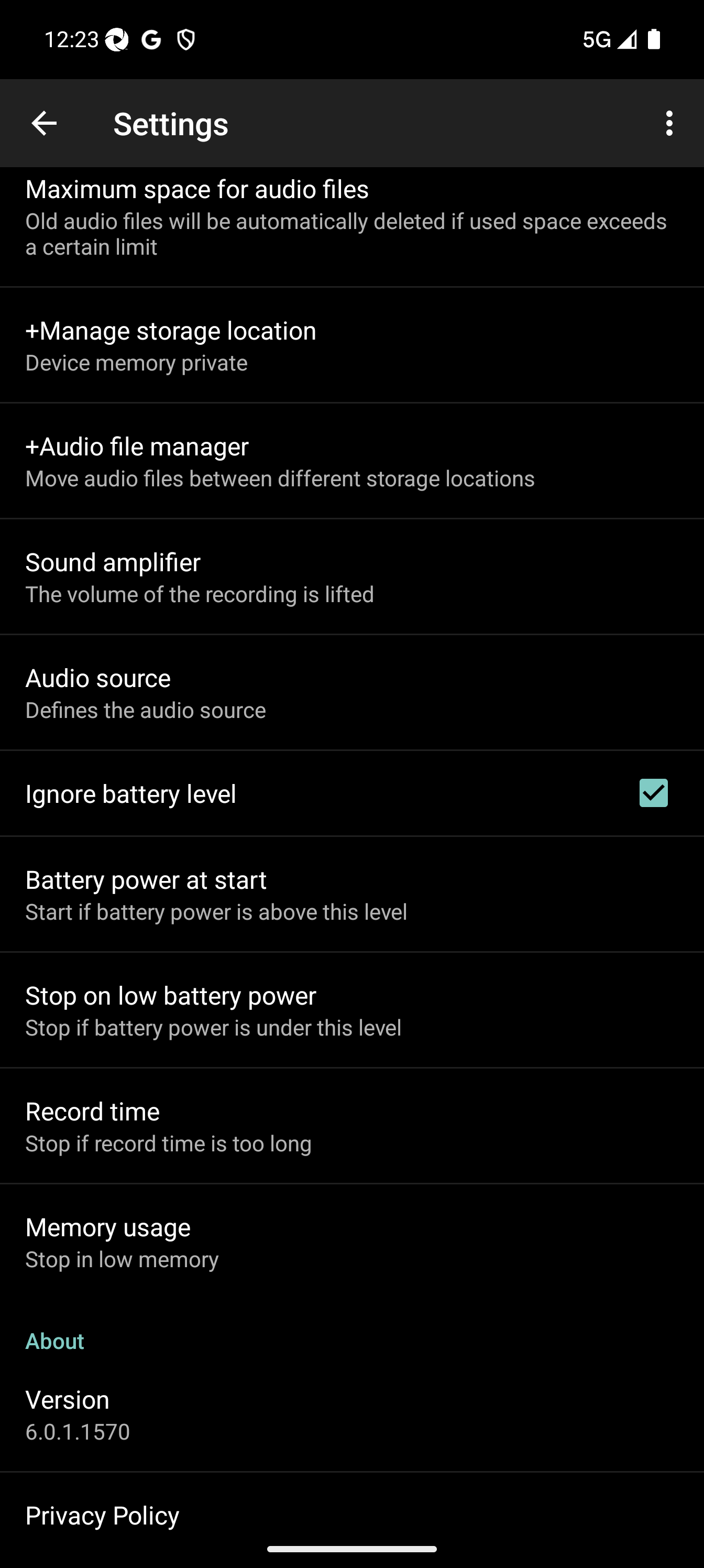
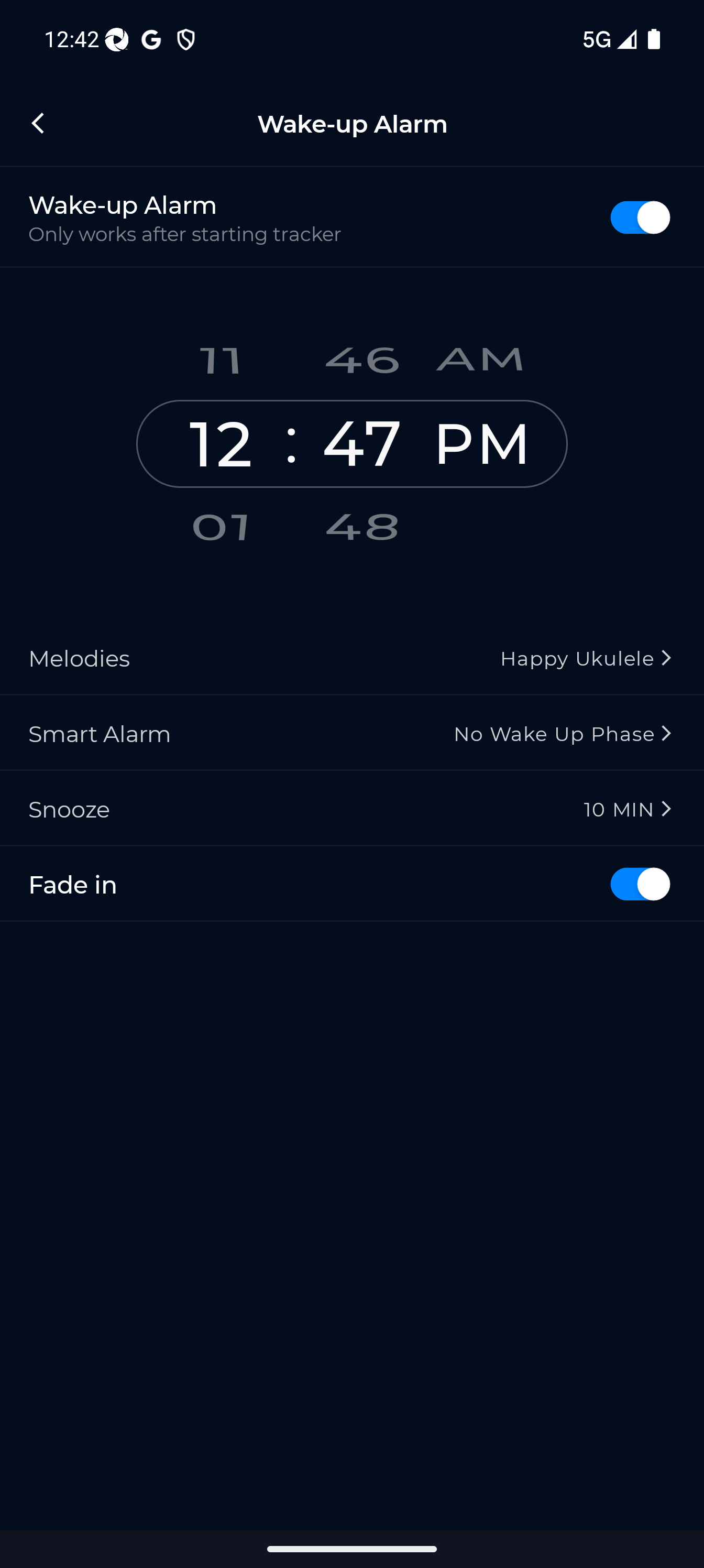
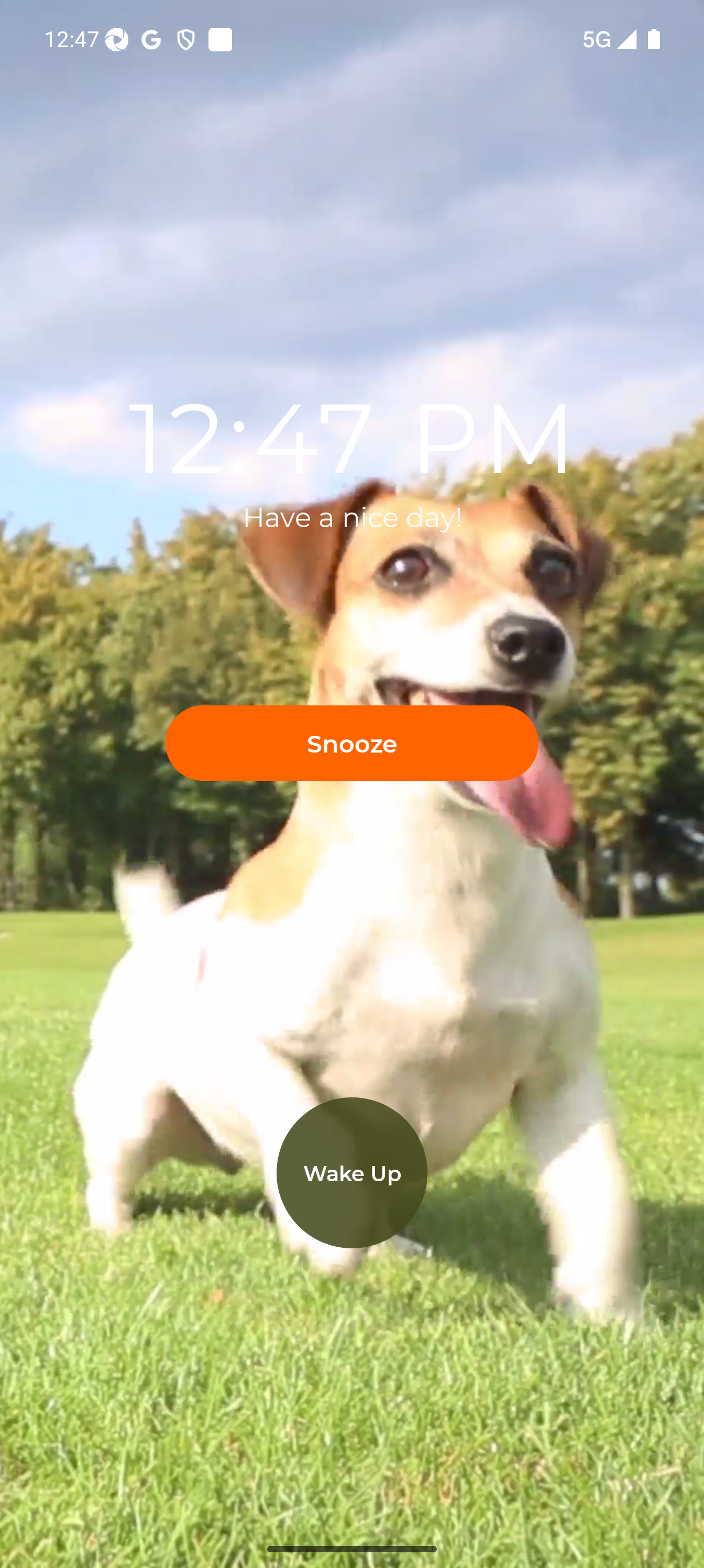
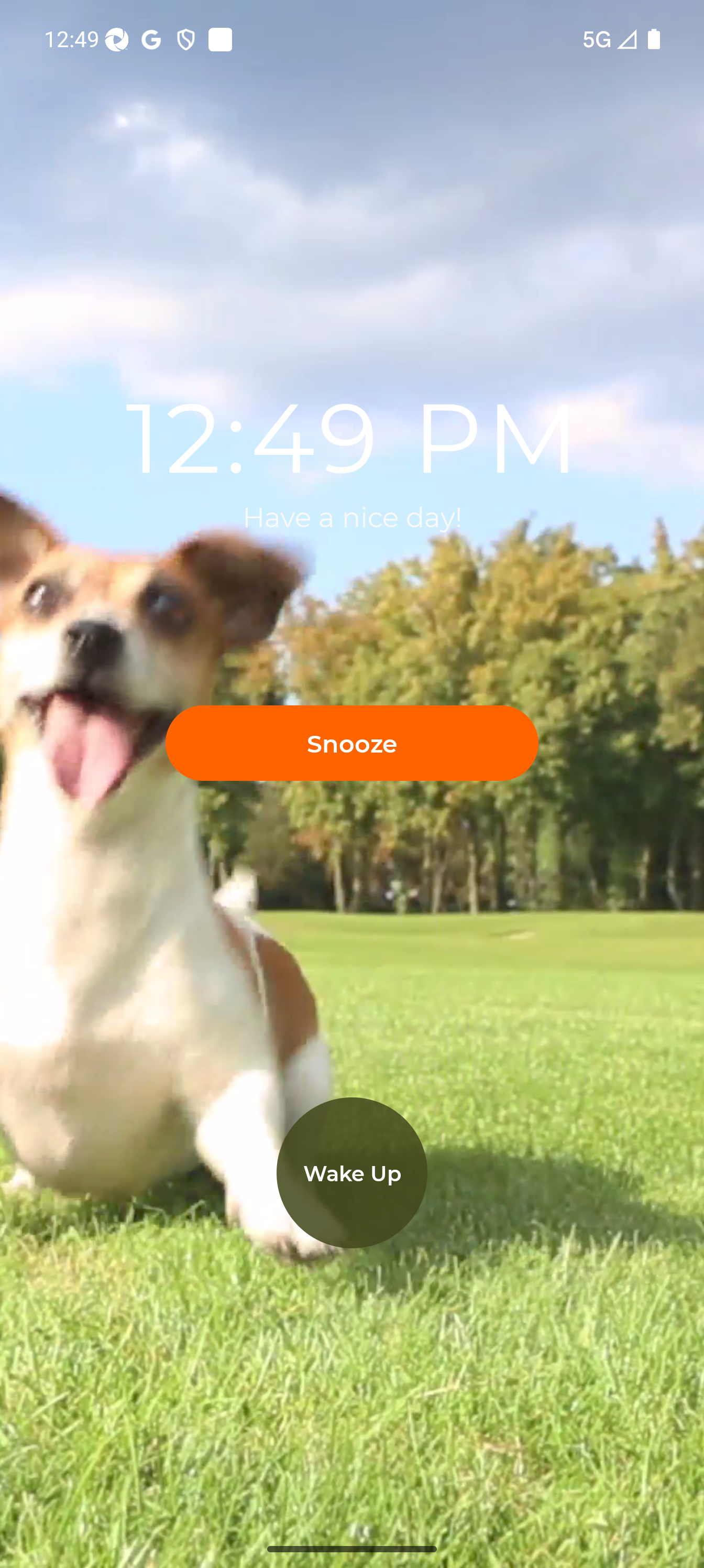
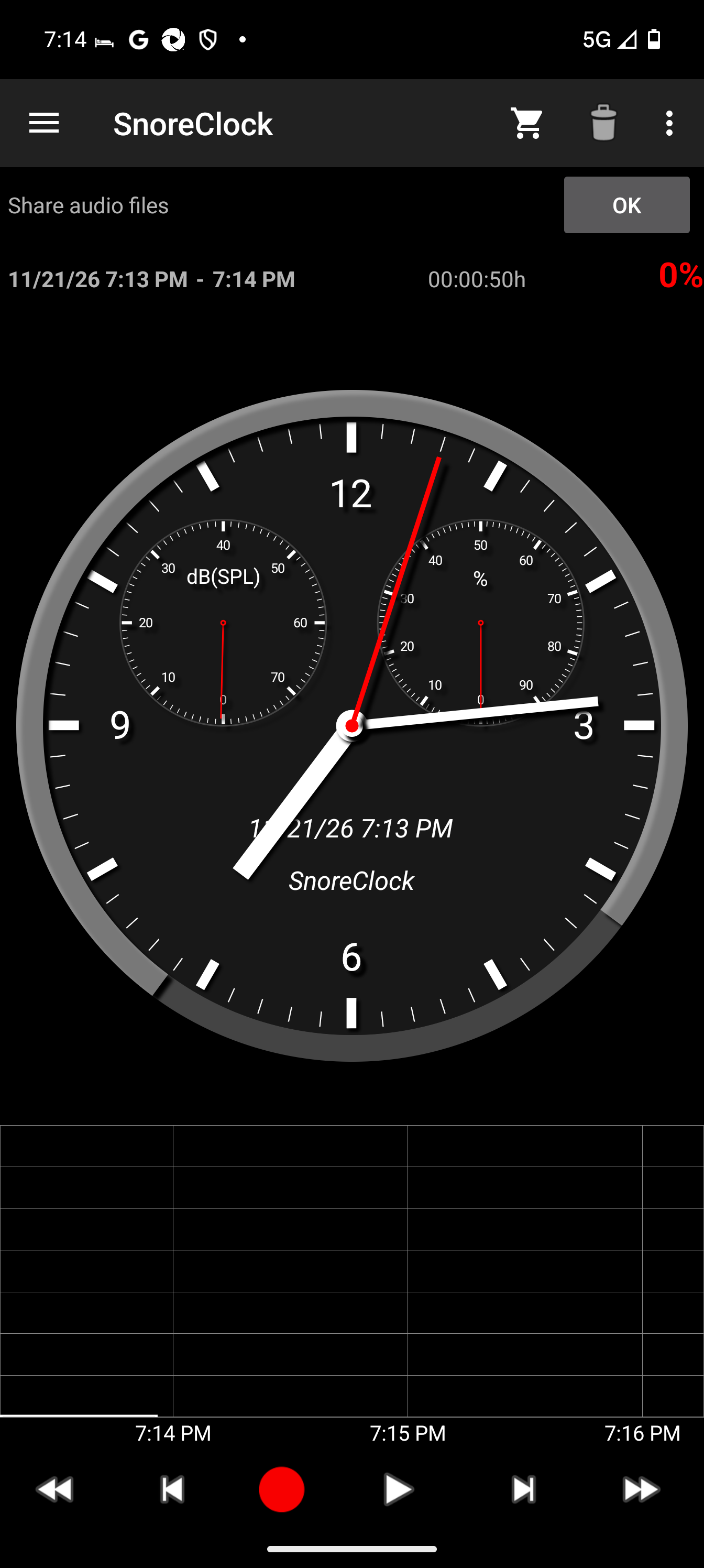
| End recording automatically | In beta Eight-hour time limit. | Alarm ends session at chosen time | SnoreClock documents a low-battery stop on iOS and exposes low-battery and maximum-time controls on Android. Android 6.0.1.1570 kept recording below its configured 40% stop threshold in two simulated battery tests. Physical-device behavior and the maximum-time stop remain unverified. Emulator test log · SnoreClock on Google Play | Smart Alarms can wake the user. Whether the alarm stops recording needs an unattended session test. Snore Control source | The tracking-only guide and iPhone Action Button guide describe manual stop controls. Whether the phone ends recording when the alarm goes unanswered remains unverified. iPhone Action Button guide · Sleep Cycle source | ShutEye Android 2.0.4 kept recording for at least two minutes after its fixed wake-up alarm fired. The Wake Up button ended this short test session. A smart wake window or longer unattended timeout remains unverified. ShutEye wake-up alarm help · Device log |
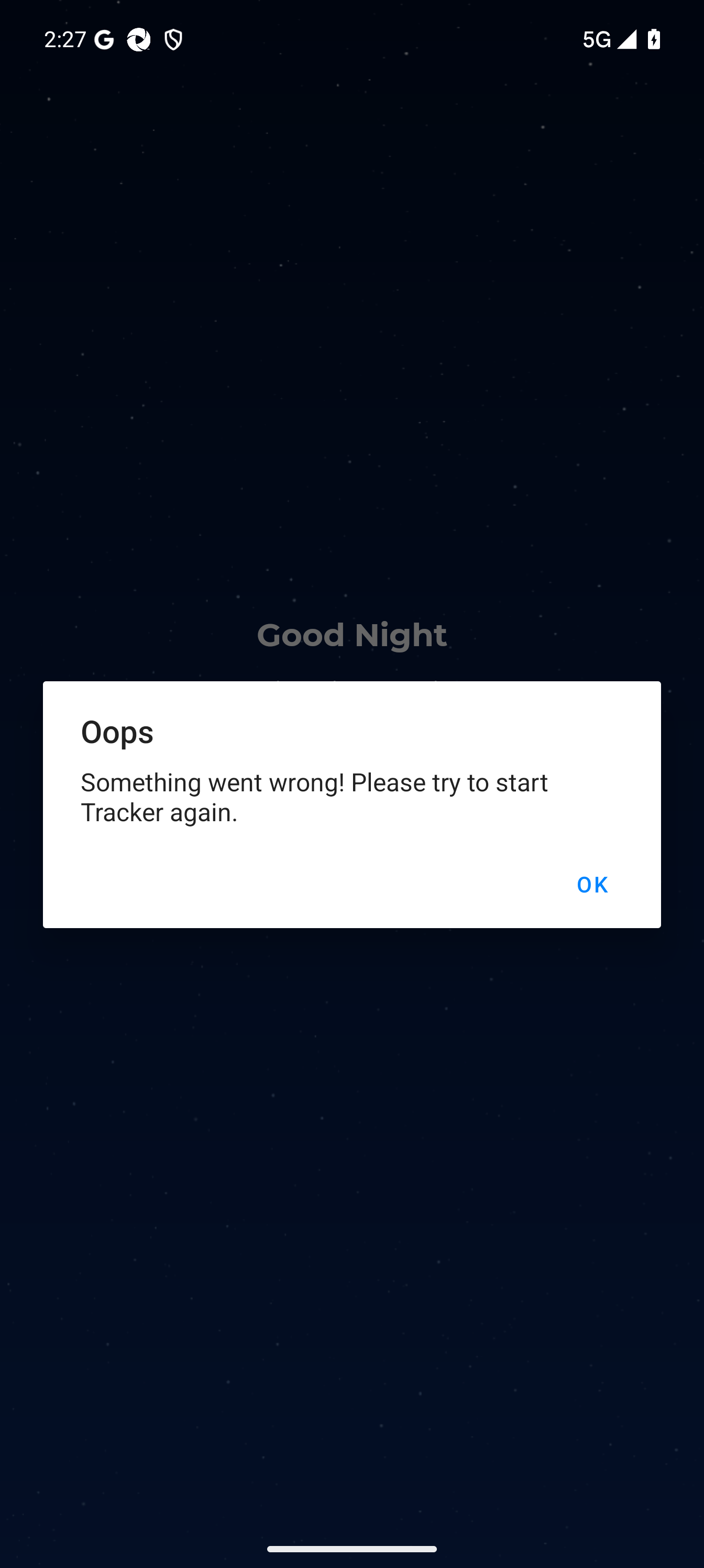
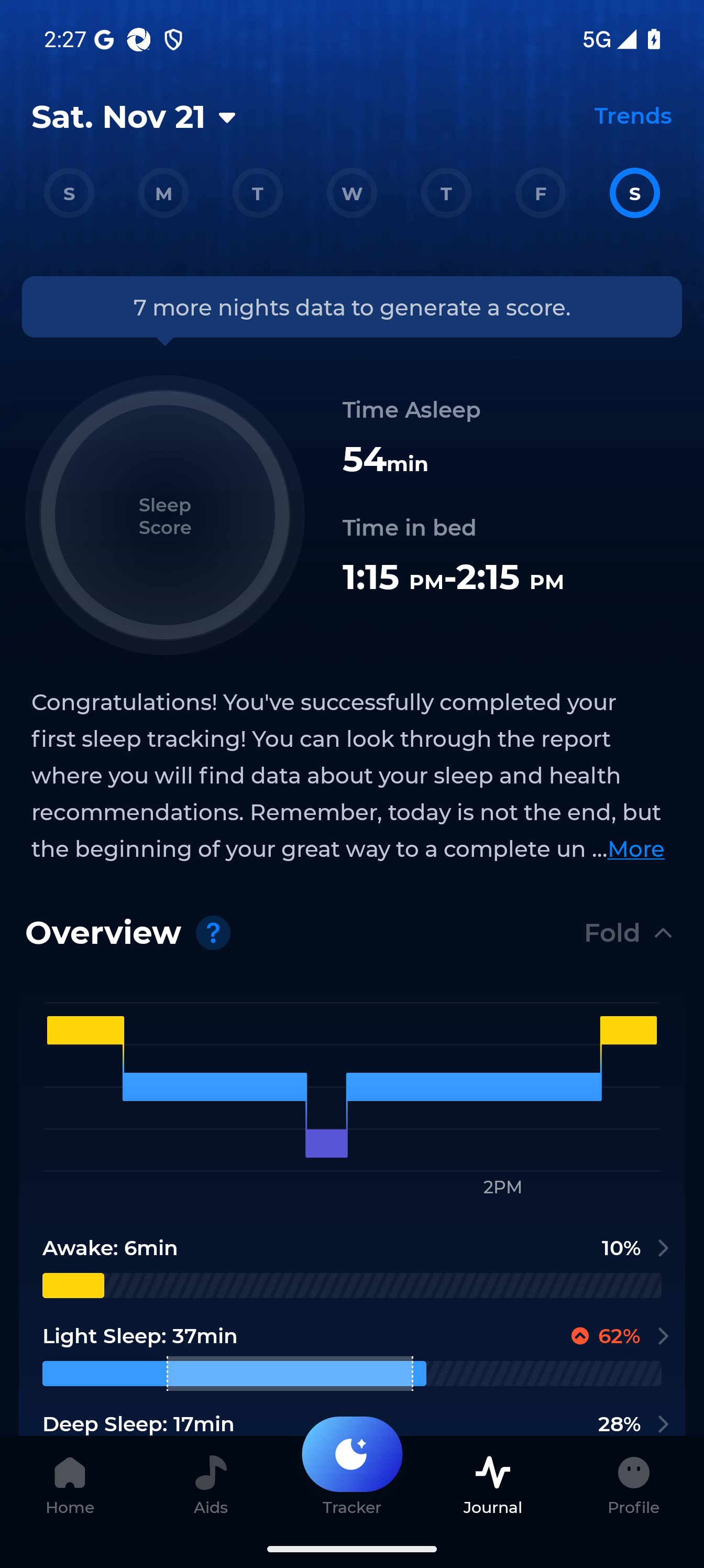
| Clear recovery after interruptions or short nights | Partial Paused, stopped and partial-night states exist. Short-night warning observed on Android. Locked overnight recovery pending. | Troubleshooting and instructions for disrupted sessions | Low-battery shutdown documented on iOS | Background monitoring advertised | Background and lock-screen support documented | A short forced-stop test produced no report. In a separate Android 16 emulator test, ShutEye aborted at the alarm after 69 minutes of synthetic tracking. Relaunch showed a retry prompt and a dated 60-minute report. The session did not resume. Recovery on a physical phone remains unverified. ShutEye source · ShutEye on Google Play · Test log |
| Sound sensitivity and low-battery safeguards | Partial Storage gate, charging guidance and best-effort background setup. Dedicated low-battery auto-stop was not established. | On iOS, users can adjust detection sensitivity from Results. Charging guidance is documented. SnoreLab FAQ | Low-battery auto-stop on iOS | Adjustable mic sensitivity and charging guidance | A configurable low-battery alarm can run during a session. Sleep Cycle source | Noise sensitivity setting and charging guidance. ShutEye source |
Snoraire signed Android smoke · Snoraire readiness code · SnoreLab instructions · SnoreLab account and backup · SnoreClock iOS · Snore Control iOS · Sleep Cycle placement and background guide · ShutEye Android
Morning report and audio
| Capability | Snoraire beta | Snore |
Snore |
Snore Control | Sleep Cycle | Shut |
|---|---|---|---|---|---|---|
| Nightly snoring summary | In beta Snoring information, sound score, chart and explanations. | Snore Score, time and loudness breakdown | Snore rate and noise chart | Snoring time and noise graph | Snore statistics, Premium | Snoring analysis and separate sleep score |
| Recording context and quality | In beta Coverage and partial-night reporting. | Session duration and sound breakdown | Duration and volume chart | Night noise graph | Night graph and duration | Sleep duration and reports |
| Play selected snoring moments | In beta Eligible local clips from the report. | Samples by default | Playback from chart | Recordings and favourites | Sound detection and recordings, Premium | Review snore recordings |
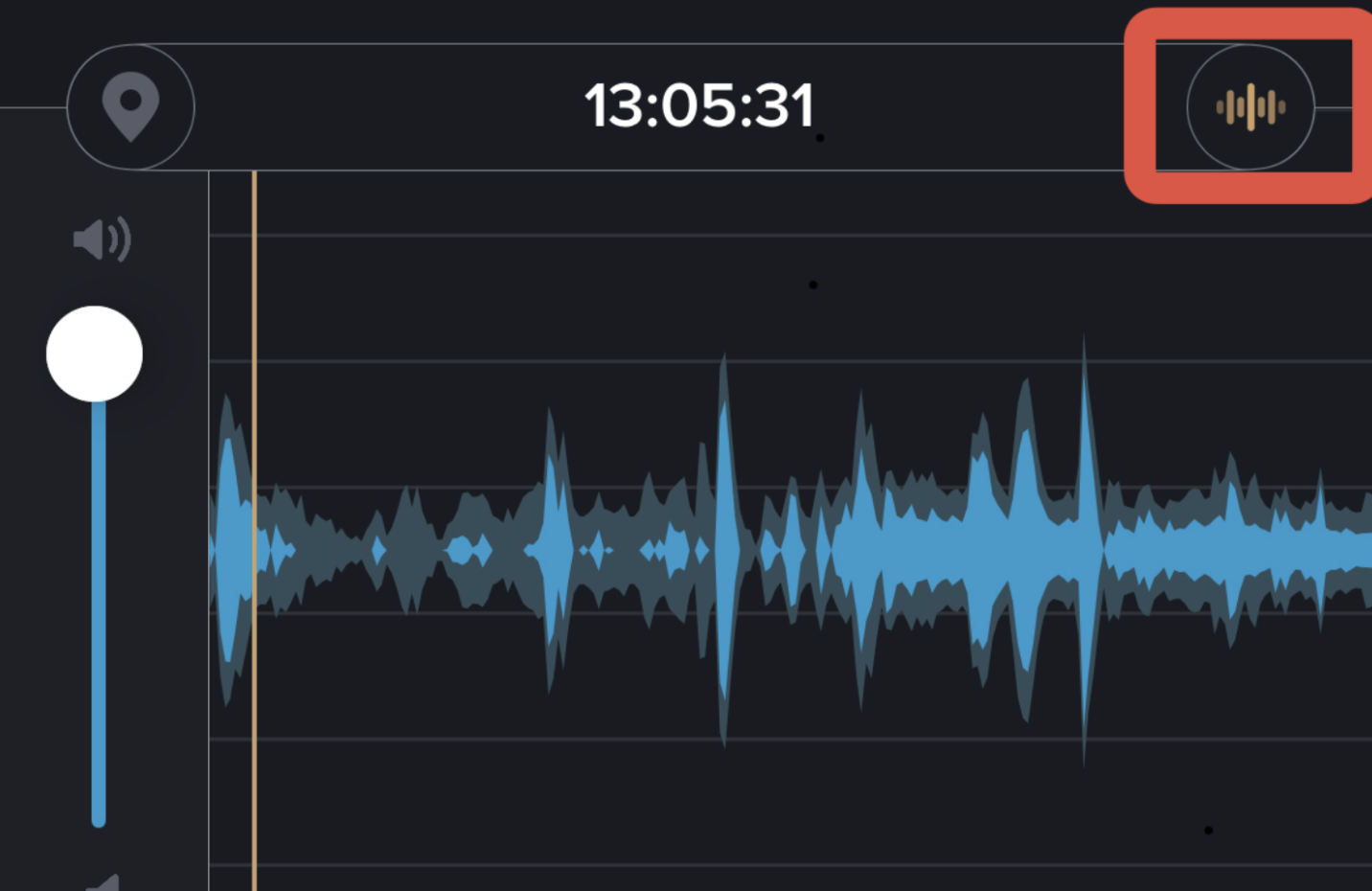
| Scrub through full-night audio | Gap Whole-night chart and selected clips. | Full Night Playback, Premium | Tap, zoom and scrub the recording | The documented iOS recording modes save threshold-triggered clips or snoring-only clips. The overnight graph is separate from the individual recordings. Snore Control source | The phone microphone workflow saves detected events as clips. Sleep Cycle source | ShutEye documents listening to and sharing selected recordings. Continuous playback across an entire night remains unverified. ShutEye tracker help |
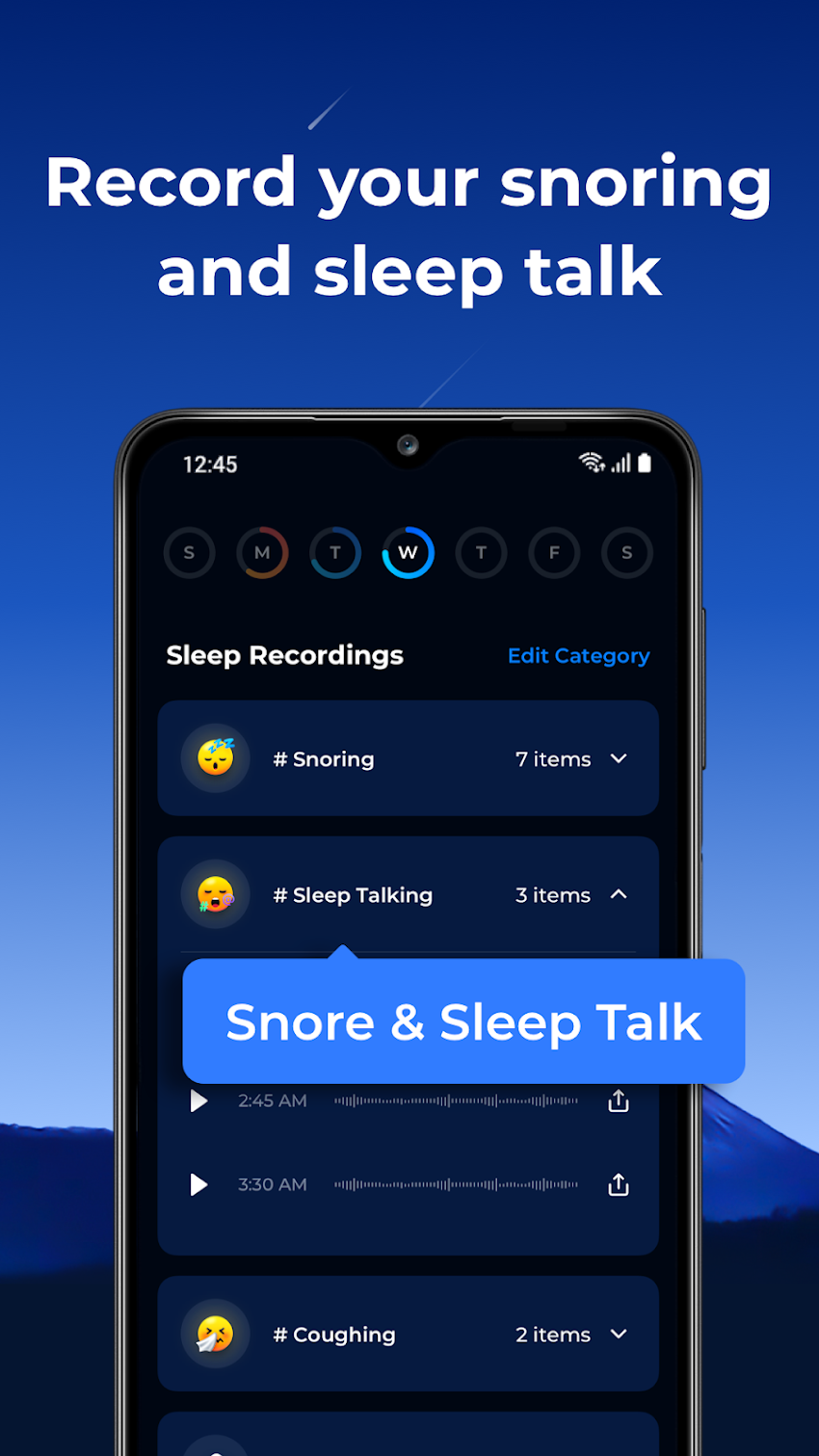
| Categories beyond snoring and pauses | Gap Report focuses on snoring and breathing pauses. | Noise category on iOS | Talking, coughing and other sounds | Snoring and sleep talking | Snoring, coughing and other sound labels, Premium | Snoring and sleep talking |
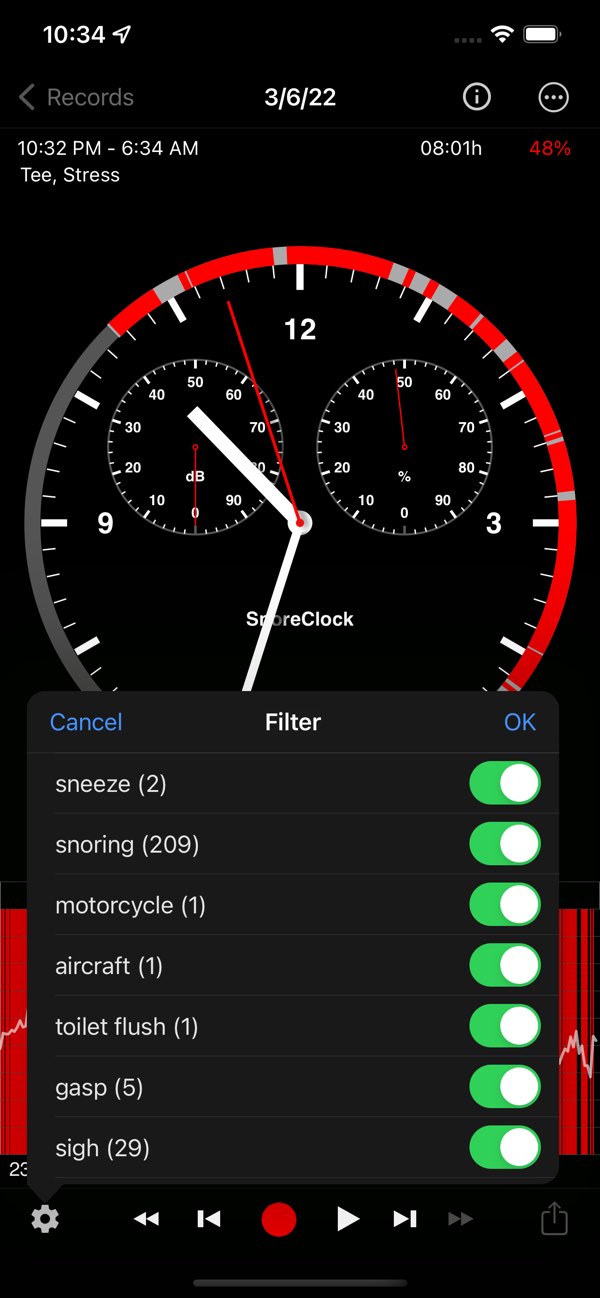
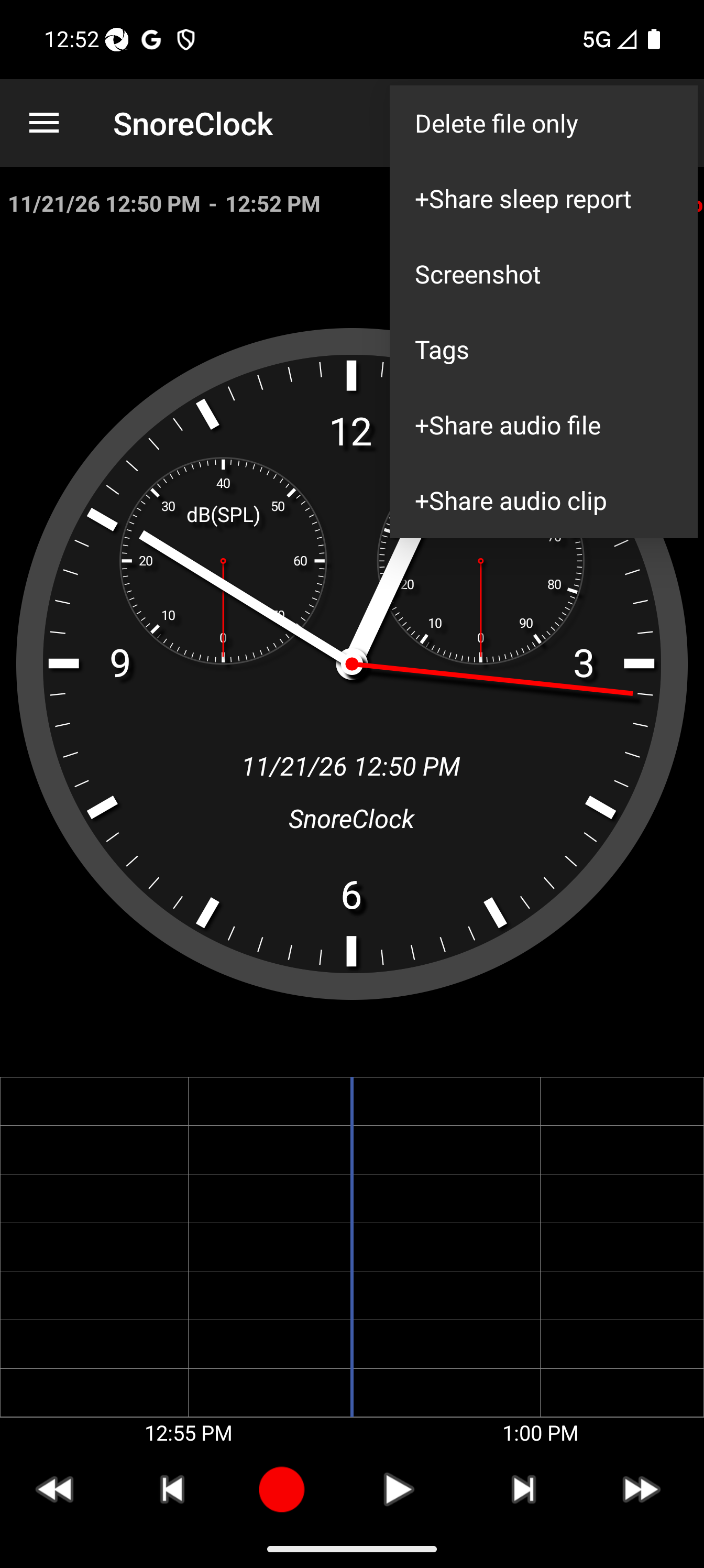
| Reclassify or exclude a clip | Gap No consumer correction offered in the reviewed report. | Can reclassify some flagged audio | The Android 6.0.1.1570 saved-session menu offers delete, sharing, screenshot and tags. A long press on the chart opened no menu. The emulator sessions detected no snoring, so relabeling a detected snore phase remains untested. iOS filters sound categories. SnoreClock source 1 · SnoreClock source 2 · SnoreClock Android check | Vendor documented. iOS release notes list trimming when sharing and a Recently Deleted view. Whether edits change the original label or snoring total remains open. Snore Control source | Mark sounds as other | The developer’s Android store screenshot shows Edit Category in Sleep Recordings. Saving a new label and any change to totals still need a clip test. ShutEye on Google Play |
| Distinguish user from bed partner | Gap | Automatic separation is unavailable. The help guide suggests separate-room recordings for manual comparison. SnoreLab source | Vendor documented. The iPhone and iPad listing describes checking who snored by reviewing and playing the recording. Automatic speaker attribution and speaker labels remain unverified. SnoreClock source | The FAQ describes distinguishing sound types. A two-source session or vendor confirmation would establish speaker attribution. Snore Control source | Who’s Snoring and iOS Partner Link, Premium | ShutEye says its tracker cannot distinguish two people sharing a bed. ShutEye source |
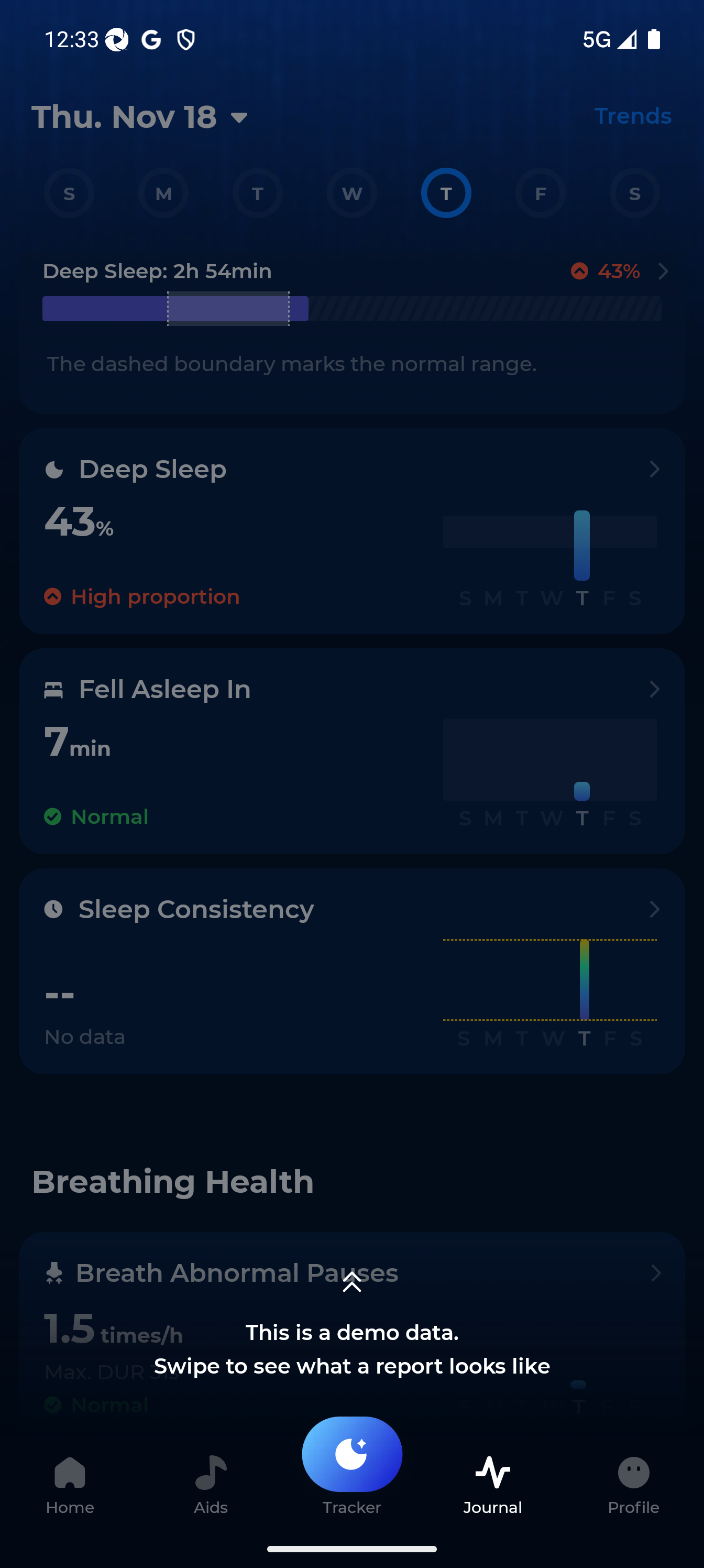
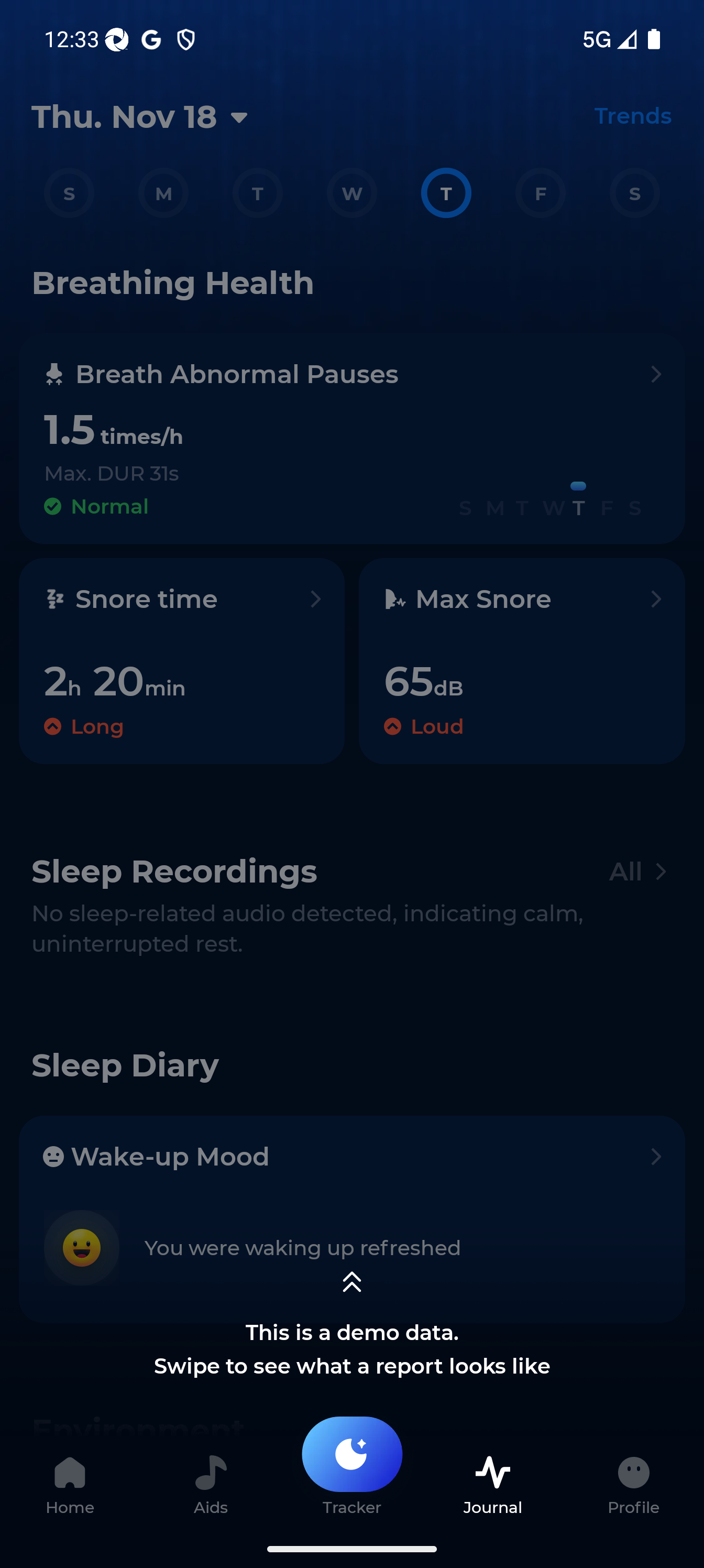
| Show breathing pauses or disturbances | In beta Separate breathing-pause information and eligible moments. | Breathing disturbance view and index | The iOS sound filter lists gasps. Breathing-pause tracking is unverified. SnoreClock source | The vendor documents room noise and total snoring time. A labeled breathing-event view still needs app or vendor evidence. Snore Control source | Breathing disruption data in Premium requires starting the session from the iOS app. Sleep Cycle source | The Android demo journal displays breathing pauses per hour and the longest pause. A measured overnight result remains unverified. ShutEye source · ShutEye on Google Play |
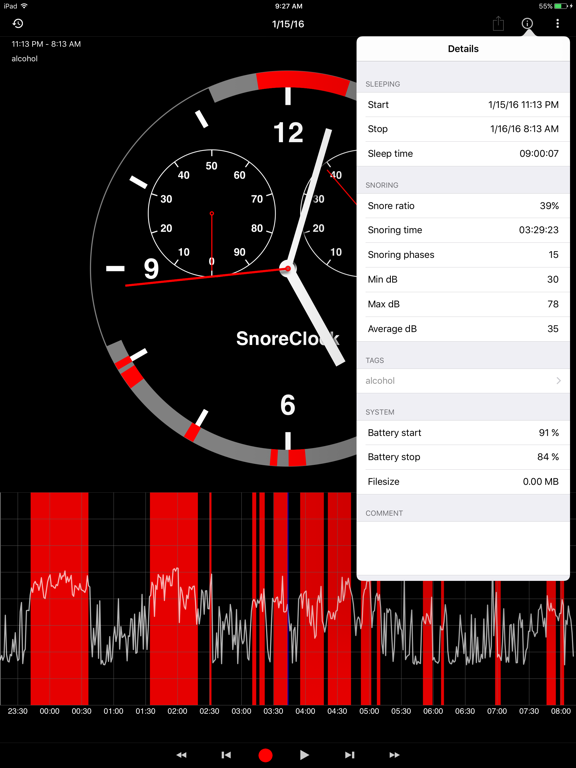
| Measure breathing stability or respiratory rate | Gap Breathing-pause information already exists. | BreathFlow stability and breathing rate | The Android FAQ documents sound thresholds. The iPad App Store example shows snore ratio, snoring duration and noise levels in the session details. A measured respiratory rate or stability field remains unverified. iPad report screenshot · SnoreClock source 1 · SnoreClock source 2 | The FAQ documents sleep-analysis export to Apple Health. A breathing-stability or rate field needs verification in the report or export. Snore Control source | Respiratory rate on iOS, Premium | Vendor documented. ShutEye documents using irregular breathing to flag possible sleep apnea. A numeric breathing-stability measure or respiratory-rate field remains unverified. ShutEye source |
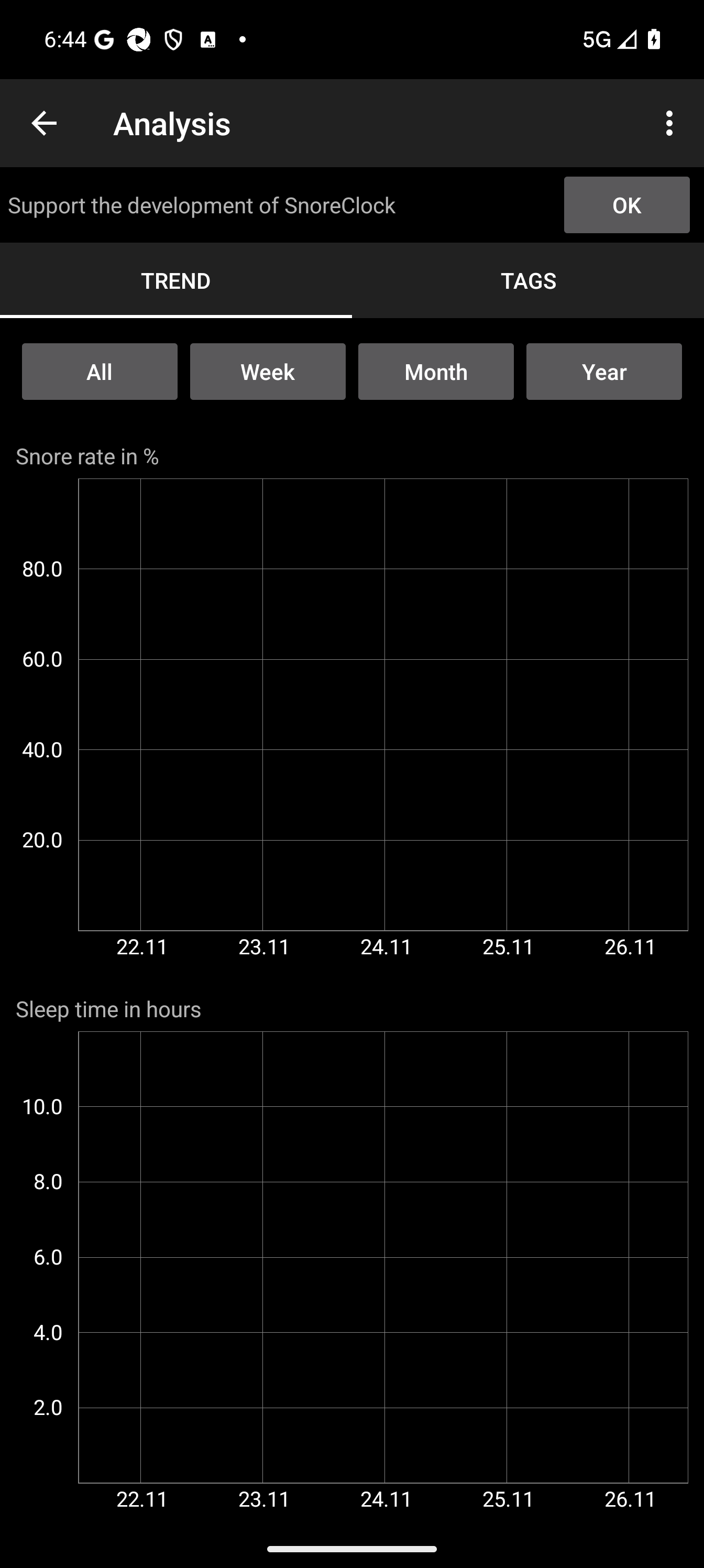
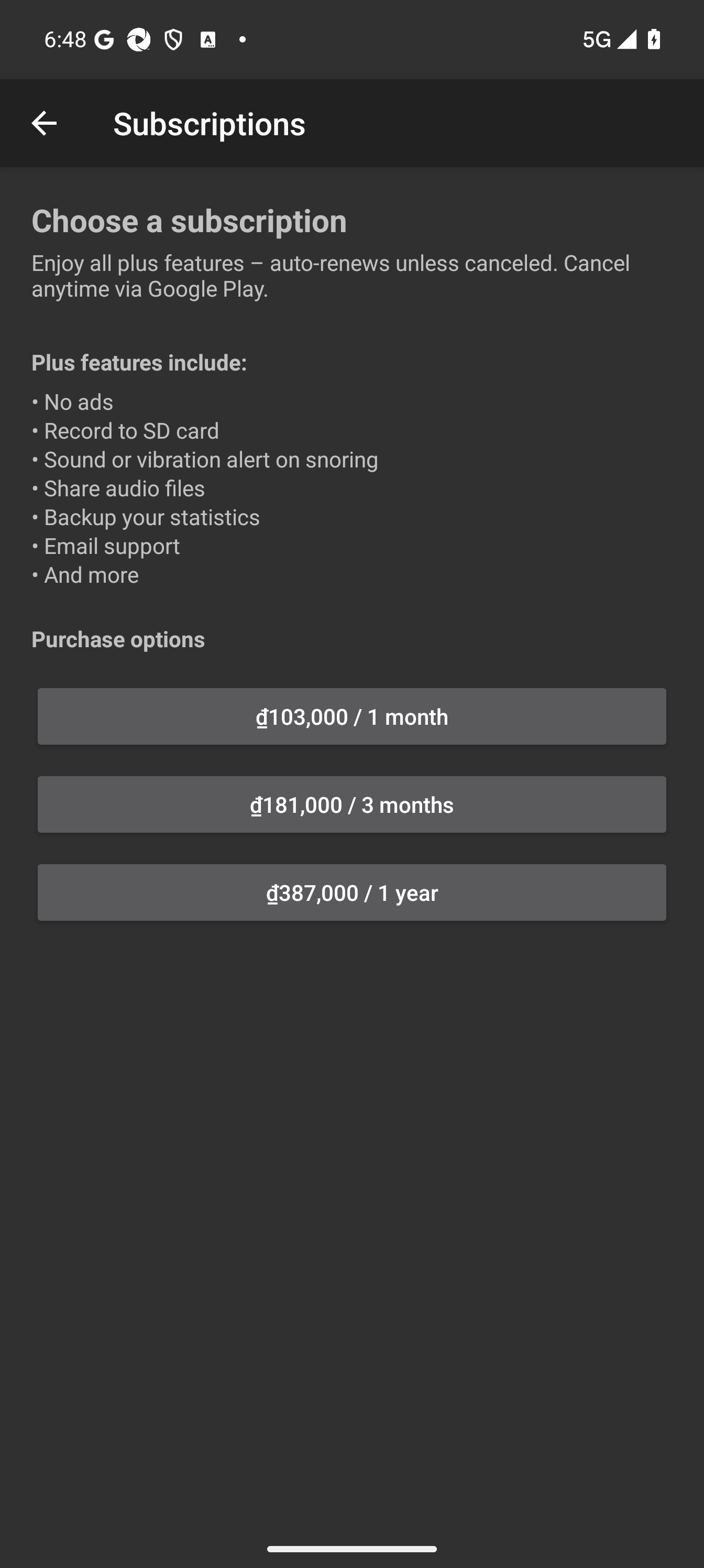
| Sleep-stage estimates and broader sleep-quality score | Gap The beta covers snoring and breathing observations. | Sleep phases can appear from Apple Health with a paired watch | After a 60-minute emulator recording, the free Android build 6.0.1.1570 showed session length, noise level and snore rate. The Trend screen showed snore rate and sleep time. The reviewed screens showed neither sleep stages nor a sleep-quality score. An earlier study of a paid version also reported session time, snoring rate and loudness. The Android subscription screen shows a partial list of Plus features. The iPad App Store example shows sleep time and snoring measures in its Details panel. Sleep stages and a quality score remain unverified in current Plus and iOS. iPad report screenshot · Plus screen · Saved session · Trend screen · Test log · Earlier validation study SnoreClock source · SnoreClock on Google Play | Optional movement tracking with Smart Alarms Snore Control on the App Store | Sleep analysis and quality statistics | The recovered Android emulator report displayed Awake, Light and Deep stage estimates. A prompt said seven more nights of data were needed for a score. This synthetic test does not establish measurement accuracy. ShutEye on Google Play |
Snoraire report logic · Snoraire local audio design · SnoreLab FAQ · SnoreLab breathing metrics · SnoreClock iOS · Snore Control iOS · Sleep Cycle paid features · Sleep Cycle partner guidance · ShutEye help · ShutEye Android
History, comparison and repeat use
| Capability | Snoraire beta | Snore |
Snore |
Snore Control | Sleep Cycle | Shut |
|---|---|---|---|---|---|---|
| Find and reopen earlier nights | In beta Calendar and report history. | Session history, full access Premium | List of recordings with nightly timelines | History with recordings and statistics | Nightly graphs and history | Detailed sleep reports |
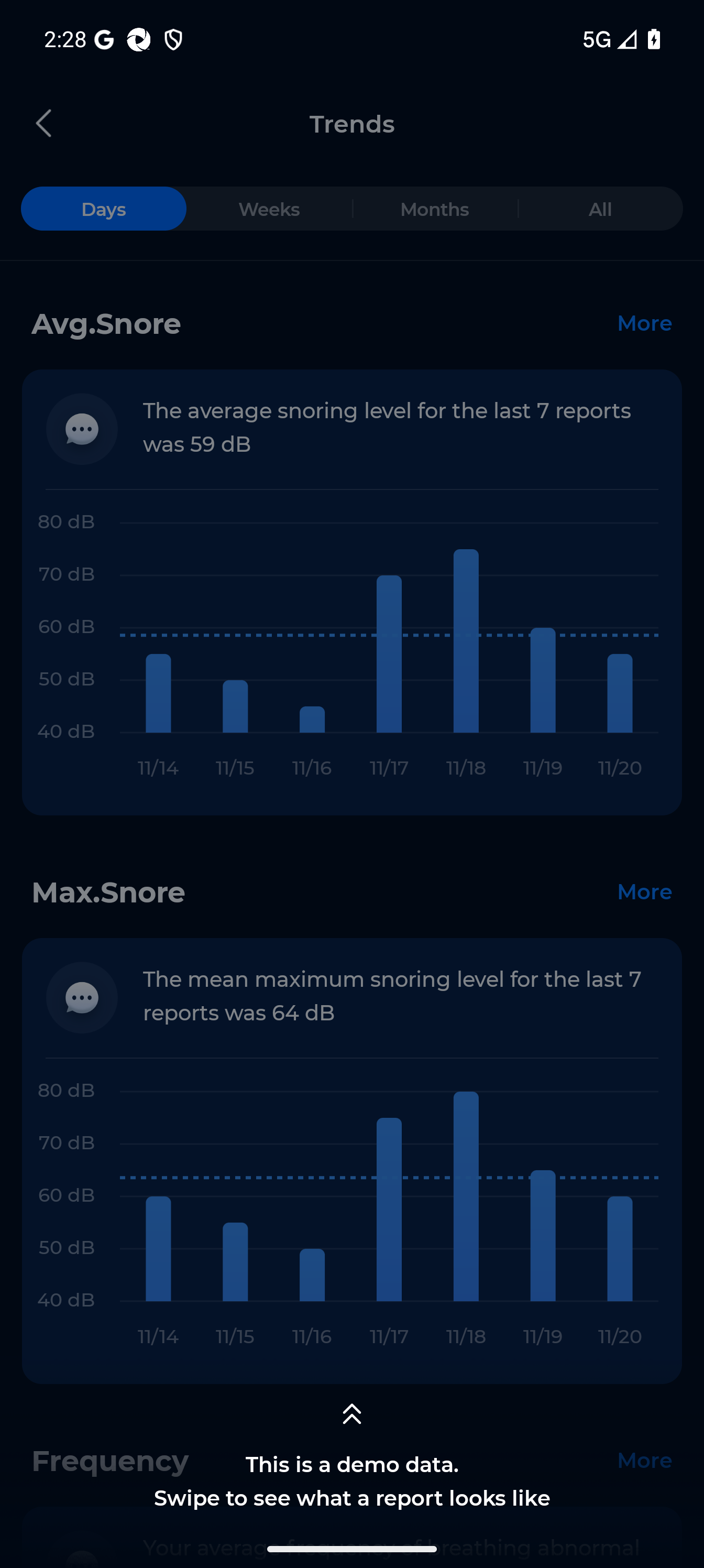
| Personal snoring baseline | Partial Compare against an average of three to seven earlier comparable nights when eligible. | Historical Snore Scores and trends | Snore-rate trends | Snoring-rate charts | Personal snore trends, Premium | The Android Trends demo compares nightly average and maximum snoring levels with their respective seven-report averages. Applying this comparison to a real user history remains unverified. ShutEye source · ShutEye on Google Play |
| Compare after two usable nights | Gap No explicit previous-night comparison after just two usable nights. | Premium includes trend charts and full session history. A dedicated comparison after exactly two usable nights is unverified. SnoreLab FAQ | The iOS listing documents comparing recordings over time. The first eligible night and comparison layout are unspecified. Developer listing | The developer shows history charts and factor analysis. A dedicated comparison available after two usable nights remains unverified. Snore Control source | Statistics show snoring by day, week, month or full history. A dedicated comparison after two usable nights remains unverified. Sleep Cycle source | The developer describes night-by-night sleep trends. A dedicated snoring comparison after two usable nights remains unverified. ShutEye source |
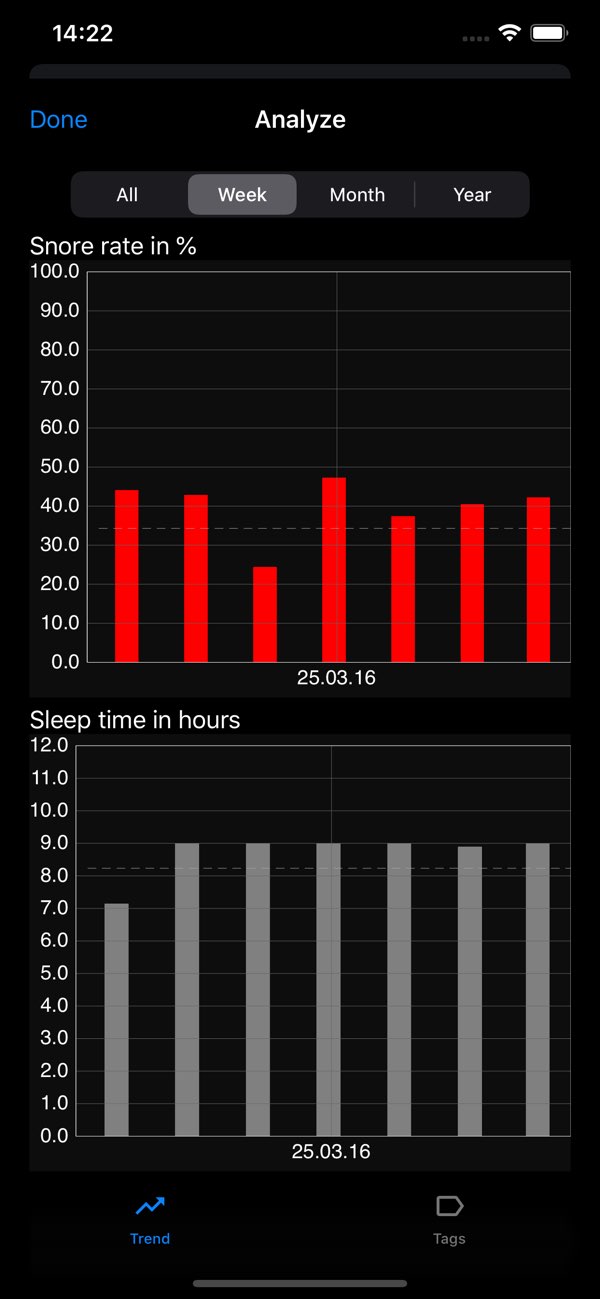
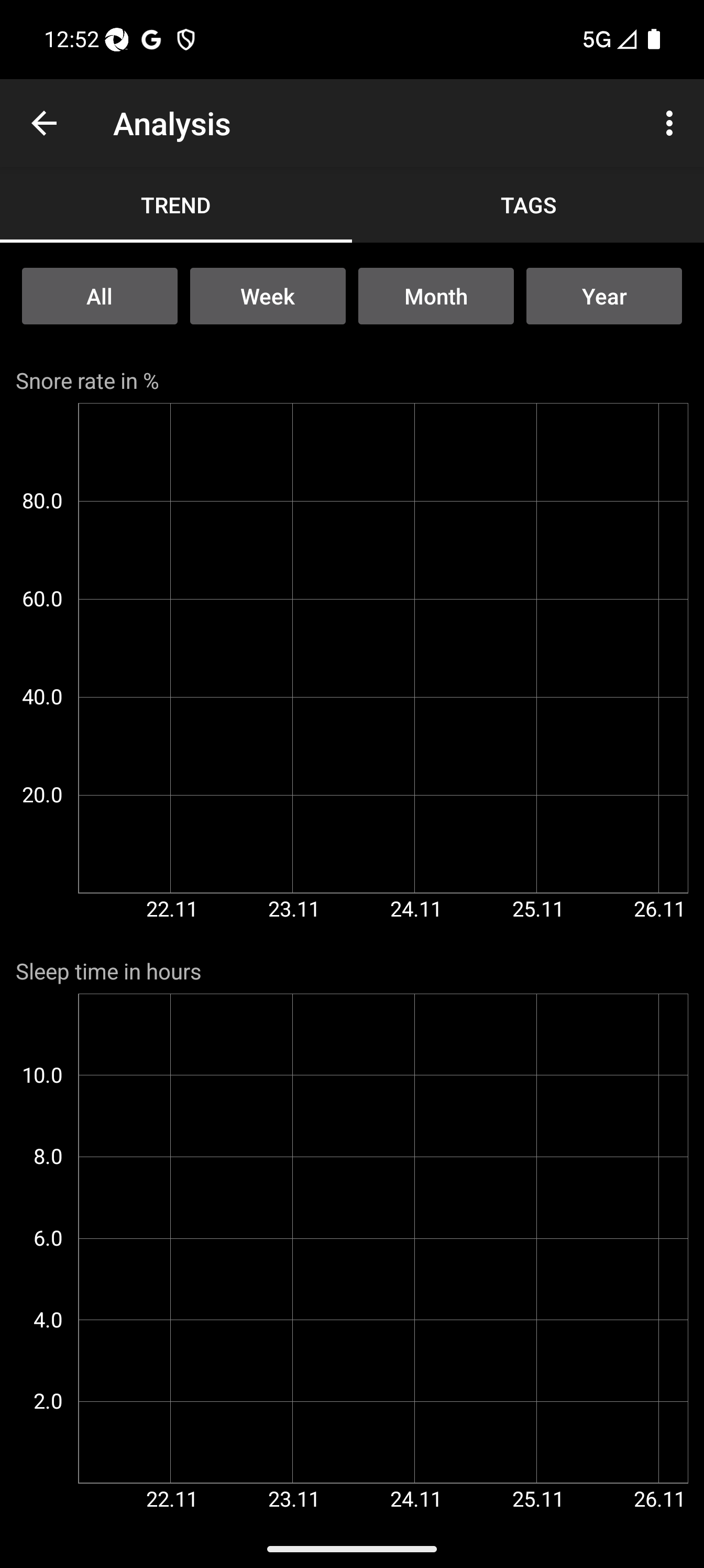
| Weekly or monthly snore trends | Gap Calendar and usual baseline exist. | Trend filters and charts, Premium | Android Analysis offers Week, Month and Year filters for snore rate and sleep time. Similar period filters are shown on iOS. SnoreClock on Google Play | Multi-night snoring charts | Snoring statistics by period, Premium | General sleep trend reports |
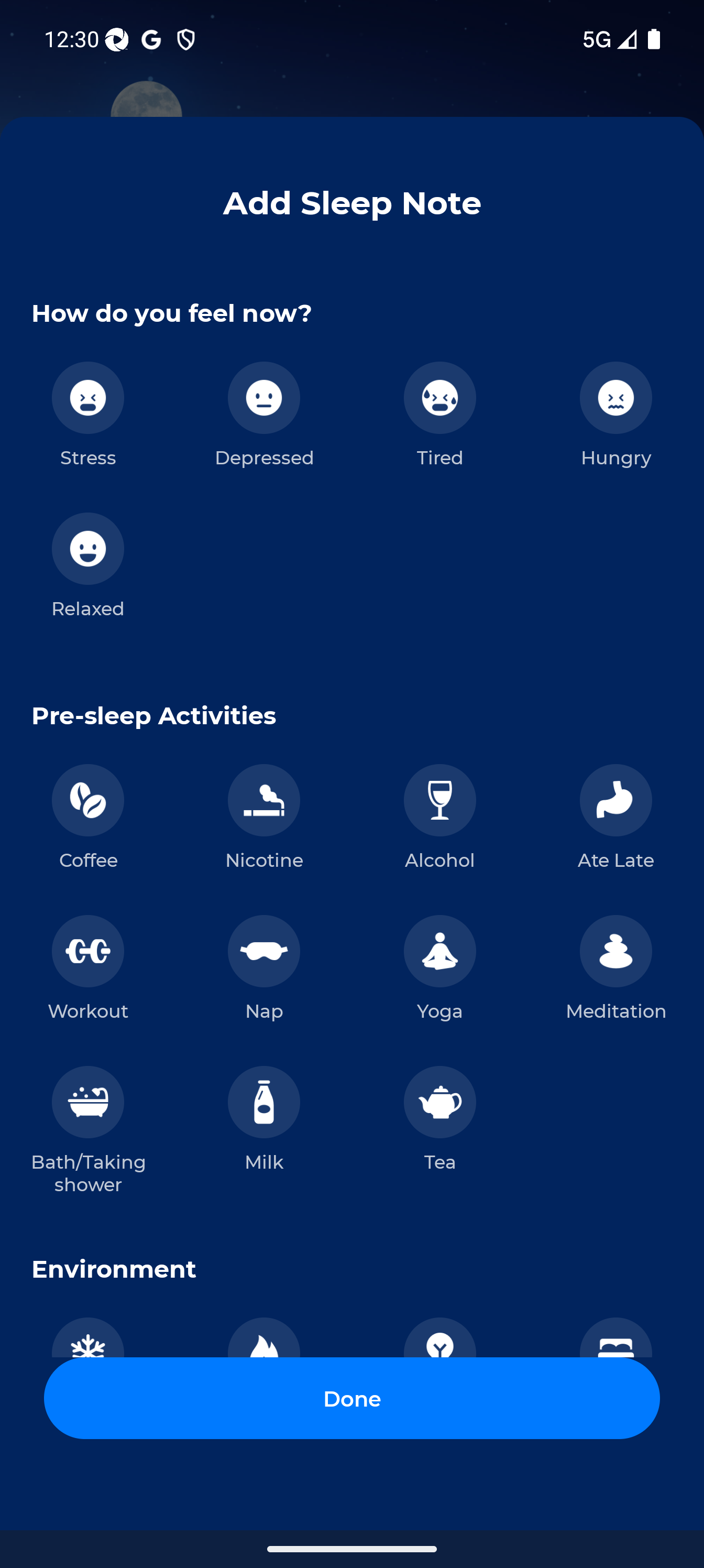
| Log habits, remedies or wake-up rating | In beta Bedtime factors, morning remedies and rating. | Factors, remedies, notes and rest rating | iOS store screenshots show habit and remedy tags. Wake-up rating is unverified. SnoreClock source | Factors, notes and wake-up mood | Notes and wake-up mood, Premium | The Android tracker accepted a preset Sleep Note before recording. Custom factors, remedies and wake-up ratings remain unverified. ShutEye source · ShutEye on Google Play |
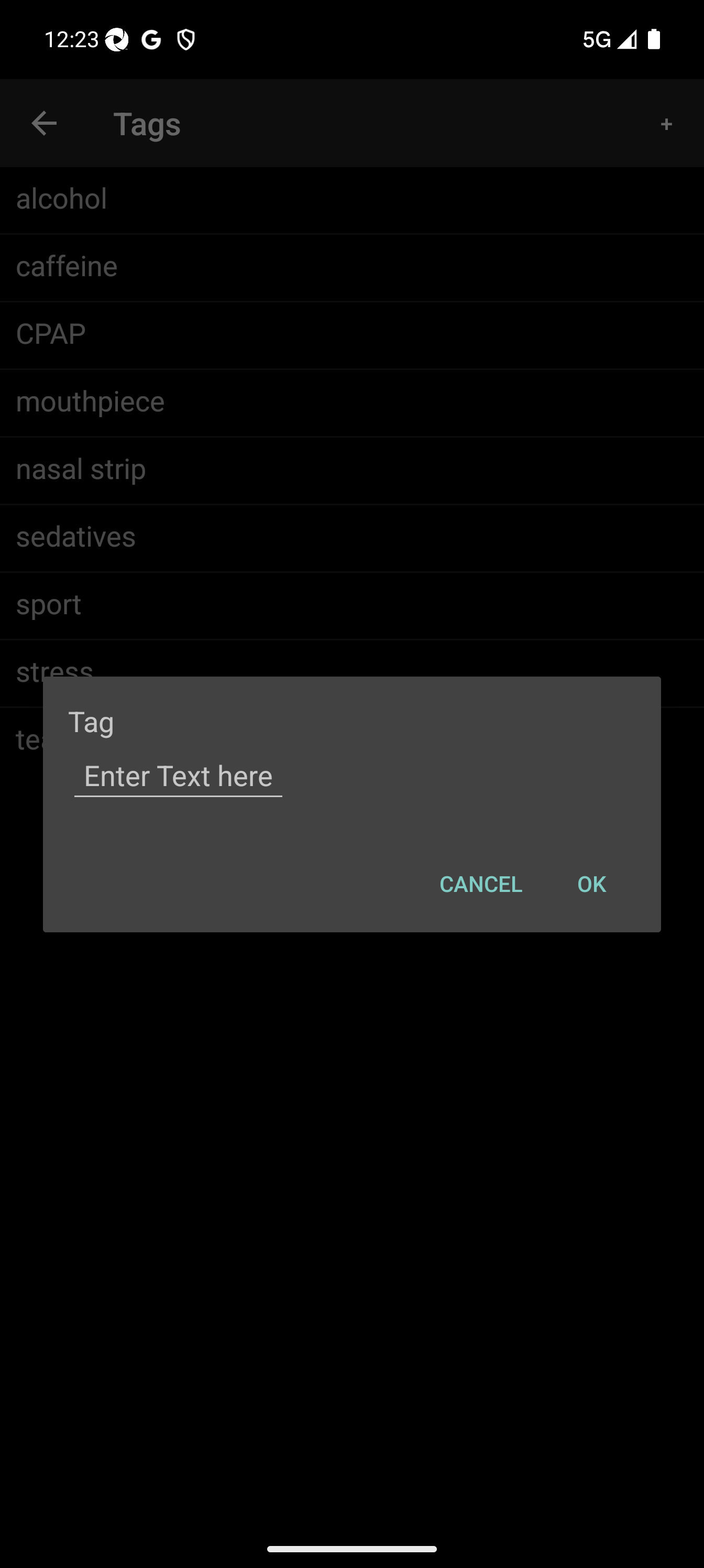
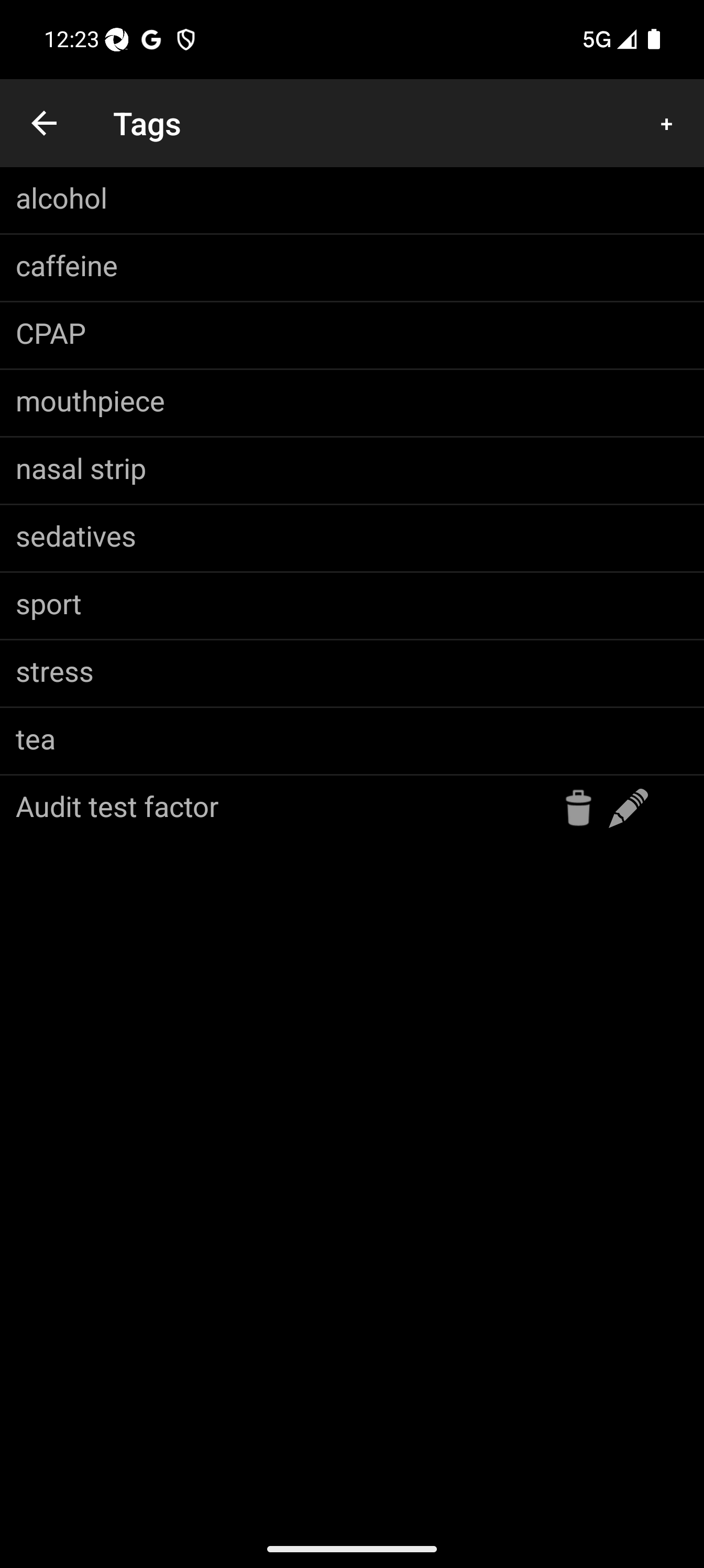
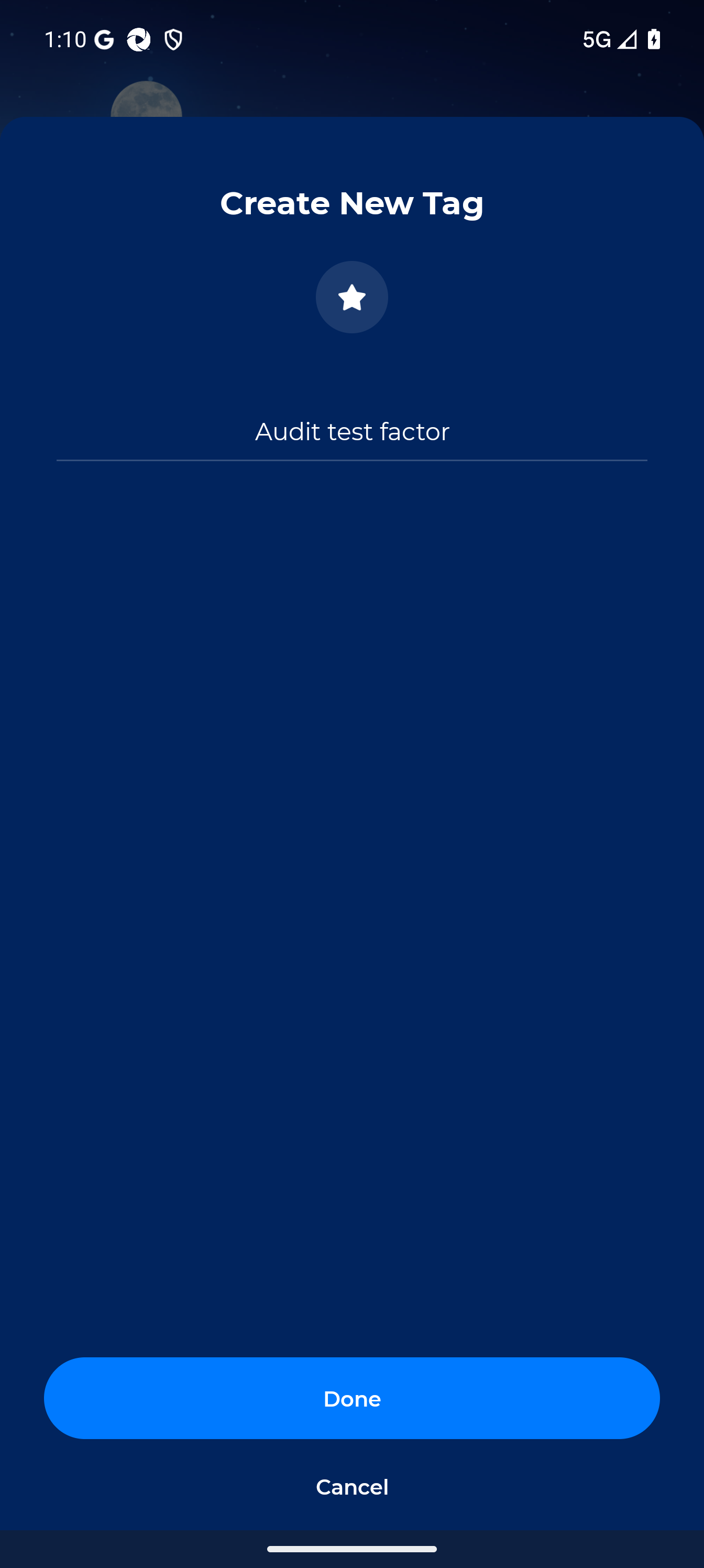
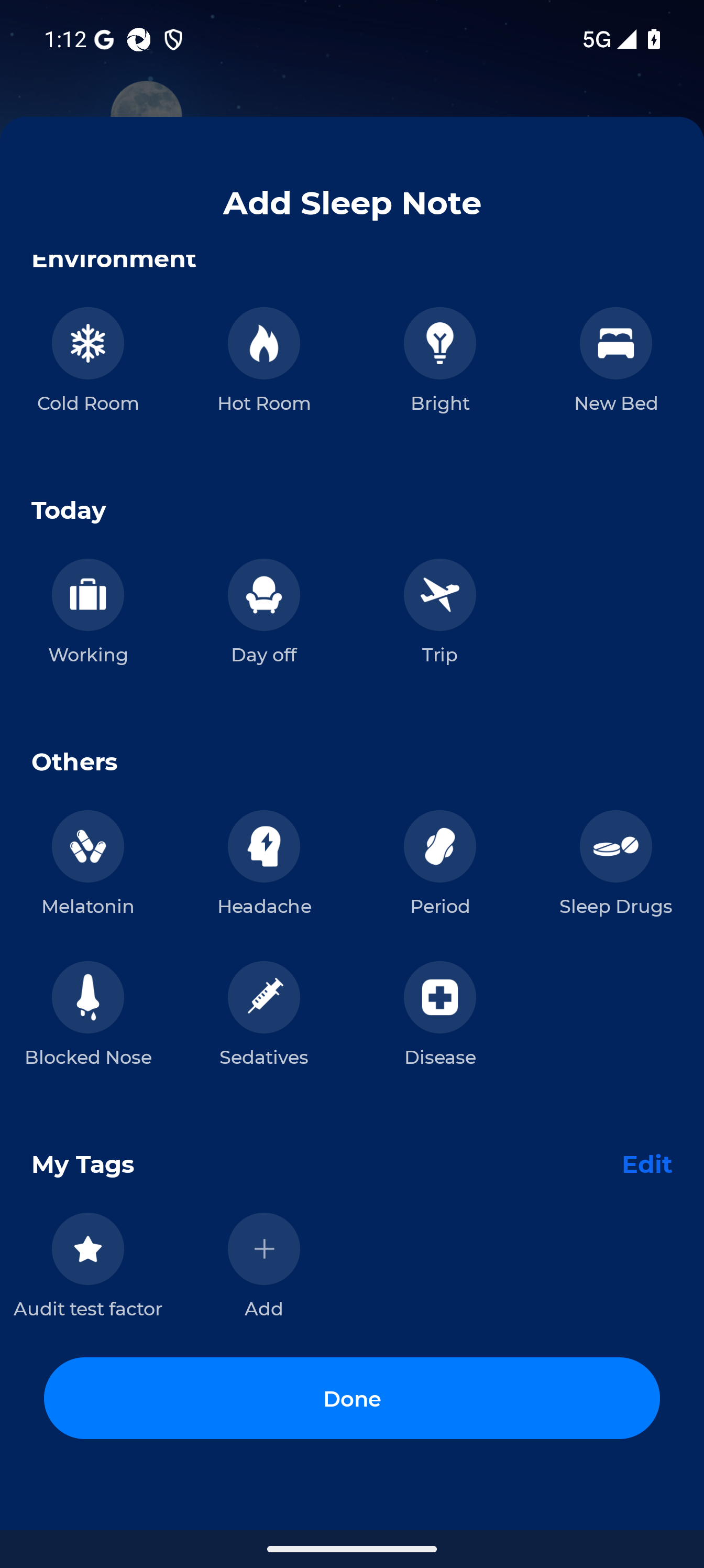
| Create a custom factor or remedy | Gap Existing pickers provide predefined tags. | User-created factors and remedies | Created and saved a custom tag via Android Settings → Manage tags. iOS release notes document tagging and trends. Custom-tag creation on iOS remains unverified. SnoreClock source · SnoreClock on Google Play | User-defined factors | Sleep Notes, Premium | In the Android 2.0.4 guest tracker, scroll to My Tags in Add Sleep Note and tap Add. The test tag was selectable before tracking and remained after relaunch. The iOS flow remains unverified. ShutEye source · ShutEye on Google Play |
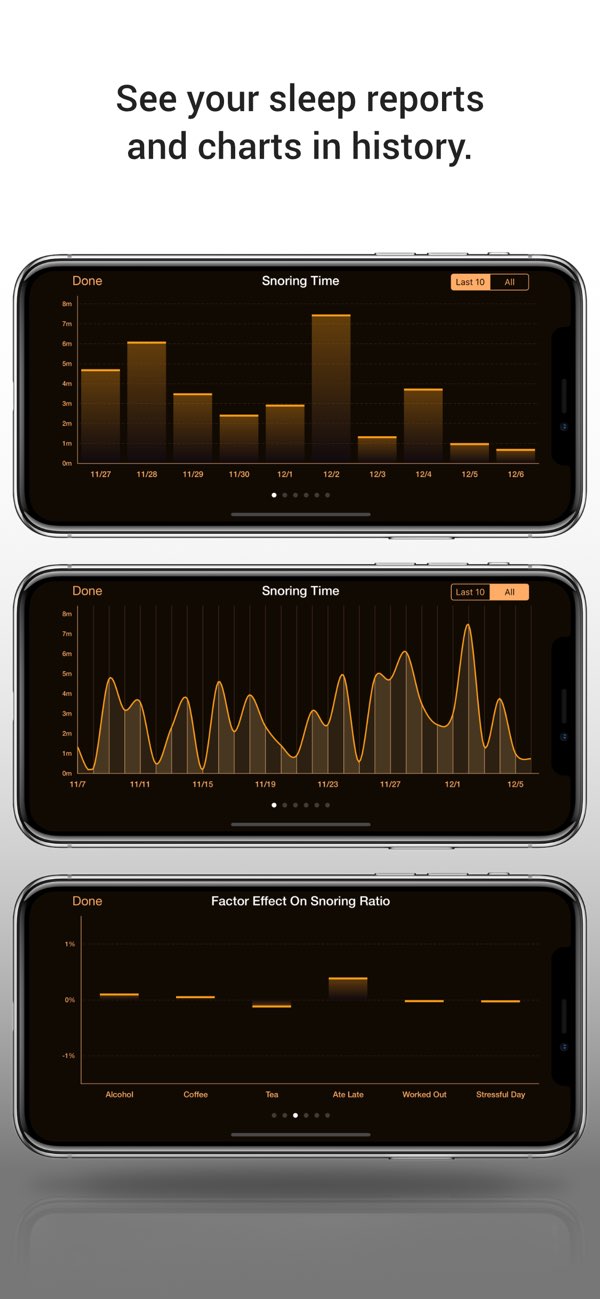
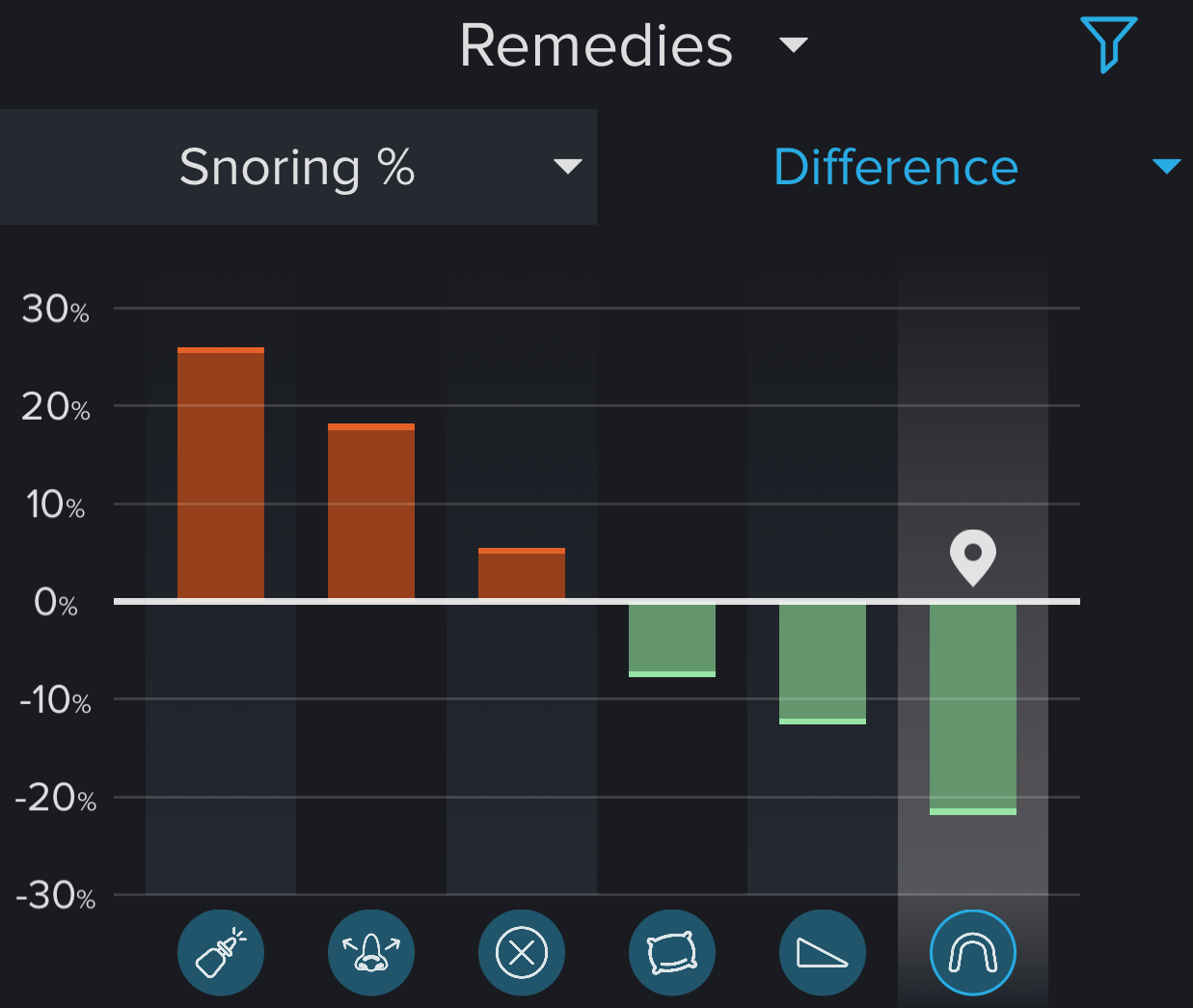
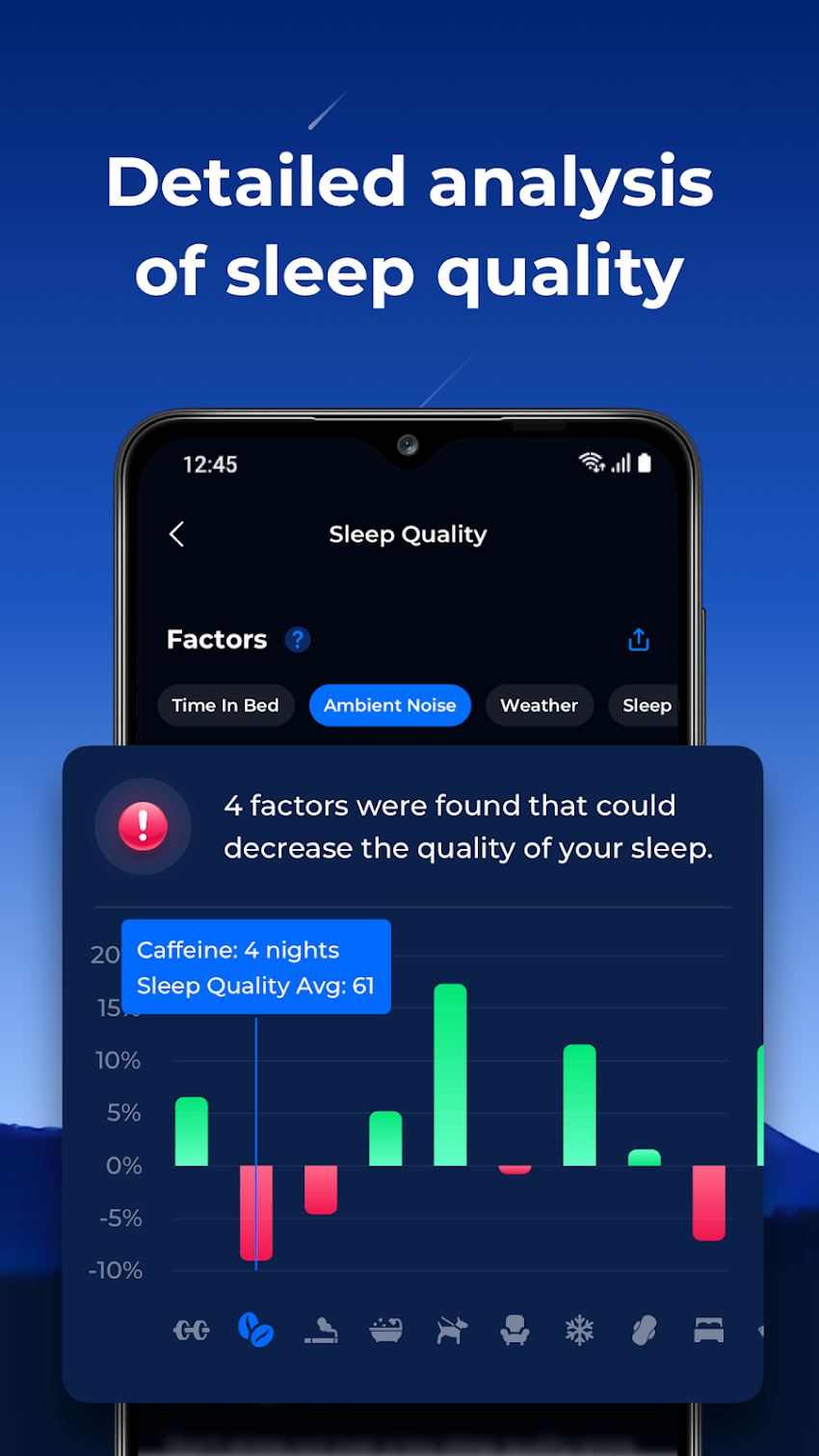
| Compare results by factor or remedy | Gap Tags and reports are available. Grouped comparison is missing. | Remedy difference and factor trends | Compare remedies on Android. iOS release notes also document snore trends by session tag. SnoreClock source | Factor-effect charts pictured | Sleep Notes linked to statistics | Sleep trends can show patterns associated with caffeine. Dedicated remedy comparison is unverified. ShutEye source |
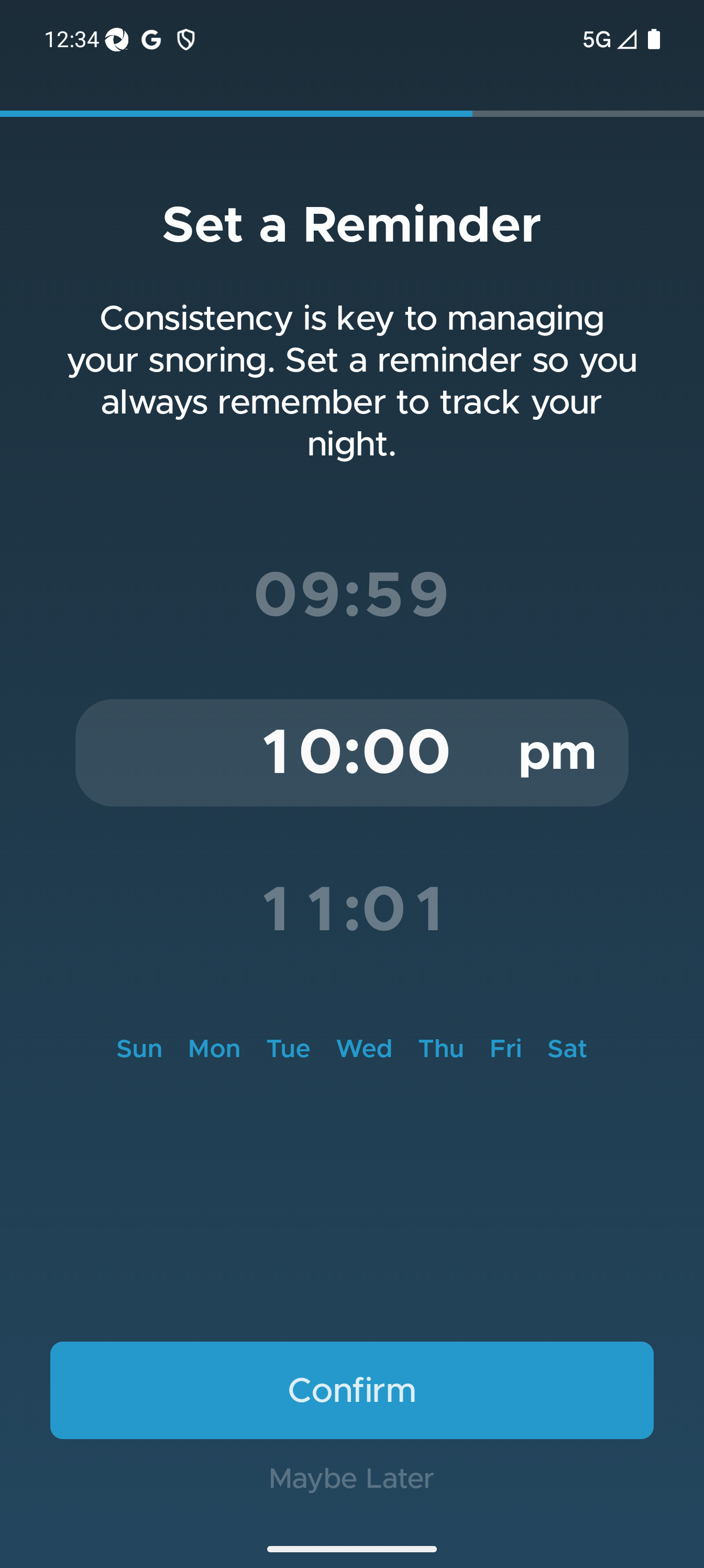
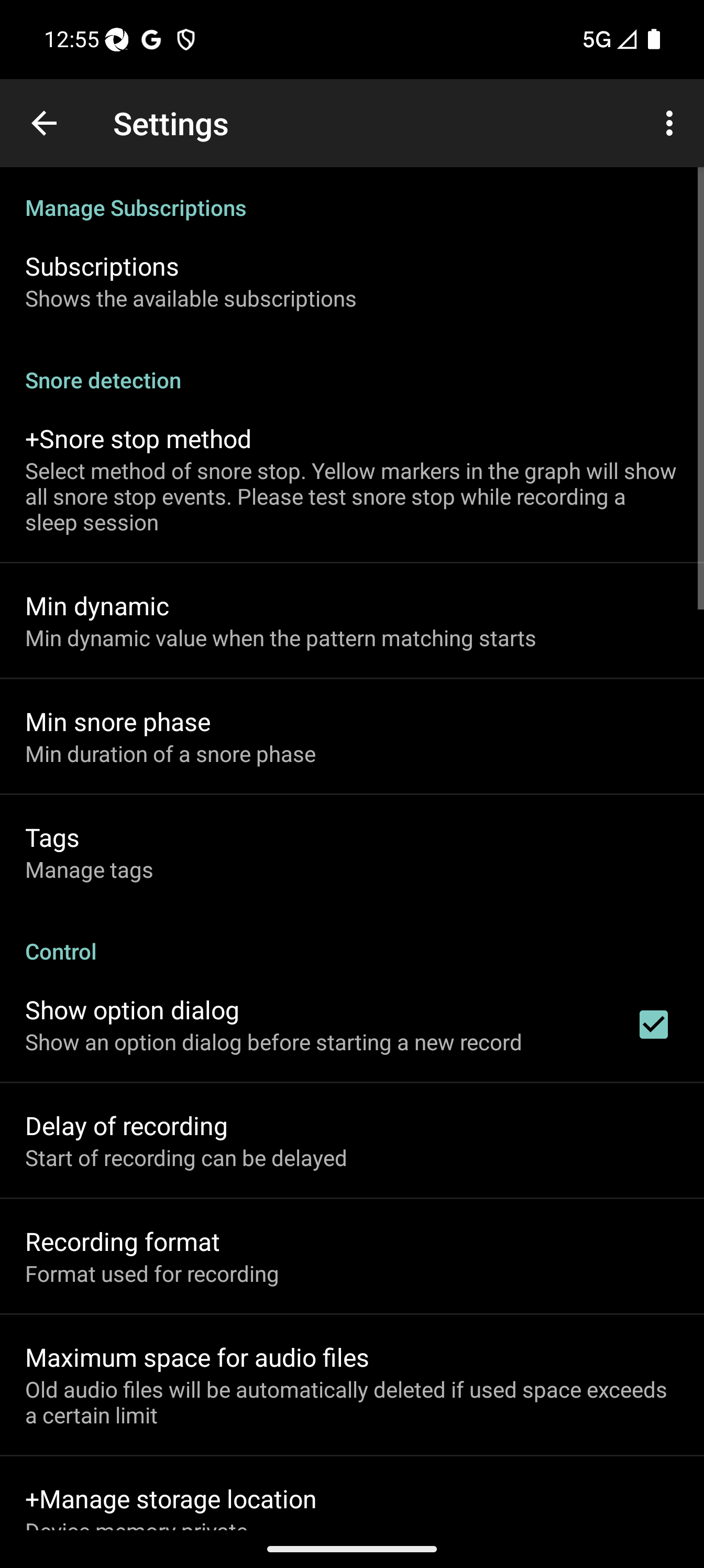
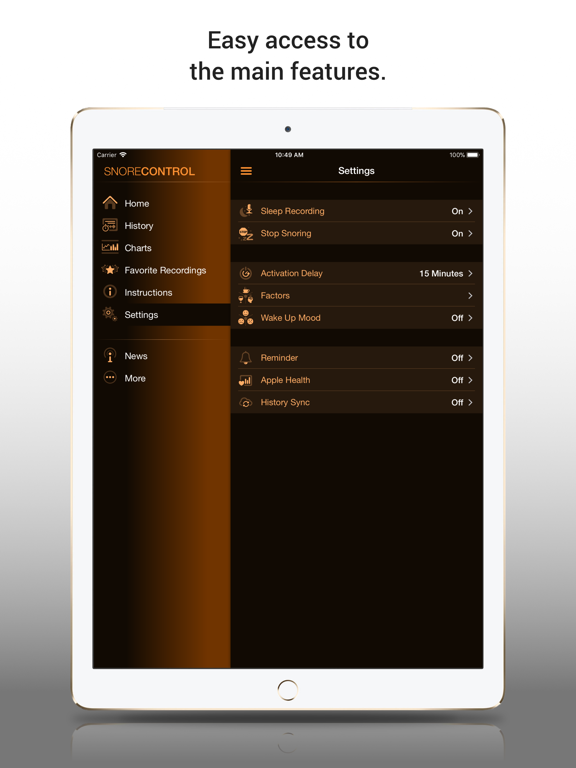
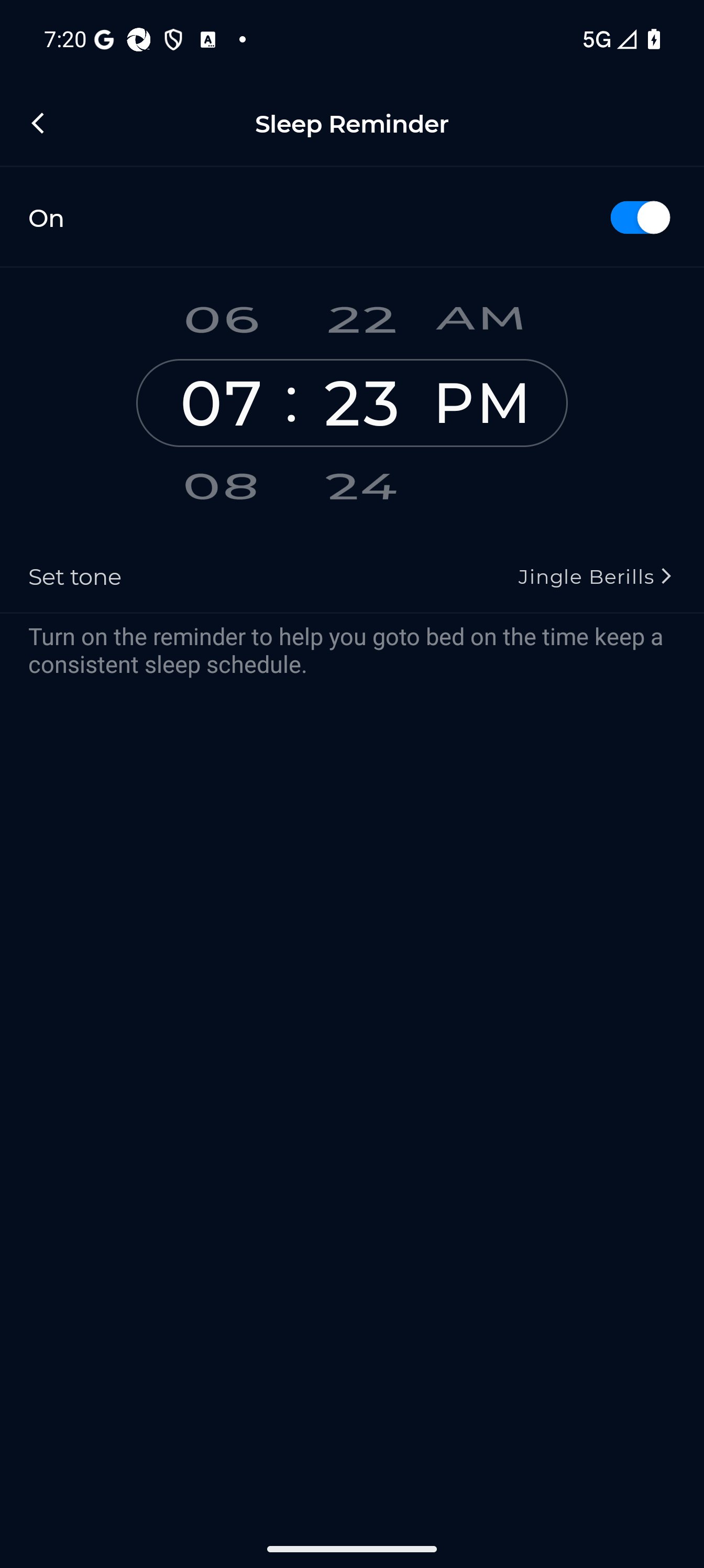
| Bedtime reminders and routine | Partial Opt-in 10 p.m. local reminder. | Android onboarding displayed a bedtime reminder time picker. The vendor also documents bedtime reminders in recording settings. SnoreLab source · SnoreLab on Google Play | The free Android 6.0.1.1570 drawer and full Settings list show no bedtime reminder. The Plus banner does not list one, and the app declares no exact-alarm or boot permission. iOS and Plus-only screens remain unverified. SnoreClock source · SnoreClock on Google Play · SnoreClock Android check | Vendor documented. The iPad App Store screenshot shows a Reminder setting separate from Activation Delay. Scheduling options and notification delivery remain unverified. Snore Control source 1 · Snore Control source 2 | Sleep Goal and iOS bedtime routine | In Android 2.0.4, a guest could set a bedtime reminder time and tone. Android registered a daily schedule. The first poll that found the notification was at 7:23:36 p.m. for a 7:23 p.m. reminder, with the app in the background. iOS delivery and repeat delivery were outside this test. Android test log |
| Weekly summary or coaching | Gap In-report explanations and next-step prompts exist. | Progress and remedy insights | The iOS Analyze screen can show snoring rate and sleep time for a week. A proactive weekly summary or coaching flow remains unverified. SnoreClock source | Charts | Weekly insights and sleep programs, Premium | Personalised sleep insights |
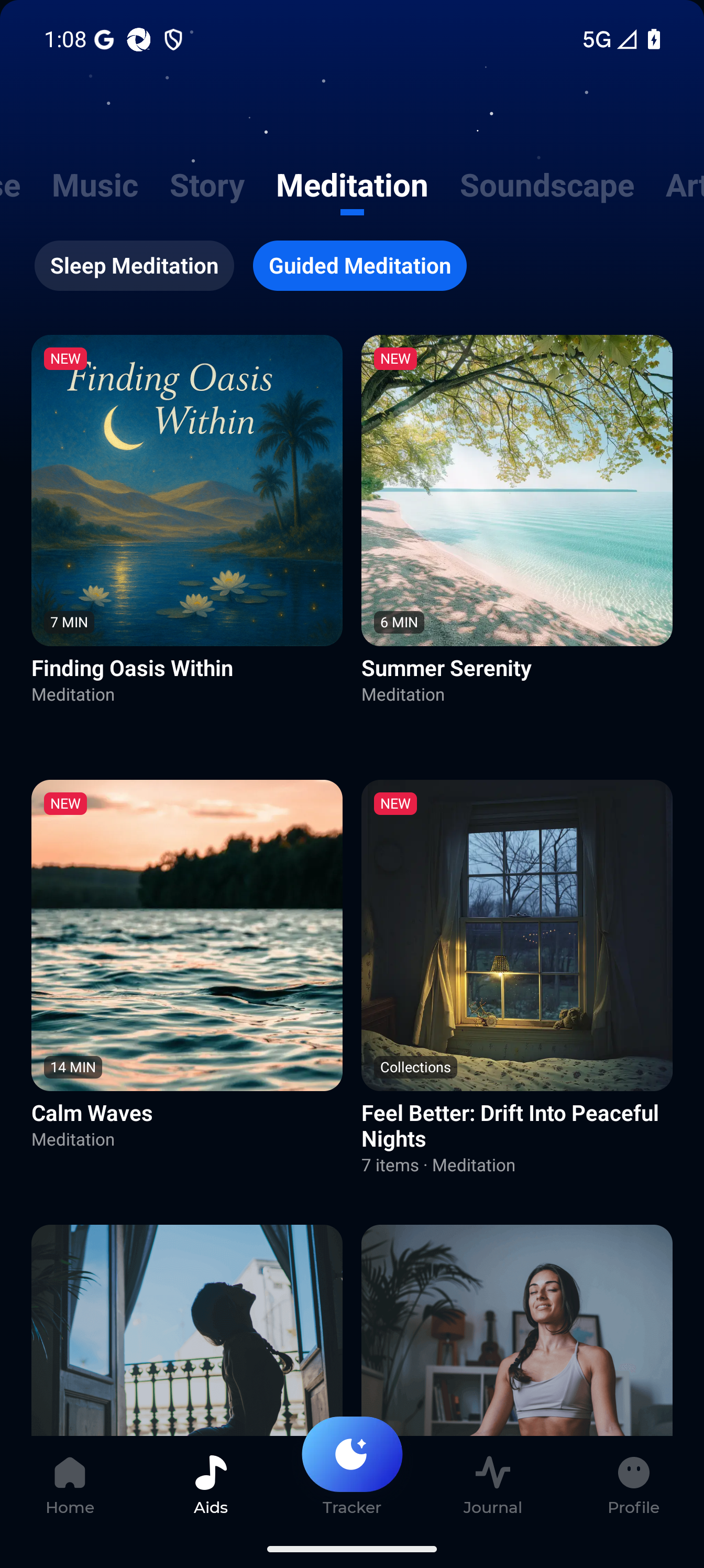
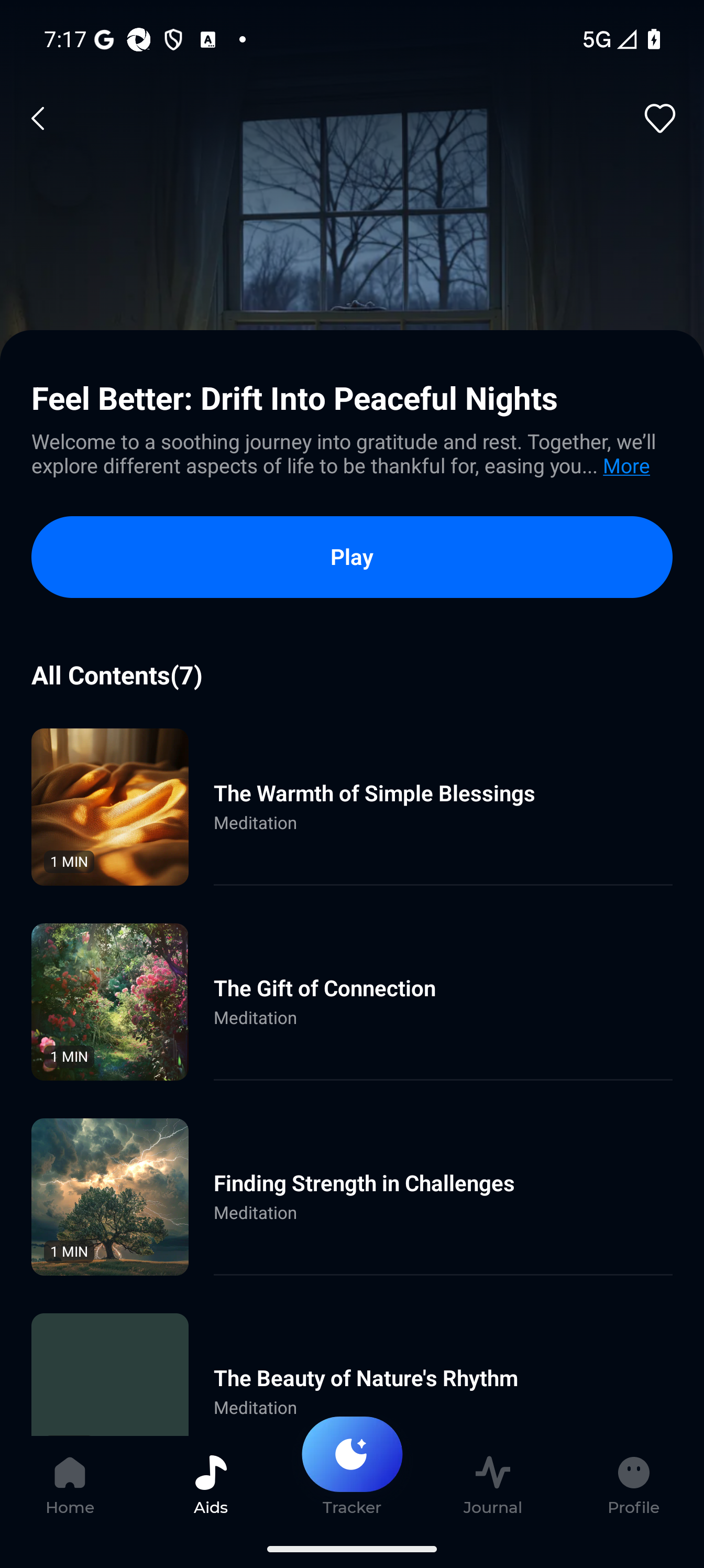
| Guided exercises to reduce snoring | Gap | SnoreGym is a separate companion app | The free Android 6.0.1.1570 drawer, full Settings list and Plus banner show no guided anti-snoring exercises. The FAQ documents reactive sound and vibration. iOS and Plus-only screens remain unverified. SnoreClock source · SnoreClock Android check | The listing advertises sounds and triggered vibration. A guided anti-snoring exercise workflow still needs in-app or vendor evidence. Snore Control source | The vendor offers guided sleep and relaxation exercises. An exercise program specifically for snoring still needs confirmation. Sleep Cycle source | The Android 2.0.4 Aids library is split into White Noise, Music, Story and Meditation. The guest Guided Meditation catalog lists relaxation and sleep content, and the Feel Better collection focuses on gratitude and rest. No snoring exercise program appeared. iOS and Premium remain unverified. ShutEye source · ShutEye Android check |
Snoraire Night Notes · Snoraire baseline · Snoraire reminder plan · SnoreLab store features · SnoreLab factor and remedy trends · SnoreClock iOS · Snore Control iOS · Sleep Cycle statistics · Sleep Cycle feature tiers · ShutEye Android · SnoreGym iOS
Additional references for specific gaps
| App | Capability to inspect | Snoraire implication |
|---|---|---|
| Snore Timeline | Phone-first recording without an account, a tagged sound timeline and snore nudges, Bluetooth input and other recording options. | Compare time to first recording, clarity when a session stops and the effort required to find a relevant audio moment. App Store and release notes |
| SleepScore | Doctor-shareable PDF with 30 days of data, documented for the Premium poor-sleep questionnaire workflow. | Test whether a short two- or three-night summary makes a Snoraire care handoff easier. SleepScore Premium support |
Screenshot gallery
Open any image at full size. Captions identify signed beta captures, draft artwork and developer-published examples.
Starting the night
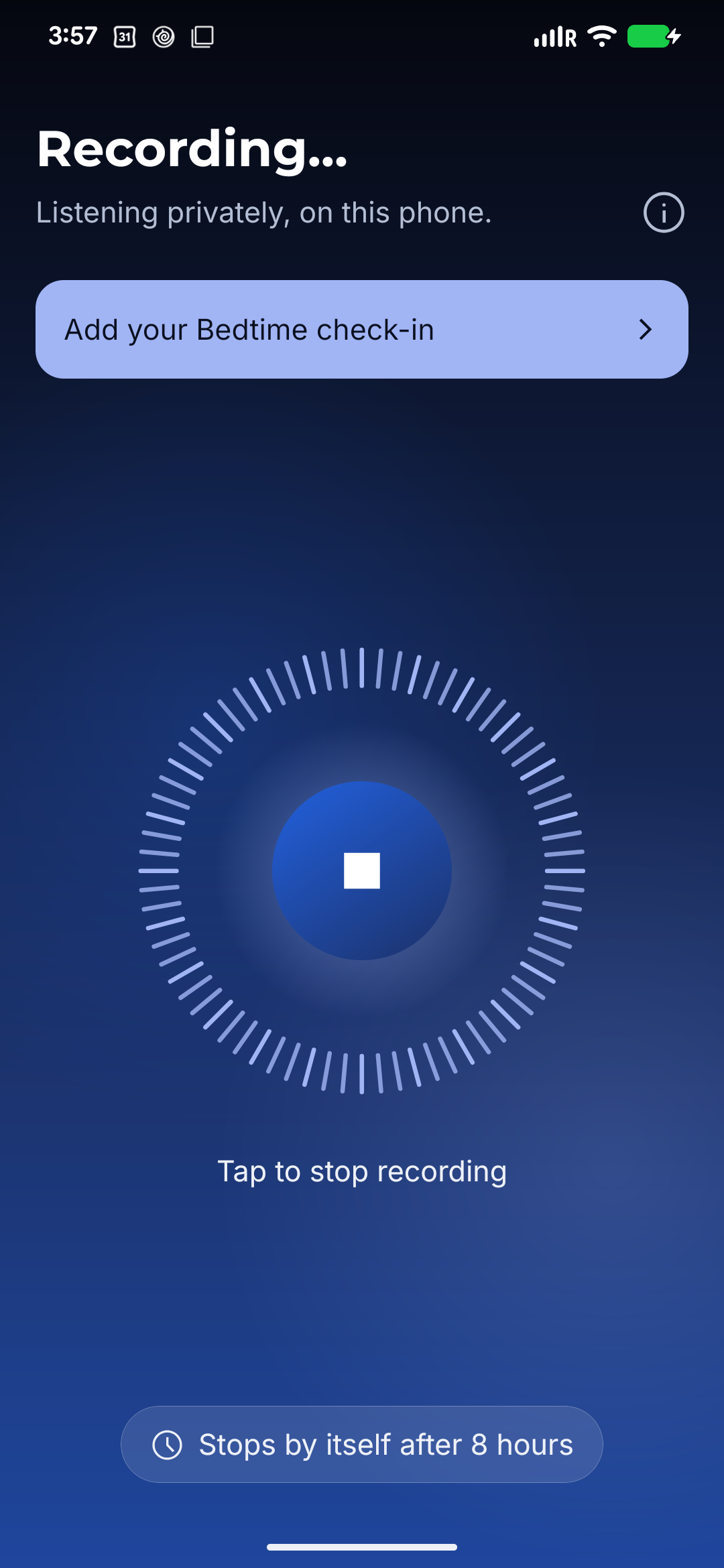
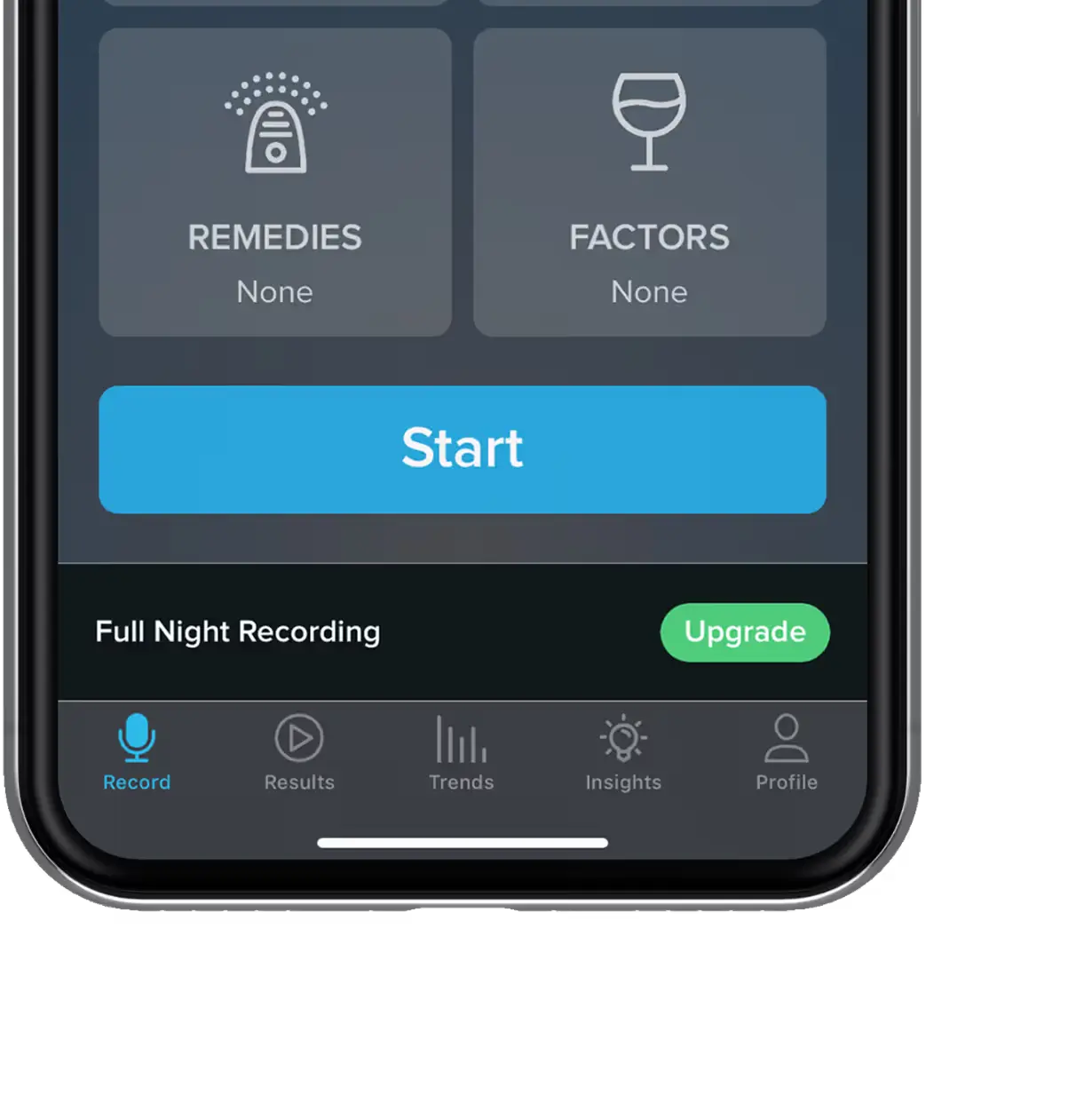
Snoraire makes recording status explicit once the session starts. SnoreLab puts remedies and factors on the start screen, so the user can log what they are trying before the night begins.
Snoraire
Recording in progress
Snoraire
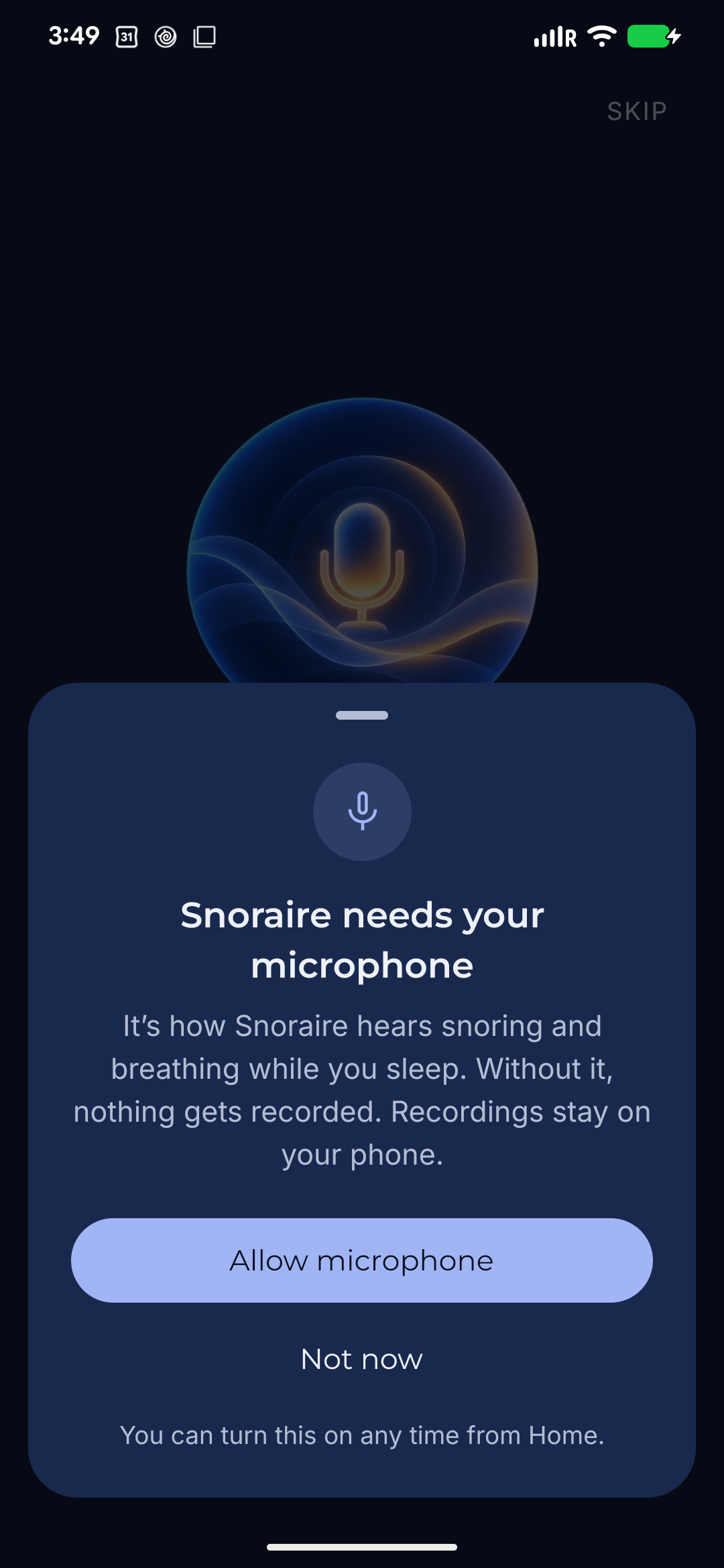
Microphone recovery
SnoreLab
Start with context
Snore Control
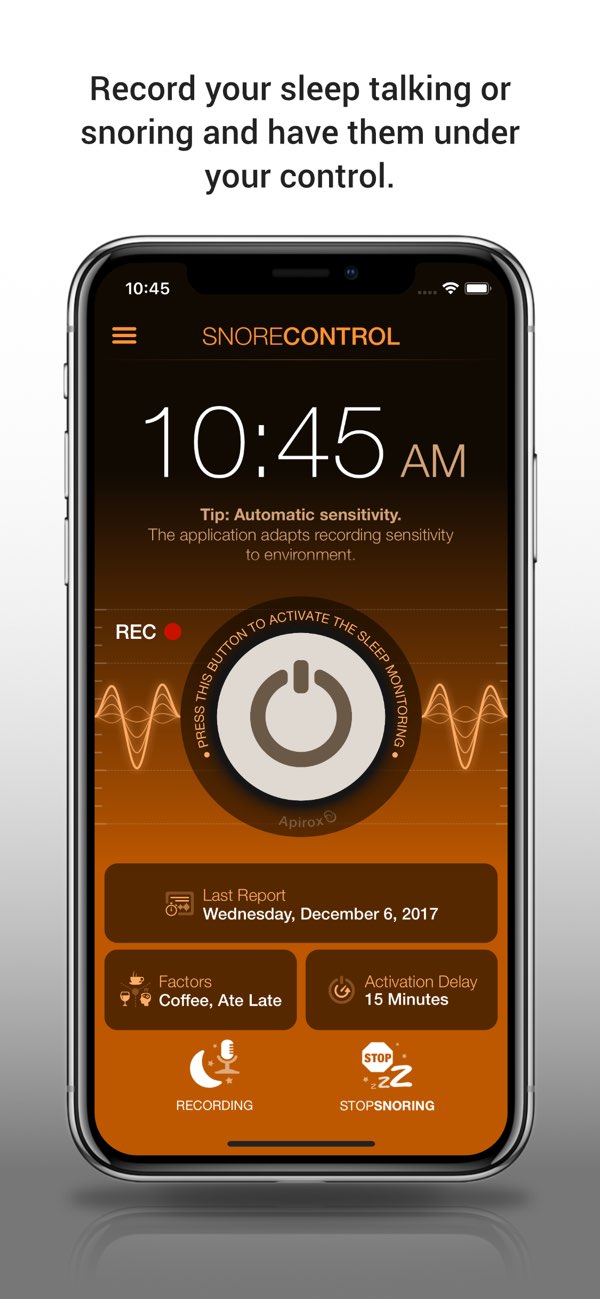
Record and set a delay
Reading the morning report
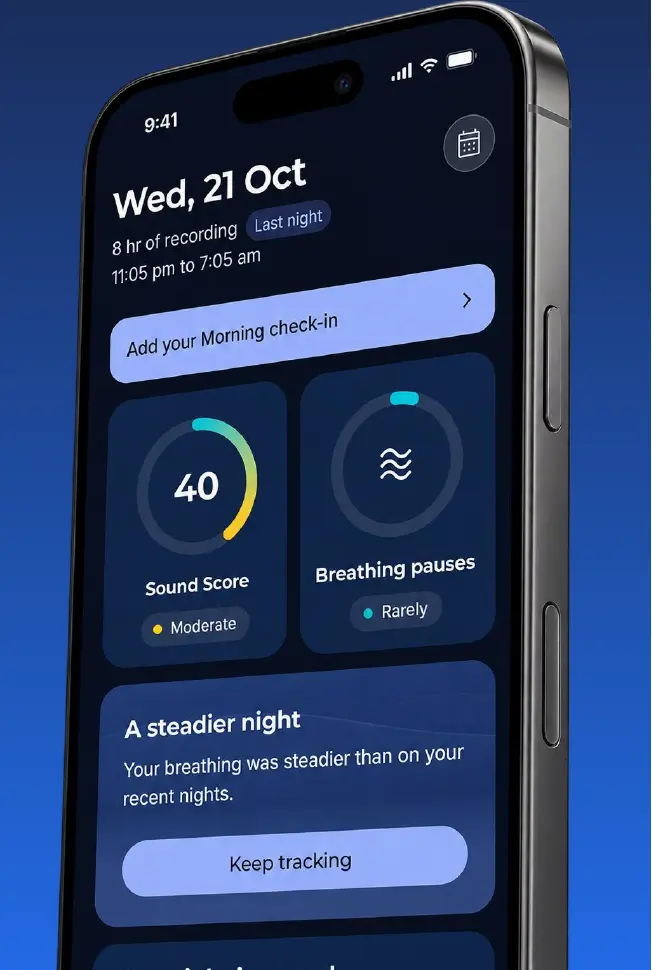
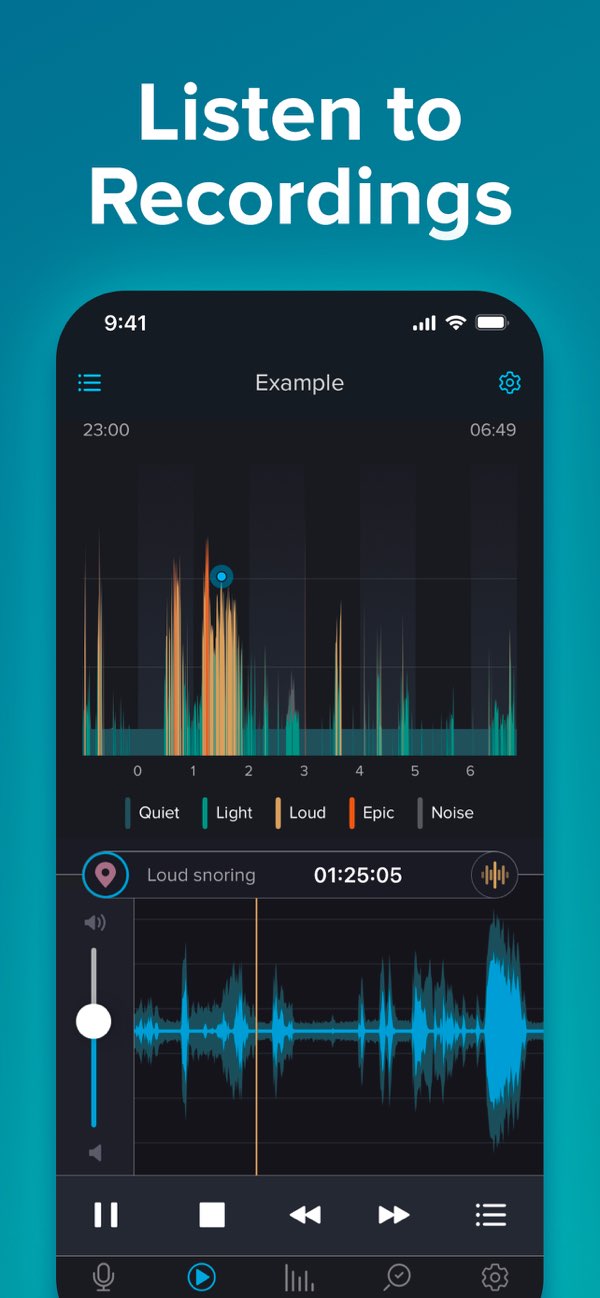
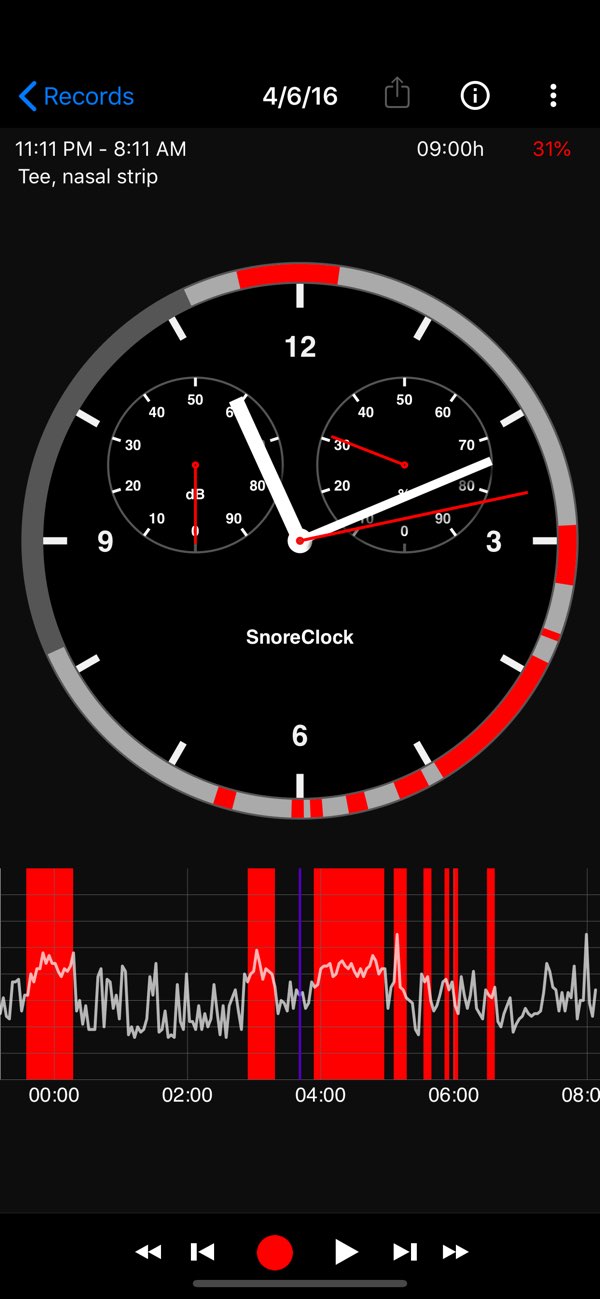
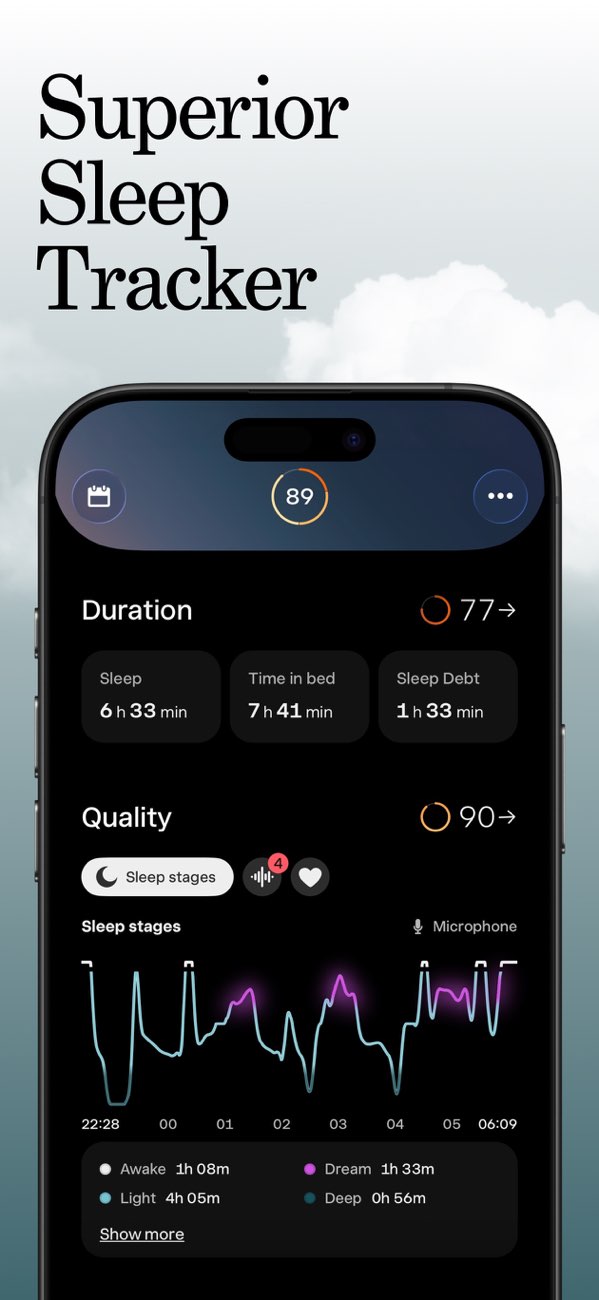
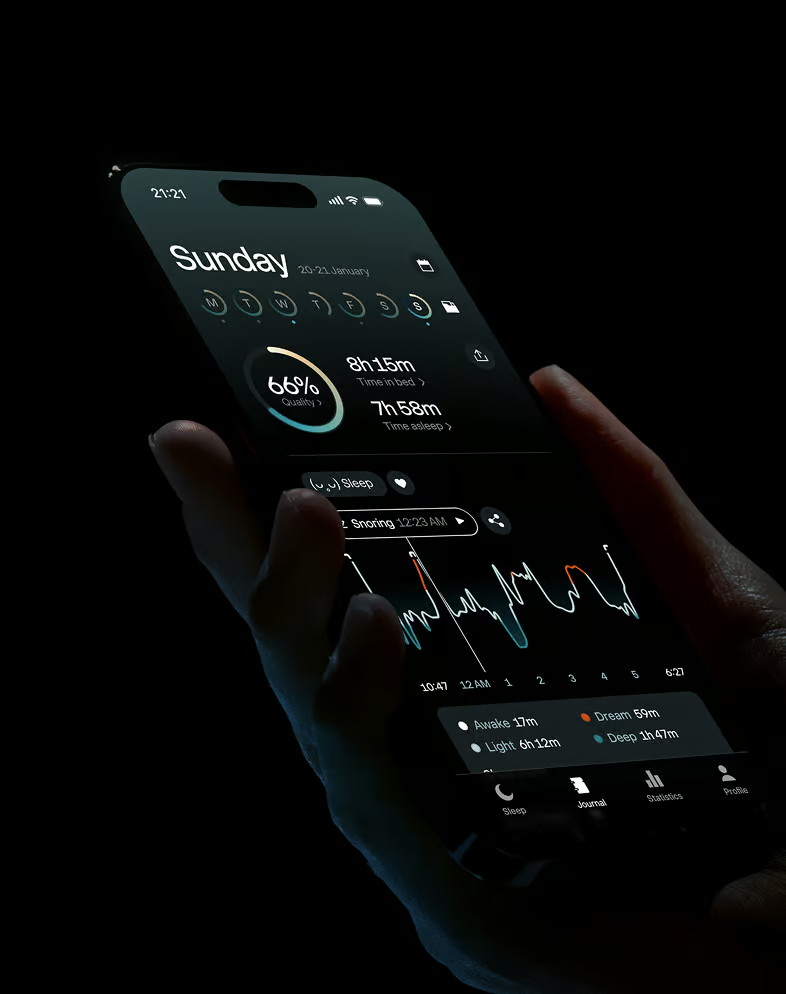
SnoreLab and SnoreClock make the timeline a route into the audio. Sleep Cycle leads with a summary, then shows detail. For Snoraire, test whether people can understand the report and find a meaningful clip without help.
Snoraire
Summary and next step
SnoreLab
Timeline and clip playback
SnoreClock
Whole-night audio chart
Sleep Cycle
Summary before detail
Comparing nights
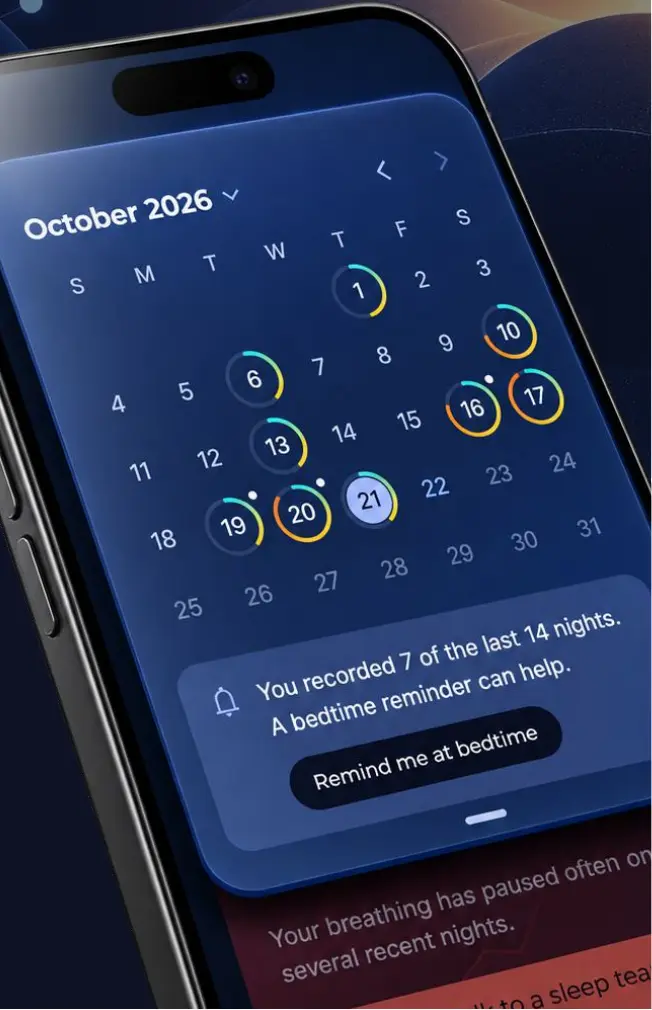
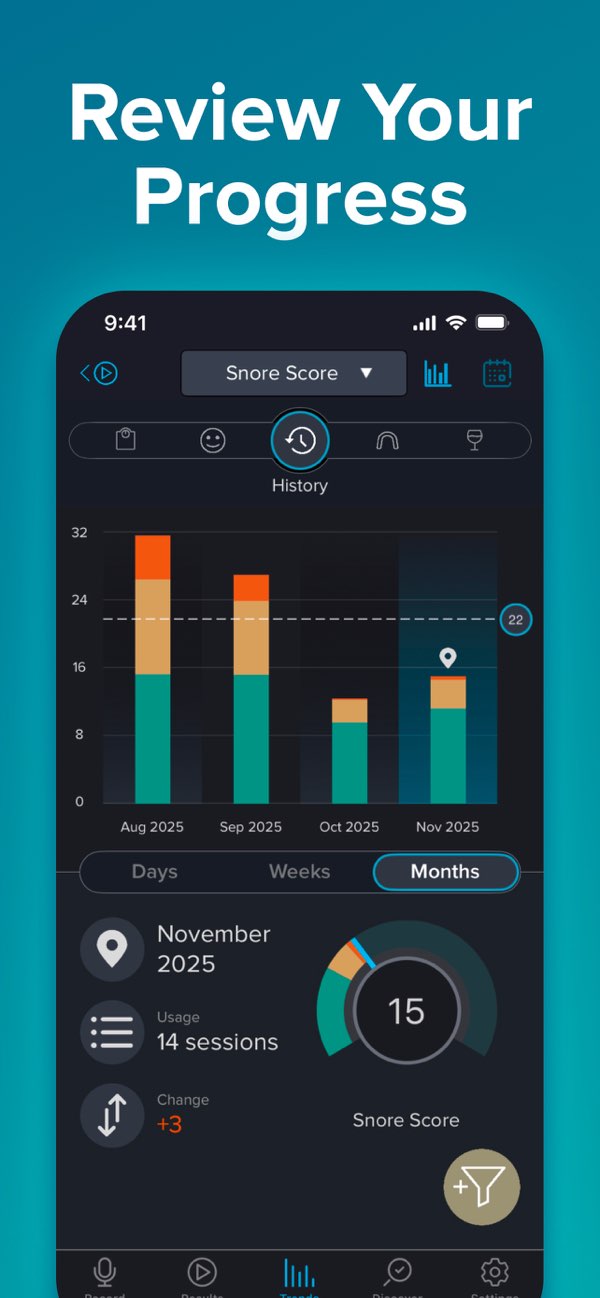
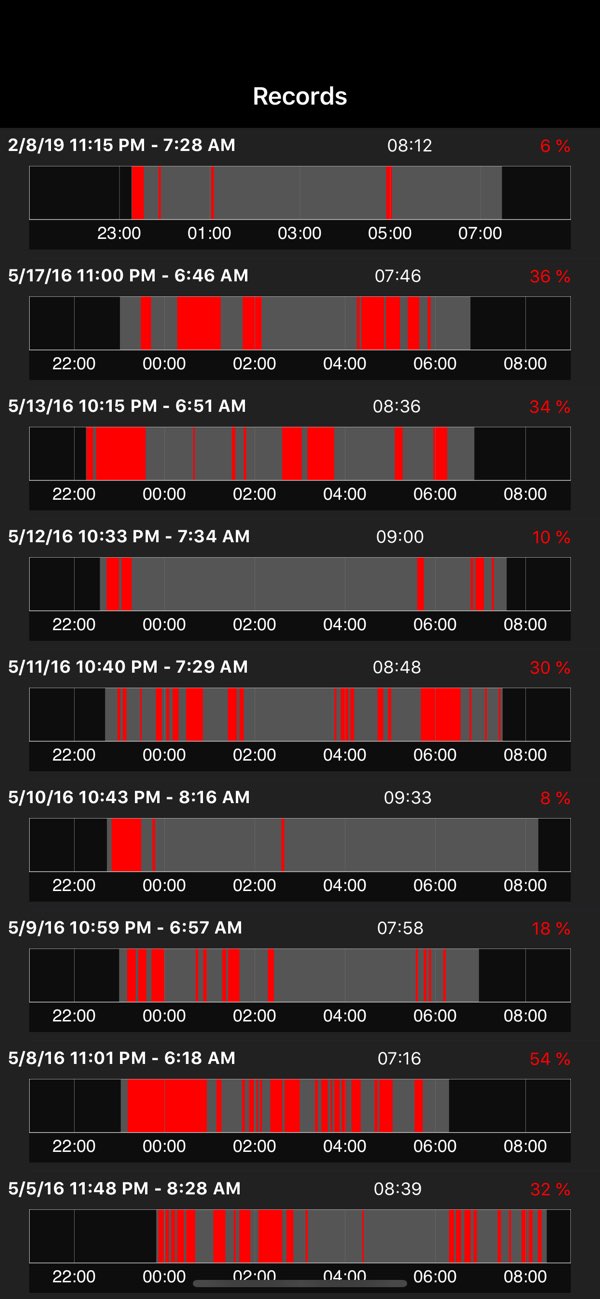
Snoraire’s earlier artwork shows a calendar for finding past nights. SnoreLab puts a progress chart up front, SnoreClock stacks comparable nights, and Snore Control shows how categories can become charts. Test a single comparison with the previous usable night before expanding to trends.
Snoraire
Report calendar
SnoreLab
Progress over time
SnoreClock
Night-by-night records
Snore Control
Snoring history charts
Taking the next step
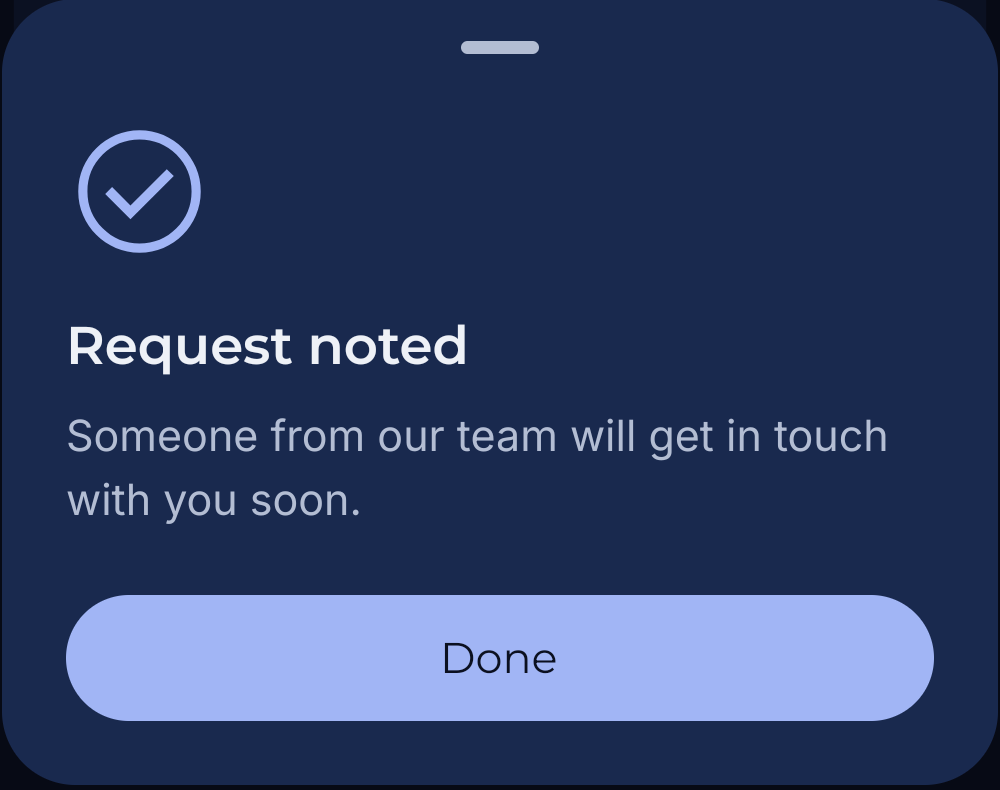
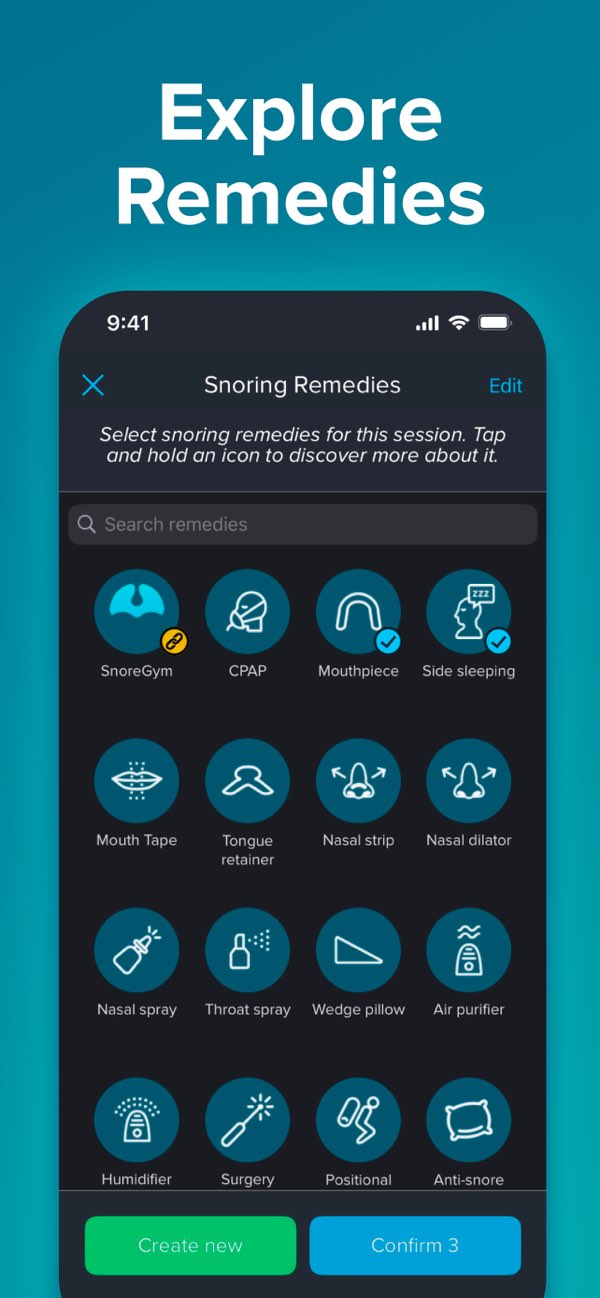
A tagged remedy gives SnoreLab users something to revisit after another recording. Snoraire’s callback gives users a route to the care team. The confirmation shows the request was noted. Care follow-up is measured separately.
Snoraire
Care callback confirmation
SnoreLab
Choose a remedy
SnoreLab
Review remedy differences
Features Snoraire lacks
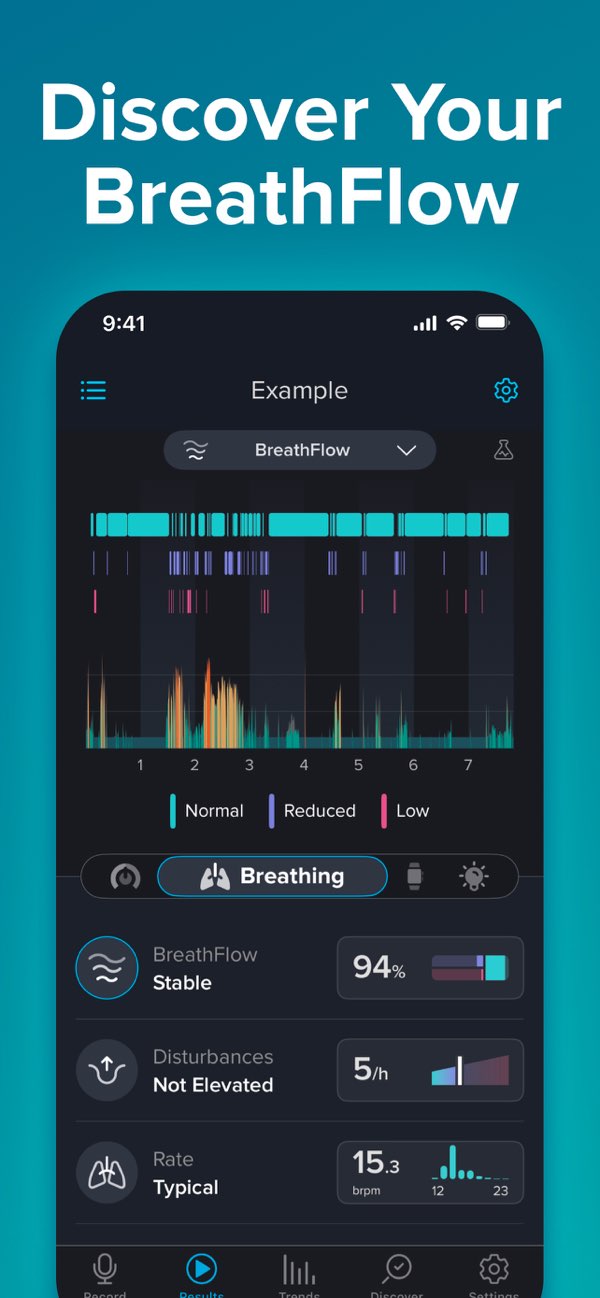
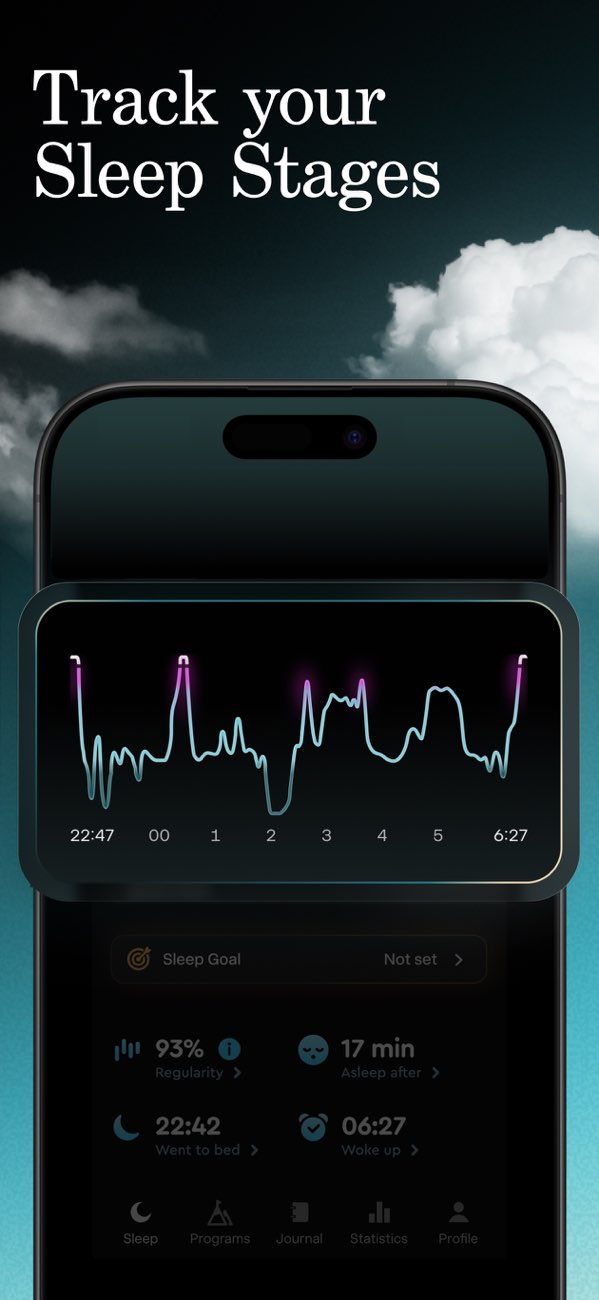
Snoraire already has local clips, breathing-pause observations and nightly tags. These screens show what competitors add through clip correction, breathing-stability analysis, sleep-stage estimates and a broader bedtime toolkit. The remedy comparison above is a separate example of analysis across tagged nights.
SnoreLab
Correct a flagged sound
SnoreLab
Breathing stability and rate
Sleep Cycle
Sleep stage estimates
ShutEye
Bedtime and wake-up tools
More competitor screenshots
Screens from all five competitors, linked to the features they illustrate in the comparison table.
SnoreLab
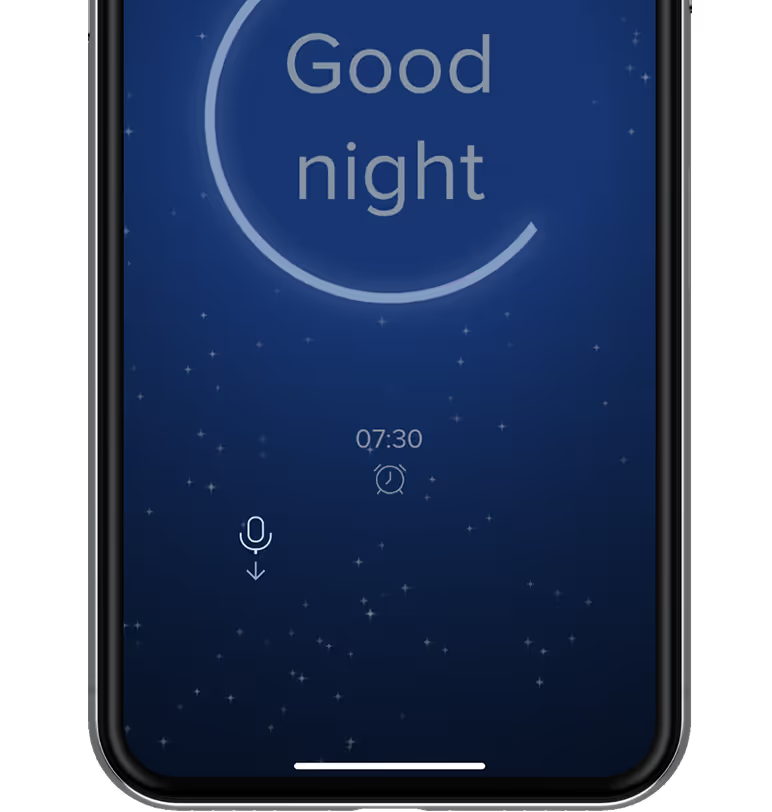
Overnight recording screen
SnoreLab
Time to Sleep delay
SnoreLab
Alarm and session end
SnoreClock
Sound categories and filters
SnoreClock
Snore rate across nights
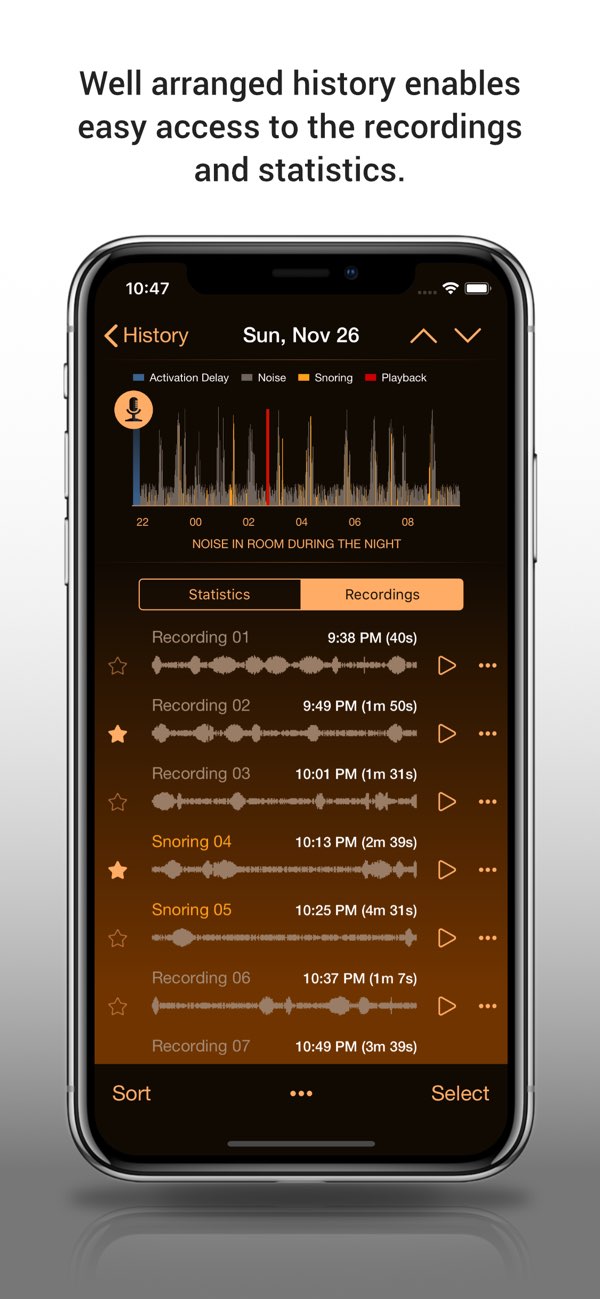
Snore Control
Recording history and clips
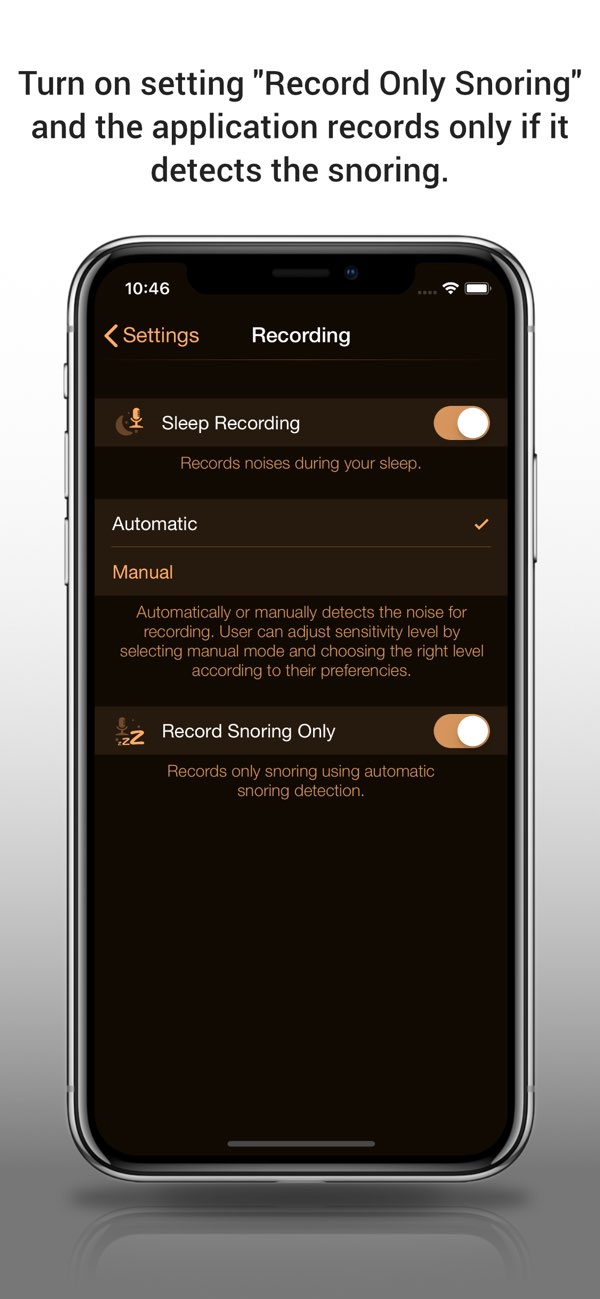
Snore Control
Sensitivity and snoring-only recording
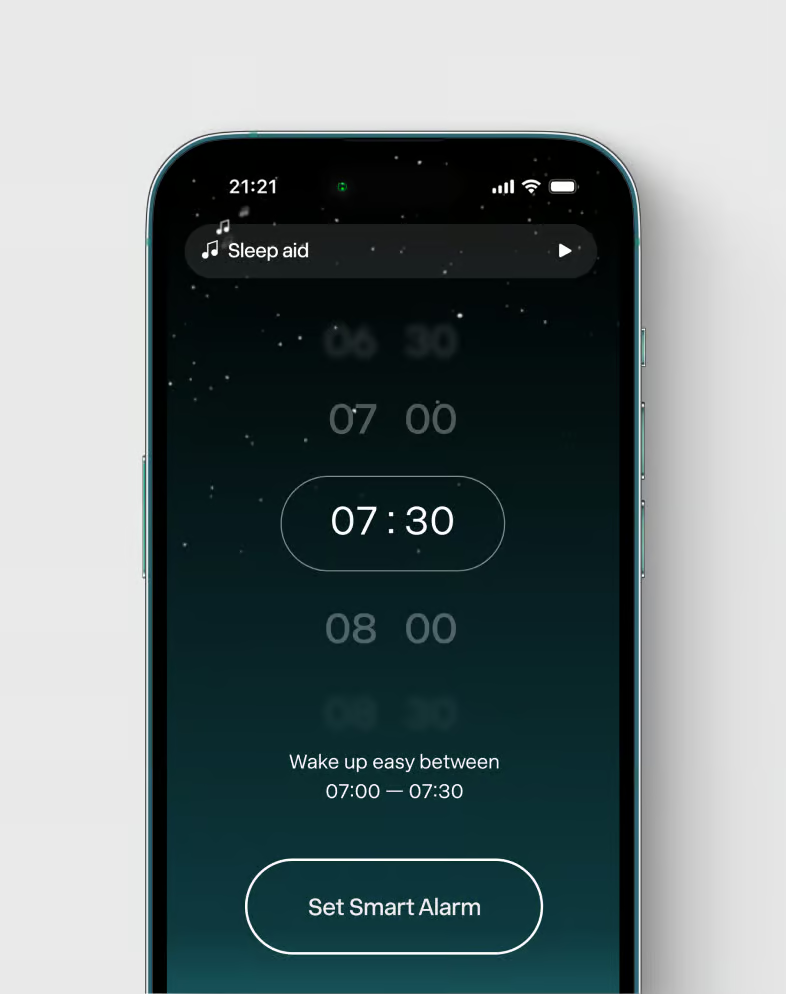
Sleep Cycle
Smart Alarm wake-up window
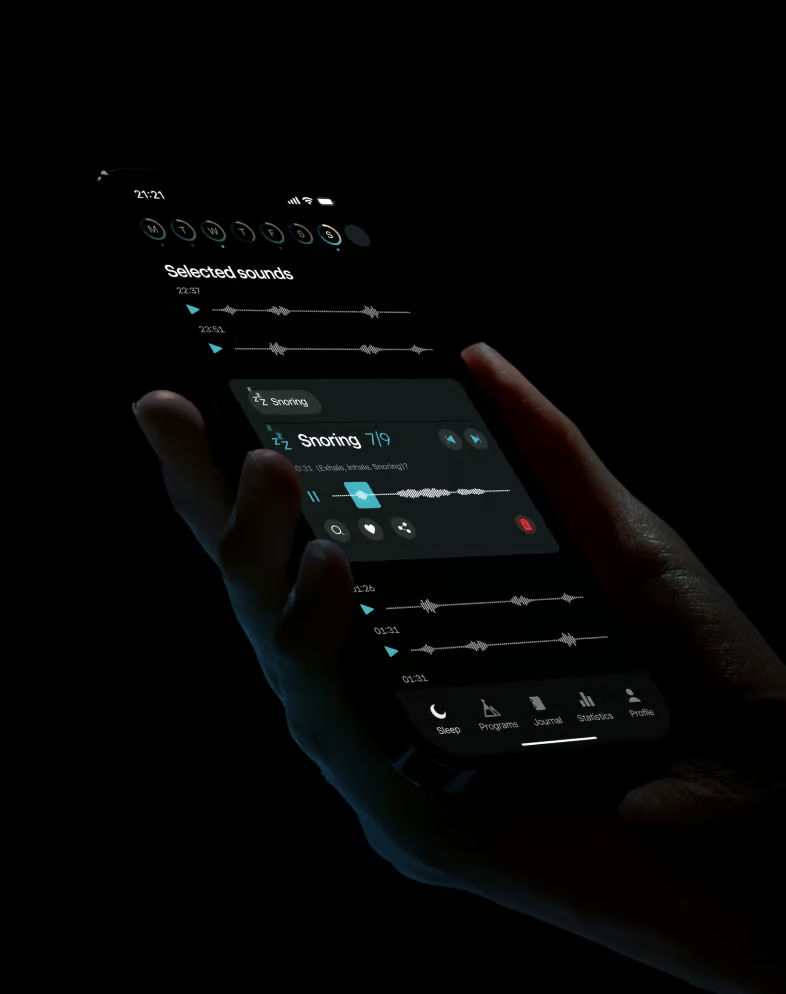
Sleep Cycle
Selected sounds and waveforms
Sleep Cycle
Snoring in the morning report
ShutEye
Snoring and sleep-talk recordings
ShutEye
Sleep-quality factors
ShutEye
Smart Alarm melody
Competitor Android checks
Captured on 21 November from Google Play builds running in an Android emulator. Captions identify the build and what each capture shows.
SnoreLab
Optional account prompt
SnoreLab
Bedtime reminder picker
SnoreClock
Automatic stop settings
SnoreClock
Custom tag entry
SnoreClock
Saved custom tag
Sleep Cycle
First-run registration gate
ShutEye
Active guest tracking
ShutEye
Journal after a forced stop
ShutEye
Demo breathing metrics
ShutEye
Preset bedtime factors
ShutEye
Fixed wake-up alarm
ShutEye
Wake-up alarm fired
ShutEye
Alarm screen two minutes later
SnoreClock
Recording controls
SnoreClock
One-minute recording delay
SnoreClock
Delay countdown
SnoreClock
Snoring analysis periods
SnoreClock
Saved recording menu
SnoreClock
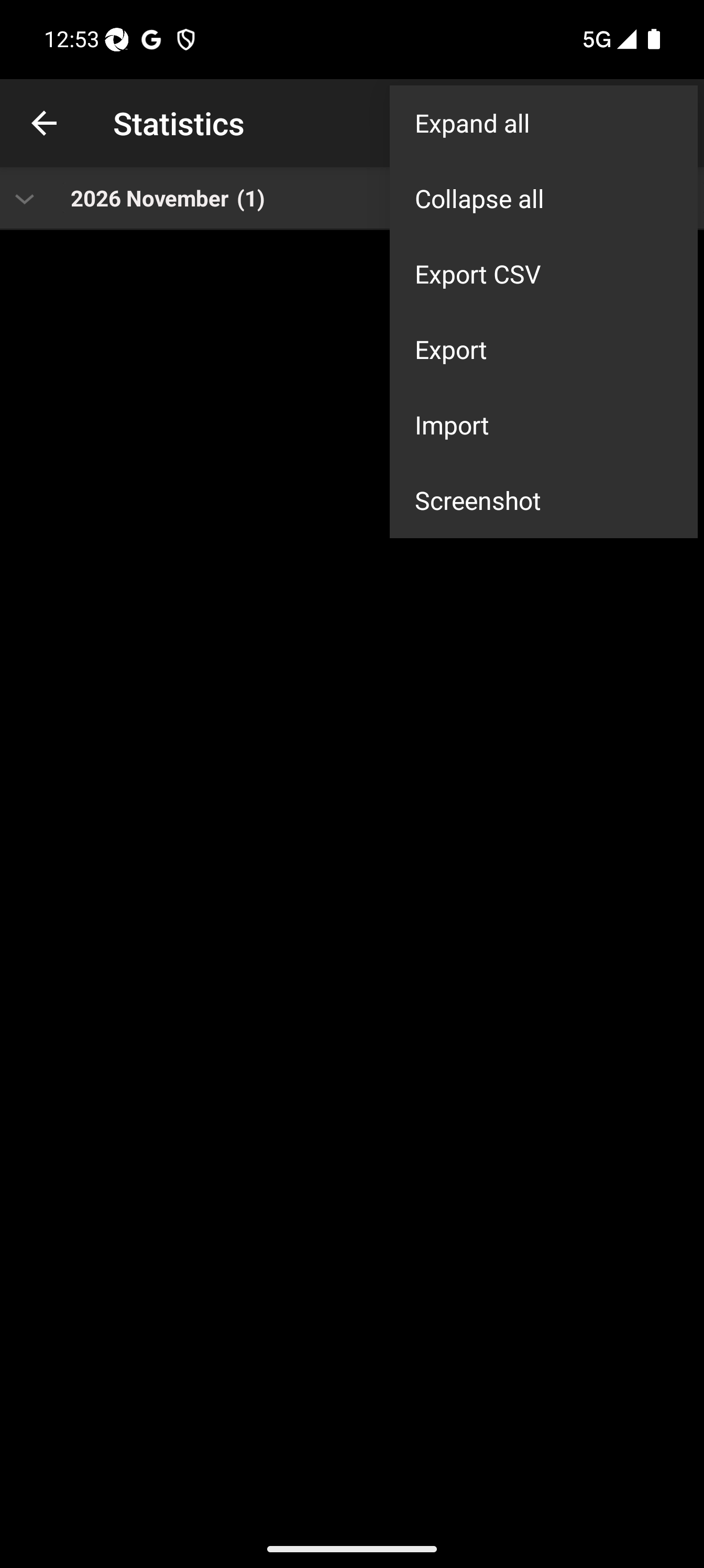
Export CSV in Statistics
SnoreClock
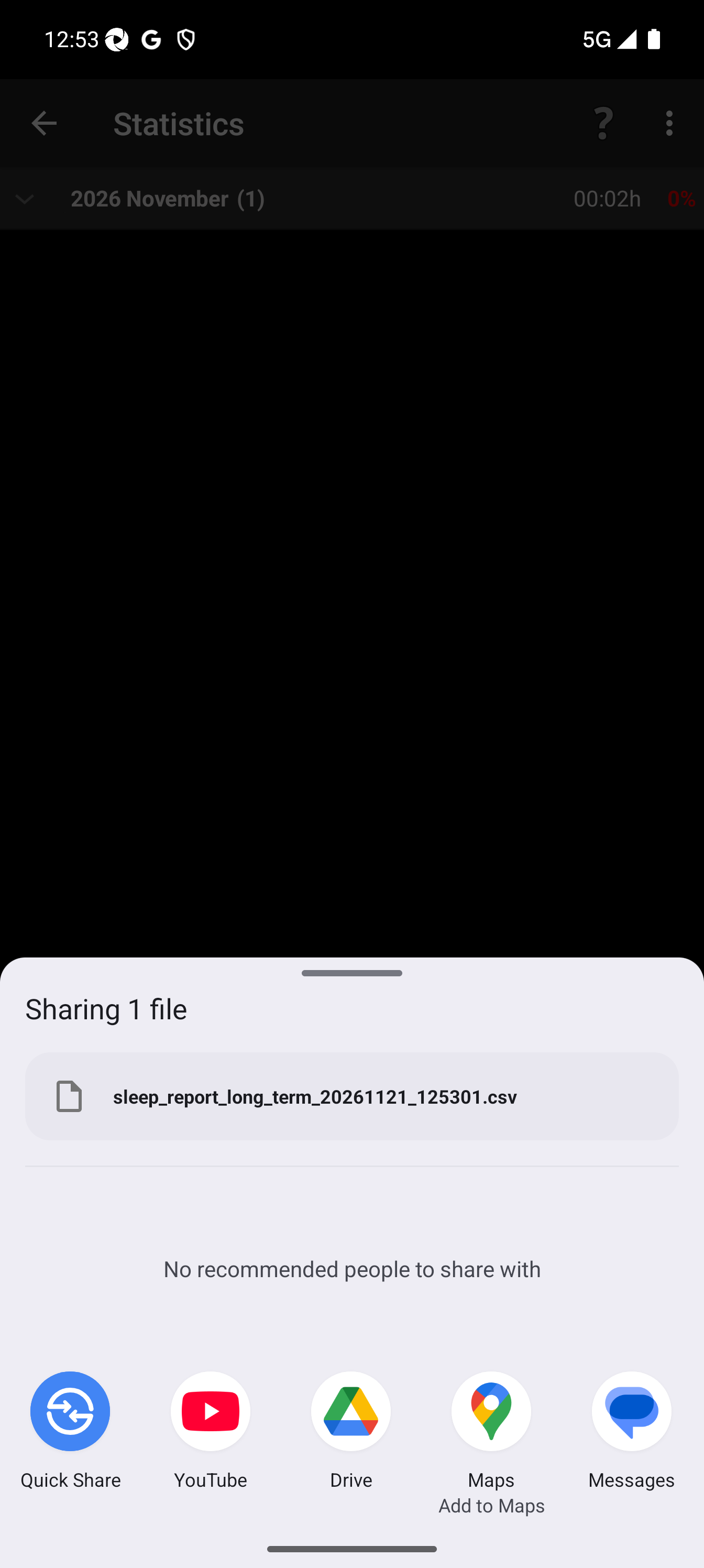
Generated CSV file
ShutEye
Create a custom Sleep Note tag
ShutEye
Custom tag after relaunch
ShutEye
Guest setup and phone placement
ShutEye
Guest tracker settings
ShutEye
Guided meditation library
ShutEye
Tracker error after relaunch
ShutEye
Recovered 60-minute report
ShutEye
Seven-report snoring averages
ShutEye
Online backup status
ShutEye
Account prompt for backup
Snore Control
Smart Alarms, Stop Snoring and Sleepy Sounds
SnoreClock
Saved 60-minute test recording
SnoreClock
Metrics in Analysis after the test
SnoreClock
Android Plus feature list
Snore Control
iPad Reminder setting
SnoreClock
iPad session details
SnoreClock
Configured low-battery threshold
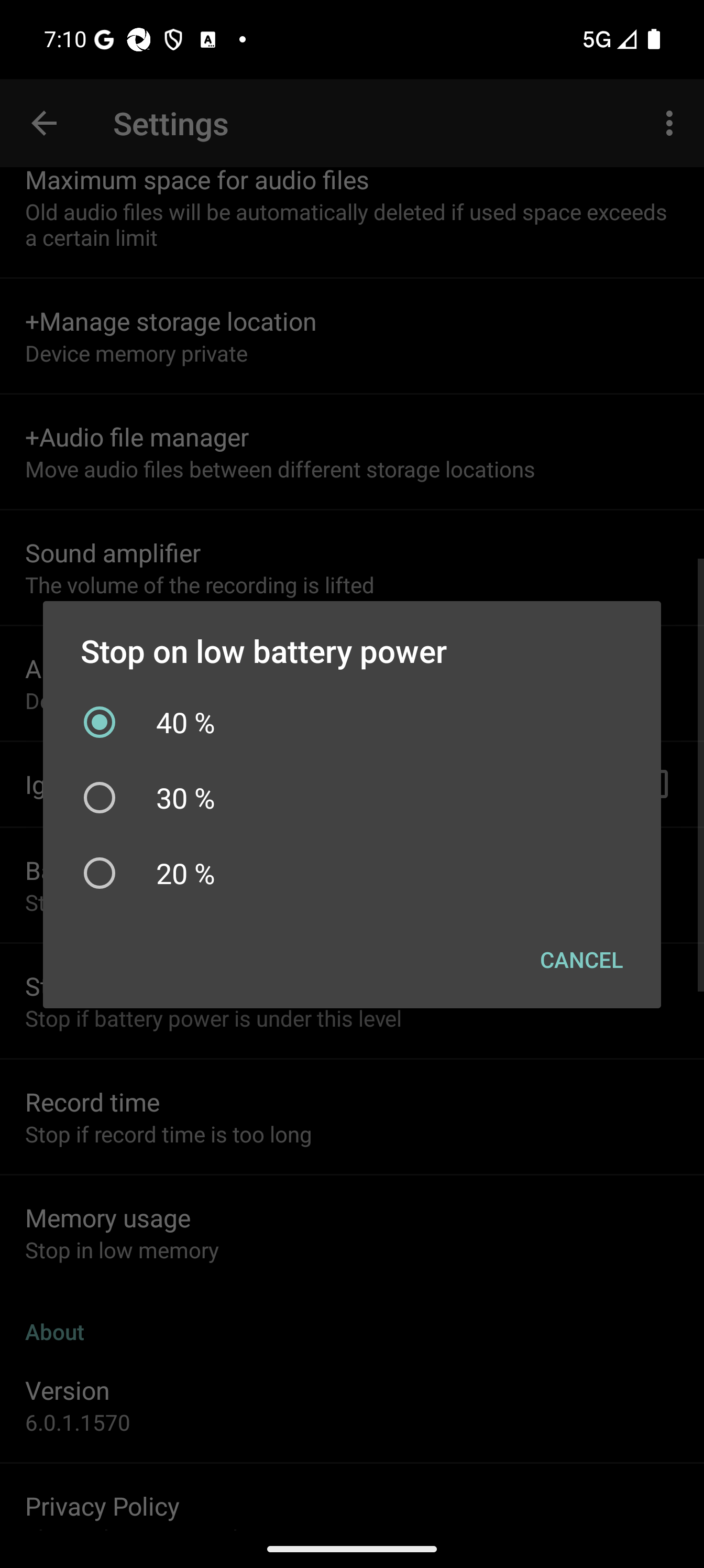
SnoreClock
Recording continued below the threshold
ShutEye
Feel Better meditation collection
ShutEye
Set a bedtime reminder
ShutEye
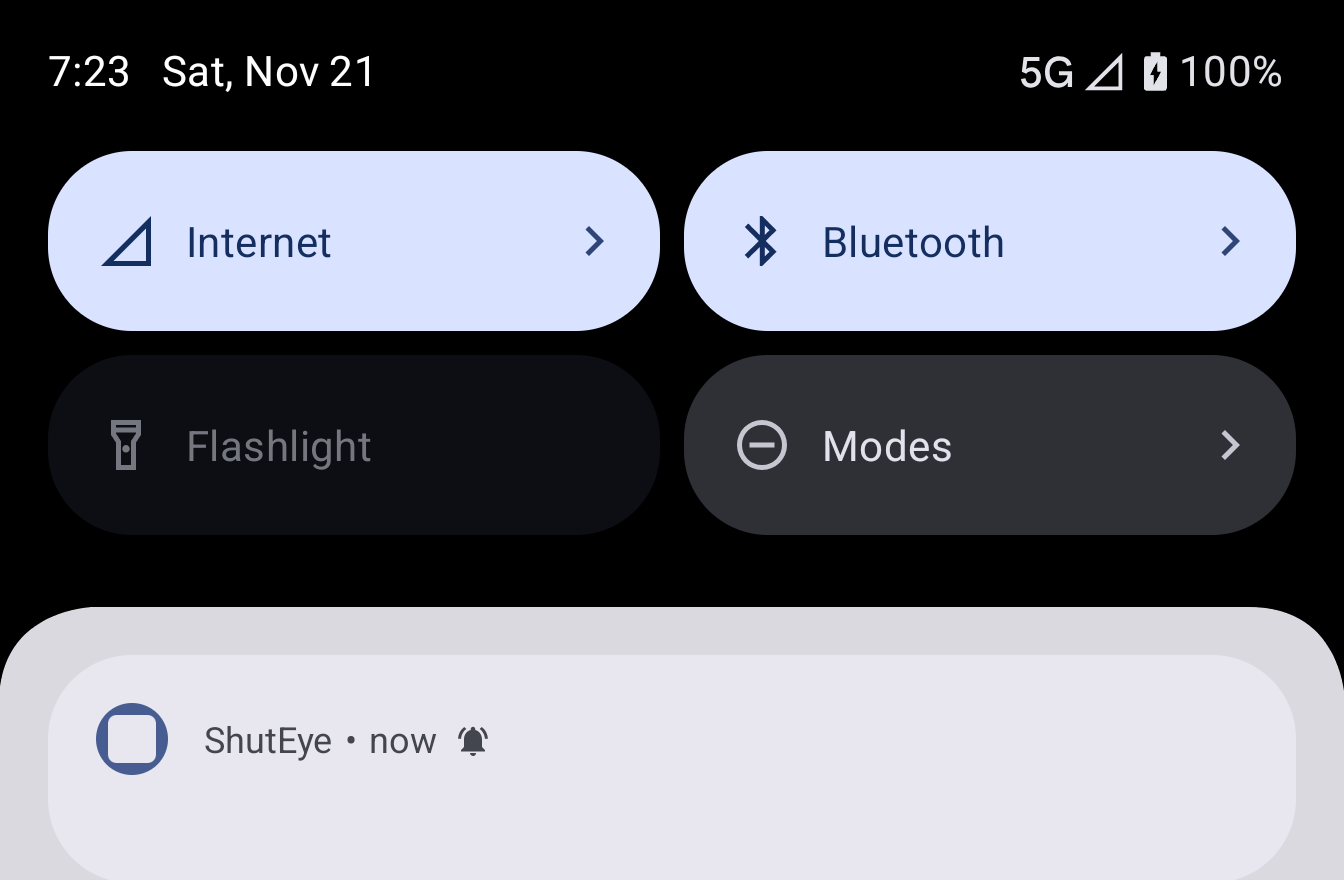
Bedtime reminder notification
Source notes
Snoraire recording and callback screens were captured on a physical Pixel 7 Pro with signed Google Play internal build 0.1.14 (14). The two report screens are crops of the earlier Airese Appstore Images draft shared by the Easmed tactical team. They illustrate the previous report design. Validate current morning report and calendar details on the signed beta after a usable overnight recording.
Competitor evidence includes developer-published store and guide images alongside hands-on Android captures. The emulator used a Google Play storefront displaying VND prices. No purchases or trials were started. Detection accuracy, physical overnight behavior and other storefronts remain outside these checks.
Gaps ranked for a focused release
| Priority | Gap | Smallest useful change and decision evidence |
|---|---|---|
| January readiness | A dependable first recording and a report people trust | Verify locked-screen capture, interruption recovery, usable versus failed-night wording, and playback on both signed platforms. Add a placement, permissions or recovery improvement where testers actually fail. Use the existing matched first-night funnel and physical device evidence. |
| January readiness | A care request that results in a response | Prove request acceptance, correct regional Zoho delivery and human follow-up. Clarify what happens next at the CTA and in the confirmation if users are unsure. This is Snoraire’s strongest potential differentiator in the set reviewed. |
| First candidate for Phase 1.5 | Useful comparison on the second usable night | Prototype Tonight vs previous usable night in the existing report. Show dates, snore minutes, usable recording time and relevant existing tags. Include recording-quality and comparability cues. Use the same measure and distinguish a two-night observation from a typical baseline. |
| After comparison, if needed | Context tags that help people interpret change | Show the existing tags next to the two nights first. Add tagged versus untagged comparison or trends only when users have enough comparable nights and want that view. Treat differences as observations rather than effects caused by a tag, habit or remedy. |
| Evidence-led follow-up | Explain or correct an uncertain clip | If testers repeatedly hear a partner, TV or other sound, make the uncertain source clear and investigate a limited correction or feedback control. Consider automated attribution only after the size of the problem and validation needs are clear. |
| After care verification | A user-controlled care summary | Prototype a concise shareable summary of two or three comparable nights for users who want to discuss them with a provider. Show dates, usable recording time and limitations. Use explicit sharing and exclude raw audio by default. Verify usefulness with care staff before adding export, new CRM fields or workflow changes. |
Wider sleep stages, smart alarms, a content library, wearables, sound or vibration interventions, and new breathing or composite scores all expand scope substantially. Keep them in discovery. Any proposed clinical-risk interpretation needs its own evaluation and clinical and privacy review. Beta care FAQ · Existing score research · Phase 1.5 scope · EAS-94
What to test in the employee beta
- First night. Check eligible installs, recording starts, usable reports and playback on the signed builds. Ask testers to explain what the report means and choose what they would do next. Fix first-night reliability or comprehension ahead of feature expansion when those findings recur.
- Reason to return. Ask after the first report what would make another night useful. If people want a comparison, test a first-report prompt that previews the value of a second night, then test the comparison itself with people who have two usable recordings. A comparison shown only after night two cannot explain the initial return. If people wanted to return and forgot, test the existing bedtime reminder first.
- Three-day outcome. Use the portal’s 72-hour measure. Count opted-in identities with a first usable report and a full follow-up window. A return requires a distinct later-night recording with a usable report within that window. Report counts, denominators and build coverage alongside feedback. A small employee sample can point to a priority and surface blockers. Public demand and clinical performance need separate evidence. Beta hypotheses dashboard · Cohort decision · EAS-93
Benchmark set
Direct comparisons start with SnoreLab and SnoreClock. Their Google Play listings show 5M+ and 1M+ downloads respectively. Sleep Cycle and ShutEye show 10M+ each and establish broader sleep-app expectations. These are cumulative public Android install bands. The review used official listings, documentation and release notes to establish advertised features. Singapore and Malaysia market share, paid conversion, relative detection accuracy and comparative usability were outside the evidence available. SnoreLab on Google Play · SnoreClock on Google Play · Sleep Cycle on Google Play · ShutEye on Google Play
| App | Relevant capabilities | What it exposes for Snoraire |
|---|---|---|
| SnoreLab | Nightly comparison, notes and configurable factors or remedies, playback on a timeline, and user correction of some misclassified clips. Premium adds full history and trends, more playback, session and spreadsheet exports, and acoustic breathing measures. SnoreGym is a companion for exercises and progress tracking. | The strongest benchmark for the return loop. Compare two nights before adding full trends or factor analysis. Evaluate correction if listeners repeatedly find the wrong sound. Its breathing metrics establish a feature benchmark with a separate validation burden. FAQ · Breathing features · SnoreGym |
| SnoreClock | Full-night audio exploration with a zoomable volume timeline, recording history comparison, and low-battery auto-stop on the iOS listing. iOS also advertises local processing and no account. Android Plus offers audio sharing and backup. | A useful test of how quickly people can begin and review a night. Check where Snoraire’s sign-up, permissions or recovery flow actually introduces friction. Singapore App Store · Google Play |
| Sleep Cycle | Historical snoring and other sound trends, notes, weekly insights, partner tools, smart alarm, sleep programs and platform health integrations. Several of the sound and partner features are Premium. | Shared-bed attribution and richer trend context are competitive gaps. Start with clear uncertainty about the source of a sound. Treat a smart alarm, wearables and a broader sleep program as separate product decisions. Feature matrix · Statistics · Partner tracking |
| ShutEye | Sleep estimates and reports, snore and sleep-talk clips, smart alarm, sounds and guided bedtime content. | Categorised clips can make a morning report easier to navigate. Sleep stages and the bedtime content library serve a broader use case. Google Play · ShutEye help |
| Snore Timeline, Snore Control and SleepScore | Snore Timeline advertises no-account recording, an event timeline and sleep or snoring tools. Snore Control advertises history and clip or CSV export. SleepScore’s Premium help describes a doctor-shareable 30-day report. | Use these as specific feature references. Recovery should help a user know whether an overnight session is still usable. A useful handoff needs a short, understandable summary and a named follow-up path. Snore Timeline release notes · Snore Control listing · SleepScore Premium support |
What Snoraire already has
The 82a148e2 beta source for iOS 0.1.14 (21) and Android 0.1.14 (14) includes phone-based overnight capture, a nightly report with snore and breathing-pause information, playback where an eligible clip exists, calendar history, Night Notes and sleep tags, a basic 10 p.m. bedtime reminder, and an optional care callback. Its current report can compare snore time against a personal average using three to seven earlier comparable nights. Recording export and HealthKit are scoped to research. Consumer sharing and wearable integration remain open. Signed-build behaviour and clinical wording remain subject to their existing acceptance checks. Signed beta build evidence · Personal baseline code · Snoraire PRD reconciliation · Report acceptance · EAS-130